Developer announcement
Published
SCP-049 Soft Rework
Announcement from the official source. The source describes the changes; your server installation status is shown separately in the update center.
Game updates, plugin versions and improvements to our interface with a traceable history.
Recorded, available and installed are different states. Your actual installation status and suitable updates are shown in the server panel.
Announcement from the official source. The source describes the changes; your server installation status is shown separately in the update center.
Announcement from the official source. The source describes the changes; your server installation status is shown separately in the update center.
No independent plugin compatibility test is documented for this announcement. Check the affected plugins in the update center before changing game versions.
Announcement from the official source. The source describes the changes; your server installation status is shown separately in the update center.
Announcement from the official source. The source describes the changes; your server installation status is shown separately in the update center.
Announcement from the official source. The source describes the changes; your server installation status is shown separately in the update center.
Announcement from the official source. The source describes the changes; your server installation status is shown separately in the update center.
No independent plugin compatibility test is documented for this announcement. Check the affected plugins in the update center before changing game versions.
Announcement from the official source. The source describes the changes; your server installation status is shown separately in the update center.
No independent plugin compatibility test is documented for this announcement. Check the affected plugins in the update center before changing game versions.
Announcement from the official source. The source describes the changes; your server installation status is shown separately in the update center.
No independent plugin compatibility test is documented for this announcement. Check the affected plugins in the update center before changing game versions.
Announcement from the official source. The source describes the changes; your server installation status is shown separately in the update center.
No independent plugin compatibility test is documented for this announcement. Check the affected plugins in the update center before changing game versions.
Announcement from the official source. The source describes the changes; your server installation status is shown separately in the update center.
No independent plugin compatibility test is documented for this announcement. Check the affected plugins in the update center before changing game versions.
Announcement from the official source. The source describes the changes; your server installation status is shown separately in the update center.
No independent plugin compatibility test is documented for this announcement. Check the affected plugins in the update center before changing game versions.
Announcement from the official source. The source describes the changes; your server installation status is shown separately in the update center.
Announcement from the official source. The source describes the changes; your server installation status is shown separately in the update center.
Announcement from the official source. The source describes the changes; your server installation status is shown separately in the update center.
Announcement from the official source. The source describes the changes; your server installation status is shown separately in the update center.
Announcement from the official source. The source describes the changes; your server installation status is shown separately in the update center.
No independent plugin compatibility test is documented for this announcement. Check the affected plugins in the update center before changing game versions.
Announcement from the official source. The source describes the changes; your server installation status is shown separately in the update center.
Announcement from the official source. The source describes the changes; your server installation status is shown separately in the update center.
Announcement from the official source. The source describes the changes; your server installation status is shown separately in the update center.
Announcement from the official source. The source describes the changes; your server installation status is shown separately in the update center.
No independent plugin compatibility test is documented for this announcement. Check the affected plugins in the update center before changing game versions.
The image shows the interface on its capture date; earlier versions may differ.
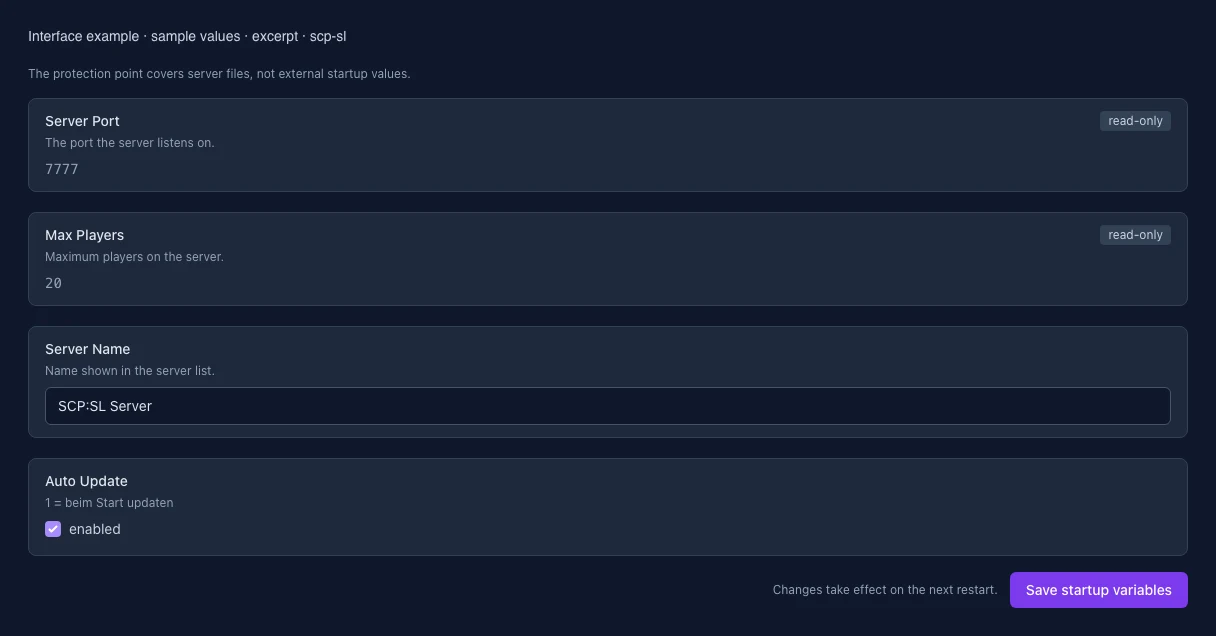
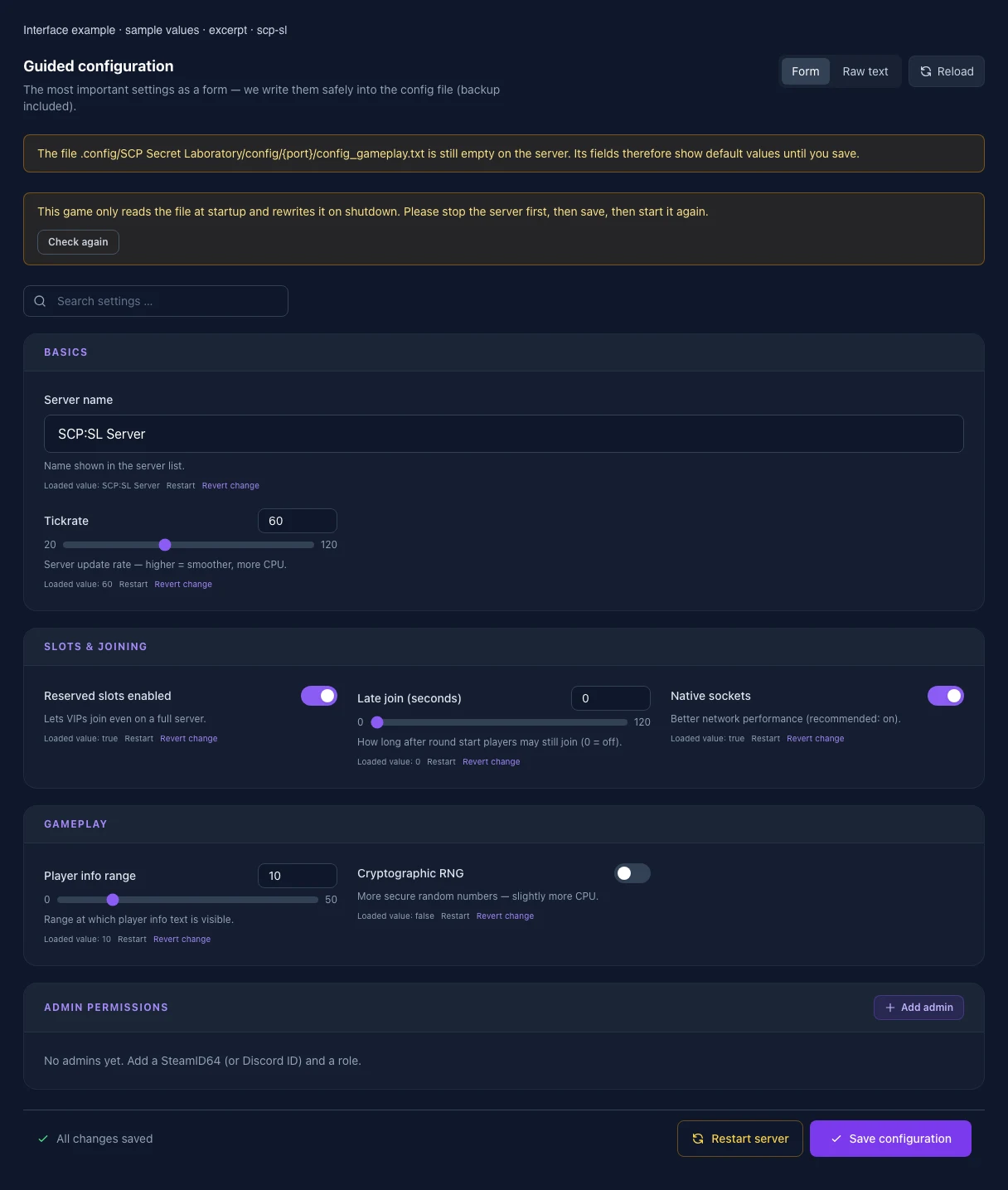
These values come from our guided editors. Defaults are the editor starting values; they do not show the contents of a customer server.
Name in the server list, up to 1280 UTF-8 bytes so the game query remains responsive (umlauts: 2 bytes, most emoji: 4). Write a backslash as \\; \n creates a line break in-game.
Server update rate — higher = smoother, more CPU.
Lets VIPs join even on a full server.
How long after round start players may still join (0 = off).
Better network performance (recommended: on).
Range at which player info text is visible.
More secure random numbers — slightly more CPU.
The allocated port used to connect to your server.
Player limit of your selected plan. Change it by switching plans.
SCP:SL does not use this template value. Change the name using “Server name” in the guided configuration above.
1 = beim Start updaten