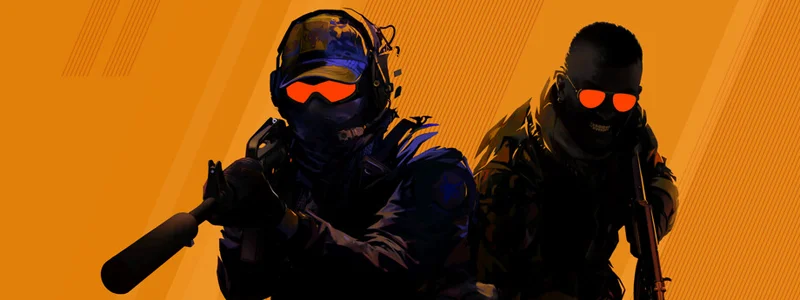
Counter-Strike 2 — Dedicated Server

Rent a Counter-Strike 2 Server

Tired of queueing for public servers when your group just wants to play? Your CS2 server runs on the game's subtick system, Workshop maps load by Steam ID straight from the dashboard, and MetaMod plus CounterStrikeSharp are ready for retakes, deathmatch or knife rounds.

Auto-Setup
Deploy
Subtick
Server rate
DE
Location
Stripe
No commitment
Deploy server →
Protection varies by infrastructure | Automated setup
from €8.09/mo Transparent monthly pricing
from 8 slots Resources
Typical initial setup: about 60 minutes. Queues or large installations can take longer. Automated setup
No long-term minimum Billing

Default: from 16 slots for €11.69/mo. Smaller configurations from €8.09/mo.

  • Workshop maps load straight into the dashboard by Steam ID — no manual upload needed.
  • CounterStrikeSharp is ready to go if you want to write your own plugins in C#.
  • MetaMod is preinstalled for retake, deathmatch or custom gamemode plugins.
Workshop maps load straight into the dashboard by Steam ID — no manual upload needed.
CounterStrikeSharp is ready to go if you want to write your own plugins in C#.
MetaMod is preinstalled for retake, deathmatch or custom gamemode plugins.
MatchZy lets you set up a full match with knife round and stats in a few clicks.
Anyone not playing can watch live via GOTV or capture the round as a demo.
Your own subdomain replaces the IP address: my-cs2.mc.mcfreehost.com

from €8.09/mo

The configurator starts at 16 slots (€11.69/mo) — smaller sizes from €8.09.

Configure now No long-term minimum
Workshop maps load straight into the dashboard by Steam ID — no manual upload needed.
CounterStrikeSharp is ready to go if you want to write your own plugins in C#.
MetaMod is preinstalled for retake, deathmatch or custom gamemode plugins.
Server location Germany
Typical initial setup: about 60 minutes. Queues or large installations can take longer.
400+ servers hosted
Rent a Counter-Strike 2 Server

Configure server

Choose RAM, term and server type to your liking.

140,000+ mods & plugins · installable in one click
Network Protection Shown per server
NVMe SSD Fast Storage
Germany Low ping across Europe
Scheduled Backups Manual or scheduled

Transparent features with no hidden costs

The configurator shows which features and protection apply to your server before you order.

Custom Subdomain

Choose your own address like mein-server.mc.mcfreehost.com — no ugly IP:Port combinations.

Free Extras

Activate with one click: server monitoring, music bot, Discord status and more. All free of charge.

Uptime Kuma Sinusbot Server Watcher

Automated setup

Typical initial setup: about 60 minutes. Queues or large installations can take longer.

Zero-config setup

Rent a CS2 server on a budget — no fluff

Subtick, the way Valve built it

Your server runs on CS2's subtick system — the server rate follows the game's own technical spec, no tinkering required.

Your maps, your rules

Surf, KZ, aim training or your crew's favourite map: load Workshop maps straight from the dashboard using their Steam ID.

Plugins for every lobby

MetaMod and CounterStrikeSharp are ready to go — set up retakes, deathmatch or knife rounds for your community.

Hosted in Germany

Runs on infrastructure in Germany; the exact machine is assigned based on game and capacity. You can check your ping before you buy.
Frequently asked questions

Do I have to worry about the tick rate?
No. CS2 runs on Valve's subtick system and processes inputs time-accurately within the server ticks — the game itself no longer offers a classic, freely selectable tick rate. Nothing to configure here.
How do we get our favourite maps onto the server?
Install Workshop maps straight from the control panel and add them to the rotation — hundreds of community maps are available, from aim training to KZ to creative game modes.
Can friends spectate or record demos?
Yes, GOTV is included. Spectators can watch live and you can record matches as demos — handy for tournaments or reviewing your own rounds afterwards.
How do I extend the server with plugins?
Through CounterStrikeSharp, the leading C# plugin framework for CS2. Admin systems, rankings, match management like MatchZy or custom game modes upload via the file manager — active on the next server start.
We want to play proper matches — what do we need?
MatchZy takes the organising off your hands: warm-up, knife round, match setup, live stats and GOTV recordings run automatically, controlled by chat command. For simpler administration without full match management there is CS2-SimpleAdmin.
How long until we can play?
Typical initial setup: about 60 minutes. Queues or large installations can take longer. Then set the server name, password and map rotation in the control panel — installed plugins are active right away.
Do I get a subdomain for my server?
Every mcfreehost server ships with its own address such as yourserver.mc.mcfreehost.com right from the start. Rename it anytime from the dashboard — no ticket required.
What do add-ons like bots and databases cost?
Monitoring and database add-ons — Uptime Kuma, MariaDB, phpMyAdmin, Game Server Watcher — never carry a surcharge. For music and chat bots, the first slot you activate is included; every additional bot is billed on top, and the dashboard shows the exact cost before you switch it on.
How long until I can actually play?
Typical initial setup: about 60 minutes. Queues or large installations can take longer. Larger Steam installs can take a bit longer depending on the game.
Am I locked into a long-term contract?
No — you are on a subscription that renews monthly, and you can cancel it from the dashboard whenever you like; the same goes for turning off automatic renewal.
Are the servers located in Germany?
Yes. All game servers run in German data centres (Falkenstein and Limburg) connected to the major German exchanges — low pings for players across Germany, Austria and Switzerland, and solid latency for the rest of Europe.
Which provider is best for my server?
The best provider is the one that shows you what you get before you pay: RAM, slots, location, price and cancellation terms. Here the price and resources are visible in the configurator before checkout, there is no minimum term and setup is automated — feel free to compare that with other offers.
Should I host the server myself or rent one?
Self-hosting costs power, time and a machine that runs around the clock; port forwarding, updates and backups are on you. A rented server is online within minutes, keeps running when your PC is off, and updates, DDoS protection and backups are included. For one or two friends on a single evening self-hosting is often fine — for a persistent world, renting pays off.
Jump to configurator