Minecraft server knowledge for free hosting
Written for the Free plan: you see up front what runs on it, what needs more RAM and where sleep mode gets in the way.
Your free Minecraft server, no credit card and no payment details.
The Free plan comes with 2 GB RAM — enough for vanilla and Paper with the usual plugins. Modpacks need the Premium plan with more RAM. With nobody online, sleep mode puts the server to sleep after 15 minutes; the guides tell you where that matters.
Featured guides
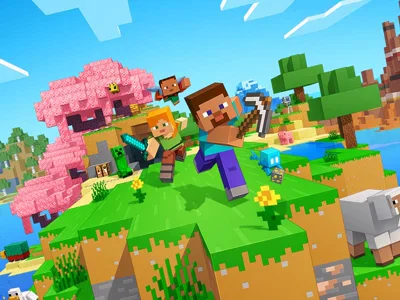
Free Minecraft Server Hosting Without a Credit Card
Free Minecraft server hosting at mcfreehost: permanently free, no payment details, with 2 GB RAM, Java or Bedrock, your own subdomain and no ads. Including all the limits of the free plan.

Create a Free Minecraft Server: Edition and First Join
Start your small Minecraft group at mcfreehost: choose the right edition, create it for free, connect correctly, and protect your world and the free limits.
All guides
A live map for your free Minecraft server
Your free server gets a 3D map with its own link, too. Here is how to turn it on, how long the first start takes and what happens when the server is off.

Set up an ARK: Survival Ascended server: map, password, rates and mods
How to set up your ARK: Survival Ascended server: pick a map, set the server name and passwords, change the rates, add CurseForge mods and become an admin.
Switch your free Minecraft server to Creative mode
One click puts your free server into Creative: peaceful, flying allowed, no spawn protection. Here is how to switch friends who have played before, too.

Don't Starve Together: Join Your Server
Join your Don't Starve Together server through Browse Games and the server name or with c_connect in the console, with password, Klei token and fixes for common errors.

Team Fortress 2: Join Your Server
Join your TF2 server with the console command from the panel or through your Steam favorites, set a password and fix common connection errors.

Join a Hytale server: address, port and Hytale account
How to join your Hytale server: read the address and port, enter them in the multiplayer menu and play with your own Hytale account.
Join a Factorio server: connect to address, password and mods
How to join your Factorio server: enter the address and port in the multiplayer menu, give the password and match version and mods.

Join a CS2 server: console, connect and server password
How to join your CS2 server: turn on the developer console, set the password and connect with connect and the address.
Join an ARK: Survival Ascended server: console, open and server list
How to join your ARK: Survival Ascended server: turn on console access, connect with open or find the server in the list.

Join a Left 4 Dead 2 server: console, connect and lobby setting
How to join your Left 4 Dead 2 server: turn on the developer console, connect with connect and allow direct joins.

Join a V Rising server: Direct Connect and server list
How to join your V Rising server: choose Direct Connect in the game, enter the address and port or find the server in the list.

Join a Conan Exiles server: direct connect, password and mods
How to join your Conan Exiles server: direct connect with address and password, searching the server list and matching mods.
Popular modpacks
We have tested each of these modpacks on our own servers. They run on the Premium plan, and each page lists the RAM it needs and the price.
Ready for your free server?
Free Minecraft server with 2 GB RAM, no credit card — the guides take you from the first start to a finished plugin setup.
Create a free server