INFECTED DETECTED — LEFT 4 DEAD 2 SERVER

Rent a Left 4 Dead 2 Server

Rent a server

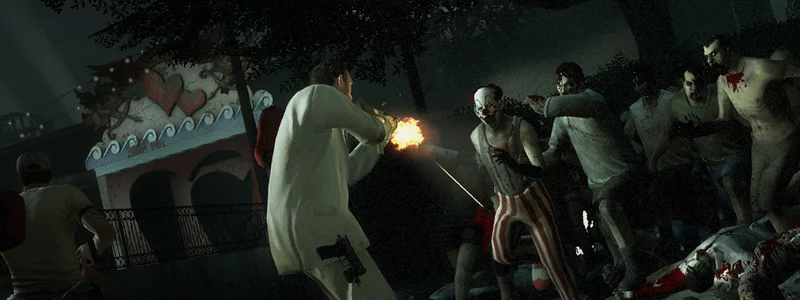
Fight off the horde as a group — dedicated L4D2 servers for 4 to 8 players, with custom maps, add-ons, and round-the-clock uptime so the fight never gets interrupted.

Up to 8 players
Custom Maps
Automated setup
from €3.17/mo Transparent monthly pricing
from 6 slots Resources
about 3 min Automated setup
No long-term minimum Billing

Default: from 8 slots for €3.41/mo.

Prices as of , live from the price list

  • SourceMod and MetaMod ready to go for custom mutations, admin tools and house rules.
  • MultiSlots plugin lifts the standard 4-player squad up to 8 or more survivors.
  • Every official campaign plus custom maps through a Workshop collection ID.
SourceMod and MetaMod ready to go for custom mutations, admin tools and house rules.
MultiSlots plugin lifts the standard 4-player squad up to 8 or more survivors.
Every official campaign plus custom maps through a Workshop collection ID.
SteamCMD applies updates automatically, no manual step required.
Your own subdomain replaces the IP address: my-l4d2.mc.mcfreehost.com
Scheduled backups on top of manual saves whenever you need them.

from €3.17/mo

Configure now No long-term minimum
SourceMod and MetaMod ready to go for custom mutations, admin tools and house rules.
MultiSlots plugin lifts the standard 4-player squad up to 8 or more survivors.
Every official campaign plus custom maps through a Workshop collection ID.
Choose DE or FR location (paid plan)
Typical initial setup: about 3 minutes. Queues or large installations can take longer.
580+ servers hosted
Rent a Left 4 Dead 2 Server

Configure server

Left 4 Dead 2 · from €3.17/month

Claude Code · Codex

Tell your game server what you have in mind.

Connect Claude Code or Codex to your server. Ask your assistant to install plugins, adjust settings or investigate startup issues. You choose which servers it can access.

Check my server status. Do not change anything yet.
See examples

Integration included at no extra charge. You need a compatible AI assistant; its provider may charge separately.

Data-Center DDoS Protection Included at every location
NVMe SSD Fast Storage
DE or FR Selectable on paid plans
Scheduled Backups Manual or scheduled

Transparent features with no hidden costs

The configurator shows which features and protection apply to your server before you order.

Custom Subdomain

Choose your own address like mein-server.mc.mcfreehost.com — no ugly IP:Port combinations.

Free Extras

One click in the dashboard: Uptime Kuma, Game Server Watcher and one bot such as Sinusbot are included per server at no extra cost. Every additional bot costs extra.

Uptime Kuma Sinusbot Server Watcher

Automated setup

Typical initial setup: about 3 minutes. Queues or large installations can take longer.

Zero-config setup

Rent a Left 4 Dead 2 server — zombie co-op at a small price

Campaigns from the community

Suicide Blitz, Helm's Deep or Journey to Splash Mountain: hook in custom campaigns as VPK files.

Plugins via file manager

L4DToolZ, ZoneMod or Ready Up — upload SourceMod plugins straight through the file manager.

Co-op nights or versus leagues

Play custom campaigns at your own pace or run competitive versus with a ZoneMod config — your server does both.

Specs without guesswork

Slot count, custom maps and plugins drive the demand — the order assistant shows options and price transparently.

How much RAM does your L4D2 server need?

Gamemode Players RAM Price/month
Koop-Kampagne (Standard)42 GB€4.37
Versus / Scavenge84 GB€9.17

Frequently asked questions

How do I install SourceMod on my L4D2 server?
SourceMod and MetaMod are ready to go — upload them as an add-on via the file manager. From there you can run custom mutations, admin tools and stat plugins without rebuilding the server.
Can I fit more than four players in a session?
L4D2 defaults to a four-survivor squad. The MultiSlots plugin lifts that to 8 or more, which is handy for bigger friend groups tackling campaigns or Versus together. A little extra RAM helps keep things stable at 8-plus players.
How do I switch between Versus, Survival and co-op?
Set mp_gamemode in the server config to coop, versus, survival or scavenge. The change applies on the next map change or restart — with an RTV plugin, players can even vote for the next mode themselves.
How do I upload my own Workshop maps?
Two options: drop a Workshop collection ID into the server config for automatic downloads, or upload .vpk files straight into the addons folder via the file manager. After a restart the maps show up in your campaign rotation.
Are server updates applied automatically?
Yes, SteamCMD pulls updates automatically on restart — nothing to trigger yourself. After a bigger content update it is worth checking that your custom maps are still compatible.
How fast can we get going after ordering?
Typical initial setup: about 3 minutes. Queues or large installations can take longer. Set server name and password in the control panel, install SourceMod if you want it, and configure your campaign rotation — friends connect via the in-game browser or straight through your subdomain.
Do I get a subdomain for my server?
Every mcfreehost server ships with its own address such as yourserver.mc.mcfreehost.com right from the start. Rename it anytime from the dashboard — no ticket required.
What do add-ons like bots and databases cost?
Monitoring and database add-ons — Uptime Kuma, MariaDB, phpMyAdmin, Game Server Watcher — never carry a surcharge. For music and chat bots, the first slot you activate is included; every additional bot is billed on top, and the dashboard shows the exact cost before you switch it on.
How long until I can actually play?
Typical initial setup: about 3 minutes. Queues or large installations can take longer. Larger Steam installs can take a bit longer depending on the game.
Am I locked into a long-term contract?
No — you are on a subscription that renews monthly, and you can cancel it from the dashboard whenever you like; the same goes for turning off automatic renewal.
Are the servers located in Germany?
You choose the location at checkout: Germany (Falkenstein and Limburg) or France (Roubaix) — all in the EU, connected to the major European exchanges. Low pings for players across Germany, Austria and Switzerland at both locations, and solid latency for the rest of Europe.
Which provider is best for my server?
The best provider is the one that shows you what you get before you pay: RAM, slots, location, price and cancellation terms. Here the price and resources are visible in the configurator before checkout, there is no minimum term and setup is automated — feel free to compare that with other offers. Left 4 Dead 2 starts here at 3.17 EUR per month, and setup typically takes about 3 minutes.
Should I host the server myself or rent one?
Self-hosting costs power, time and a machine that runs around the clock; port forwarding, updates and backups are on you. A rented server is online within minutes, keeps running when your PC is off, and updates and backups are included; data-center DDoS protection is included at every location. For one or two friends on a single evening self-hosting is often fine — for a persistent world, renting pays off.
Can I increase or decrease the RAM later?
Yes, you can do it yourself in the customer area using a slider. An upgrade takes effect immediately: you only pay the prorated difference for the remaining term, and the new price applies from the next renewal. A downgrade takes effect on the next renewal date. Your world, settings and subdomain are kept, and depending on the game, a restart is required afterwards. With monthly payment and a minimum term, the change is only possible once that term has ended, and for games with a slot-based plan it is not available.
Jump to configurator