Developer announcement
Published
Status Report - 21 February 2017
Announcement from the official source. The source describes the changes; your server installation status is shown separately in the update center.
Game updates, plugin versions and improvements to our interface with a traceable history.
Recorded, available and installed are different states. Your actual installation status and suitable updates are shown in the server panel.
Announcement from the official source. The source describes the changes; your server installation status is shown separately in the update center.
Announcement from the official source. The source describes the changes; your server installation status is shown separately in the update center.
Announcement from the official source. The source describes the changes; your server installation status is shown separately in the update center.
Announcement from the official source. The source describes the changes; your server installation status is shown separately in the update center.
Announcement from the official source. The source describes the changes; your server installation status is shown separately in the update center.
Announcement from the official source. The source describes the changes; your server installation status is shown separately in the update center.
Announcement from the official source. The source describes the changes; your server installation status is shown separately in the update center.
Announcement from the official source. The source describes the changes; your server installation status is shown separately in the update center.
Announcement from the official source. The source describes the changes; your server installation status is shown separately in the update center.
Announcement from the official source. The source describes the changes; your server installation status is shown separately in the update center.
Announcement from the official source. The source describes the changes; your server installation status is shown separately in the update center.
Announcement from the official source. The source describes the changes; your server installation status is shown separately in the update center.
Announcement from the official source. The source describes the changes; your server installation status is shown separately in the update center.
Announcement from the official source. The source describes the changes; your server installation status is shown separately in the update center.
Announcement from the official source. The source describes the changes; your server installation status is shown separately in the update center.
Announcement from the official source. The source describes the changes; your server installation status is shown separately in the update center.
Announcement from the official source. The source describes the changes; your server installation status is shown separately in the update center.
Announcement from the official source. The source describes the changes; your server installation status is shown separately in the update center.
Announcement from the official source. The source describes the changes; your server installation status is shown separately in the update center.
Announcement from the official source. The source describes the changes; your server installation status is shown separately in the update center.
The image shows the interface on its capture date; earlier versions may differ.
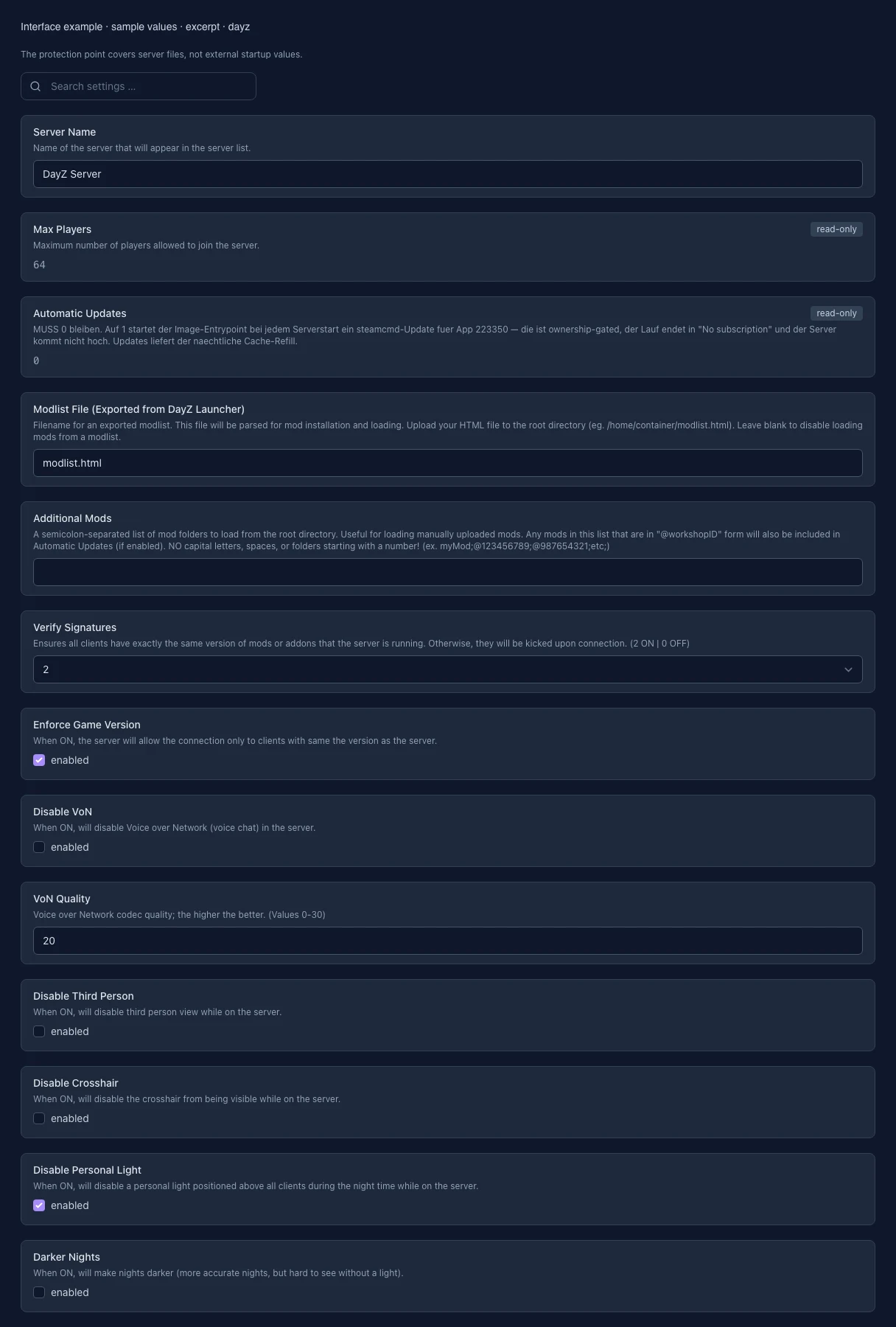
These values come from our guided editors. Defaults are the editor starting values; they do not show the contents of a customer server.
Name in the DayZ server list. No double quotes or line breaks; changes require a restart.
Read-only maximum player count of the server.
Read-only: the stable version is installed from our Steam cache. Updates use reinstallation in the update section.
Filename of an HTML mod list exported from the DayZ Launcher in the server root. Leave empty to use no mod list file.
Uploaded mod folders in the root, separated by semicolons, e.g. @123456789;@987654321. Use lowercase folder names without spaces. Workshop downloads in the stable container are disabled.
2 = verify signatures, 0 = disable verification. Changes require a restart.
Only allow clients using the same game version as the server.
Enabled: in-game voice chat is turned off.
Voice chat codec quality: 0 to 30. Higher values improve quality.
Enabled: players can only use first-person view.
Enabled: the crosshair is hidden in-game.
Enabled: the personal light above each player is turned off at night.
Enabled: darker night lighting. Disabled: brighter night lighting.
Enabled: after a restart, the server uses the last saved game time.
Game time multiplier: 12 means twelve times faster. The night multiplier is multiplied by this value.
0.1 to 64. Multiplied by time acceleration: a time multiplier of 2 and a night multiplier of 4 produce a night speed of 8.
Converts loaded mod folders and files to lowercase. This can fix loading issues after uploads from Windows. Enable for one startup, then turn it off again.
Validates server files through SteamCMD when automatic Steam updates are enabled. This feature is locked for DayZ Stable.
Mod folders loaded only on the server, separated by semicolons. Clients do not need these mods. Use lowercase folder names without spaces.
Additional startup parameters of the DayZ server. They are read-only for DayZ Stable.
Provider-managed DayZ server executable.
Port for Steam server queries. Set from the assigned server ports.