Back to overview

Hytale: updates, settings and interface

Game updates, plugin versions and improvements to our interface with a traceable history.

Recorded, available and installed are different states. Your actual installation status and suitable updates are shown in the server panel.

Game update Published by the developer

Hytale Hotfix · 2026-01-15

Dated entry from the official Hytale patch notes. Check the changes and mod guidance before updating a server.

Release channel: release

Effects on plugins

No independent plugin compatibility test is documented for this announcement. Check the affected plugins in the update center before changing game versions.
Developer announcement Published

Hytale is finally here!

Dated entry from the official Hytale patch notes. Check the changes and mod guidance before updating a server.

Release channel: release

Game update Published by the developer

Hytale Hotfix · 2026-01-13

Dated entry from the official Hytale patch notes. Check the changes and mod guidance before updating a server.

Release channel: release

Effects on plugins

No independent plugin compatibility test is documented for this announcement. Check the affected plugins in the update center before changing game versions.

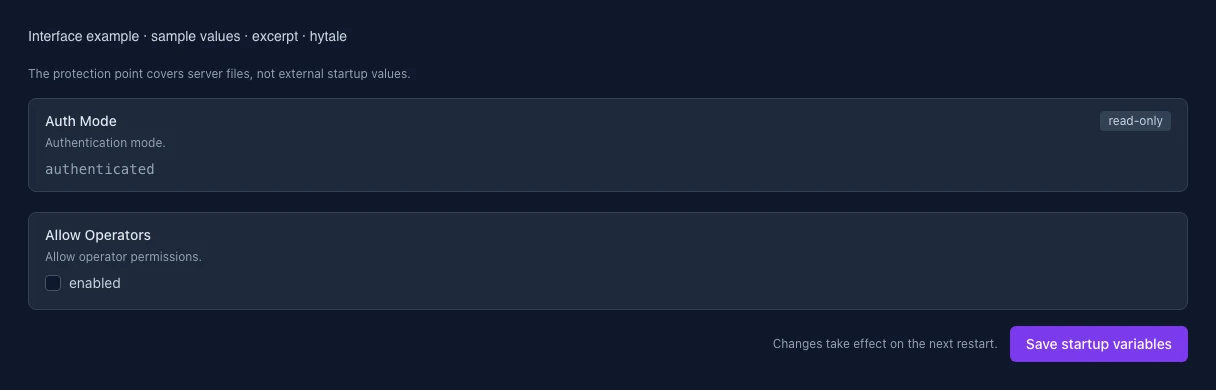
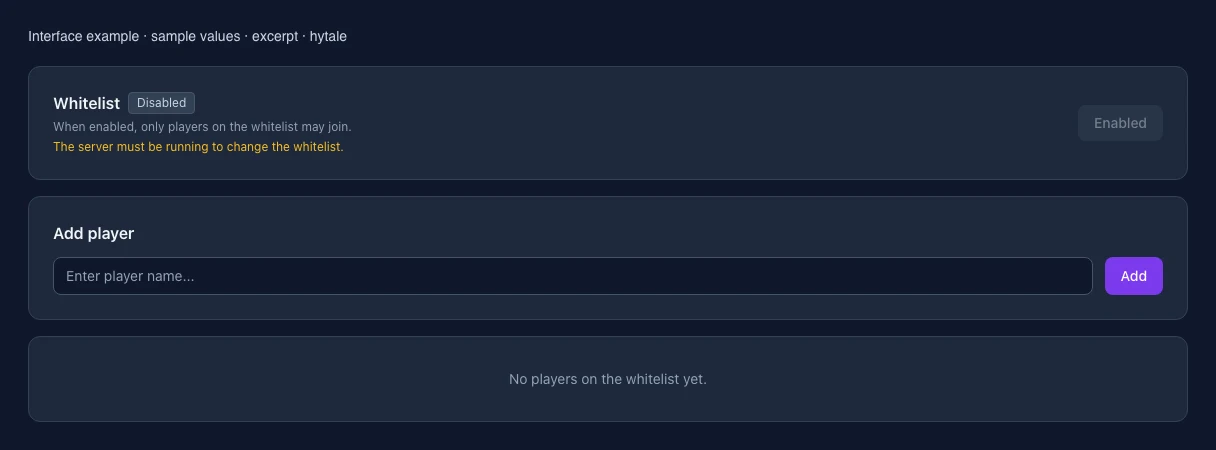
What the interface looks like

The image shows the interface on its capture date; earlier versions may differ.

Excerpt of the current interface with sample values. Values and prerequisites illustrate the controls; available tools depend on server software, plugins and permissions.
Excerpt of the current interface with sample values. Values and prerequisites illustrate the controls; available tools depend on server software, plugins and permissions. · Captured on 2026-10-08
Excerpt of the current interface with sample values. Values and prerequisites illustrate the controls; available tools depend on server software, plugins and permissions.
Excerpt of the current interface with sample values. Values and prerequisites illustrate the controls; available tools depend on server software, plugins and permissions. · Captured on 2026-10-08

What the settings do

These values come from our guided editors. Defaults are the editor starting values; they do not show the contents of a customer server.

Auth Mode

Authentication mode.

Setting
HYTALE_AUTH_MODE
Default
authenticated
Range / options
authenticated, offline
When it takes effect
Takes effect after saving and restarting the server.
Allow Operators

Allow operator permissions.

Setting
HYTALE_ALLOW_OP
Default
0
When it takes effect
Takes effect after saving and restarting the server.