The guided tools were revised in the shared panel code. The entry concerns the interface or its processing. The date records the change; availability on an individual server depends on the game, software, plugins and permissions.
Plugin releasePublished by the developer
SimpleScoreBoard 1.1.0
Plugin version with publisher-declared game versions and loaders. These declarations do not replace an independent compatibility test.
The guided tools were revised in the shared panel code. The entry concerns the interface or its processing. The date records the change; availability on an individual server depends on the game, software, plugins and permissions.
InterfaceChange documented
Minecraft Java: game tools: revised
The guided tools were revised in the shared panel code. The entry concerns the interface or its processing. The date records the change; availability on an individual server depends on the game, software, plugins and permissions.
Plugin releasePublished by the developer
FancyNpcs 2.11.0+369
Plugin version with publisher-declared game versions and loaders. These declarations do not replace an independent compatibility test.
The editor describes new or changed values. The field comparison shows the original defaults, constraints and explanations before and after this documented change.
Changed settings (20)
Allow Flight: Changed
allow-flight
Before
Setting
allow-flight
Default
false
When it takes effect
Follow the editor’s activation instructions when saving.
After
Setting
allow-flight
Default
false
When it takes effect
Follow the editor’s activation instructions when saving.
Enable Nether: Changed
allow-nether
Before
Setting
allow-nether
Default
true
When it takes effect
Follow the editor’s activation instructions when saving.
After
Setting
allow-nether
Default
true
When it takes effect
Follow the editor’s activation instructions when saving.
Difficulty: Changed
difficulty
Before
Setting
difficulty
Default
easy
Range / options
peaceful, easy, normal, hard
When it takes effect
Follow the editor’s activation instructions when saving.
After
Setting
difficulty
Default
easy
Range / options
peaceful, easy, normal, hard
When it takes effect
Follow the editor’s activation instructions when saving.
Follow the editor’s activation instructions when saving.
After
Setting
spawn-protection
Default
16
Range / options
0 – 100
When it takes effect
Follow the editor’s activation instructions when saving.
View Distance: Changed
view-distance
Before
Setting
view-distance
Default
10
Range / options
2 – 32
When it takes effect
Follow the editor’s activation instructions when saving.
After
Setting
view-distance
Default
10
Range / options
2 – 32
When it takes effect
Follow the editor’s activation instructions when saving.
Enable Whitelist: Changed
white-list
Before
Setting
white-list
Default
false
When it takes effect
Follow the editor’s activation instructions when saving.
After
Setting
white-list
Default
false
When it takes effect
Follow the editor’s activation instructions when saving.
InterfaceChange documented
Minecraft Java: game tools: revised
The guided tools were revised in the shared panel code. The entry concerns the interface or its processing. The date records the change; availability on an individual server depends on the game, software, plugins and permissions.
Plugin releasePublished by the developer
SMP Swords 2.2.0
Plugin version with publisher-declared game versions and loaders. These declarations do not replace an independent compatibility test.
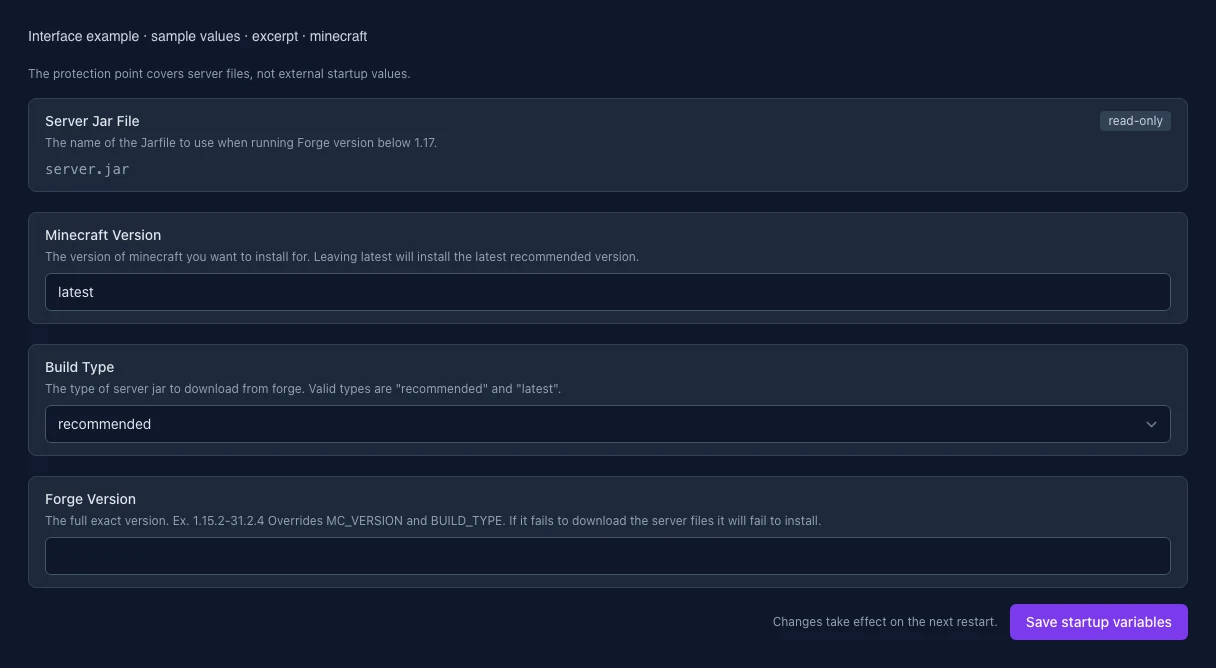
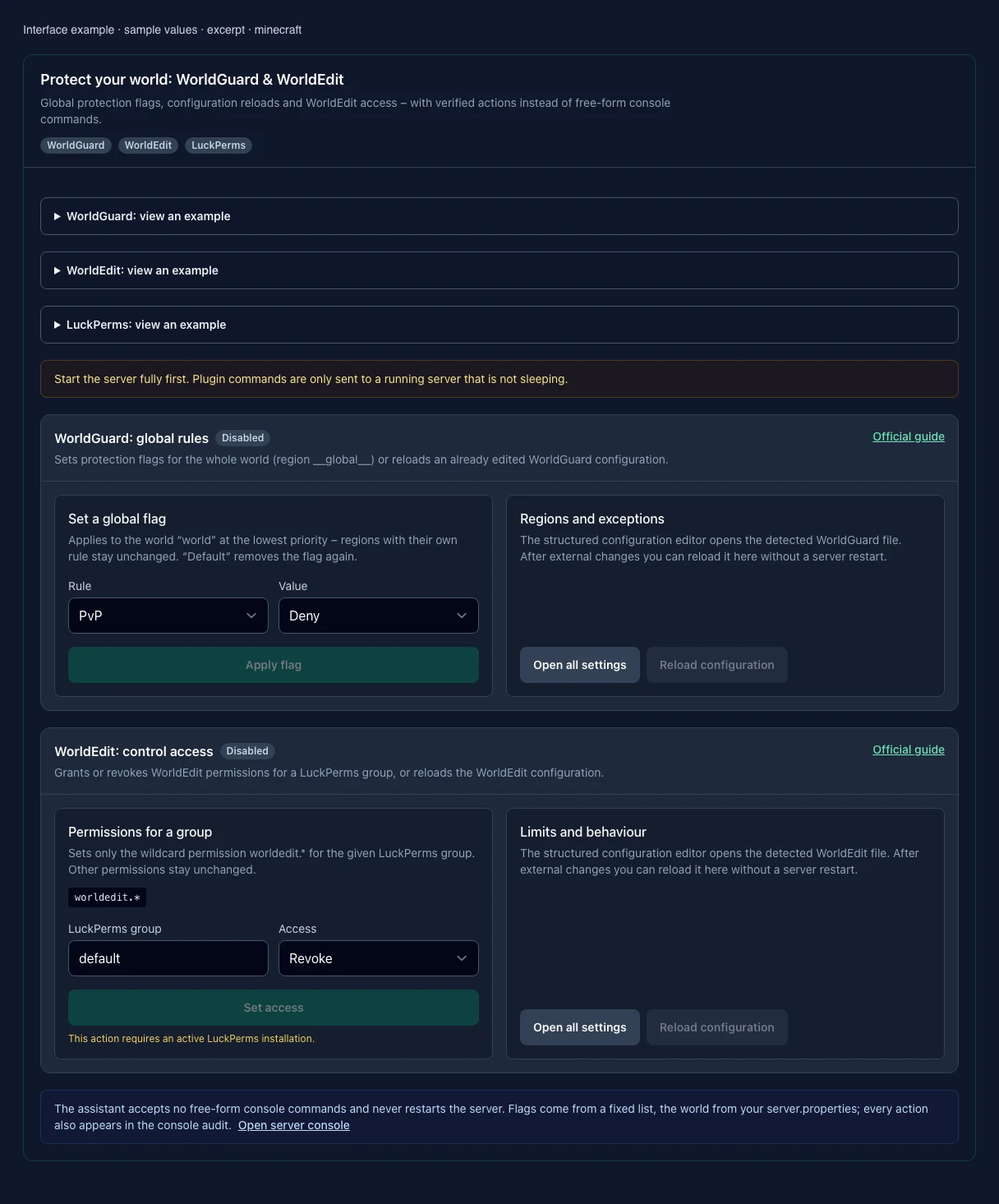
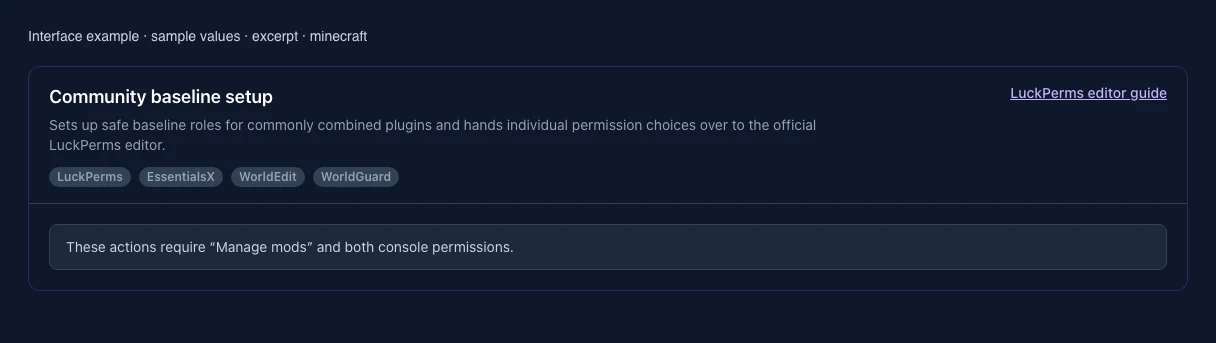
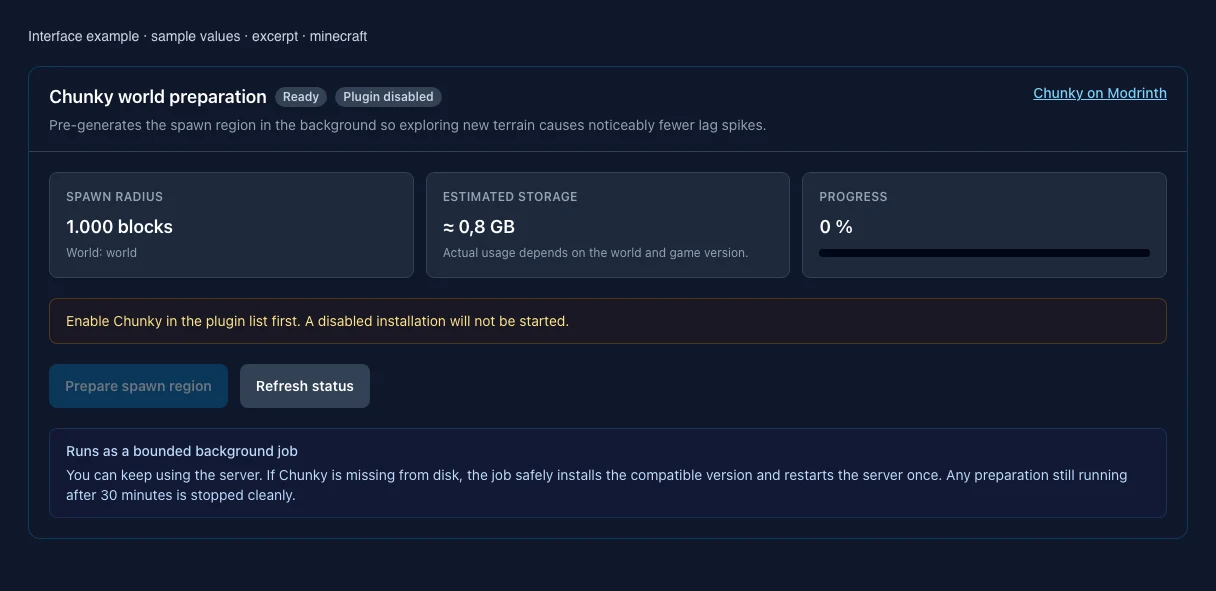
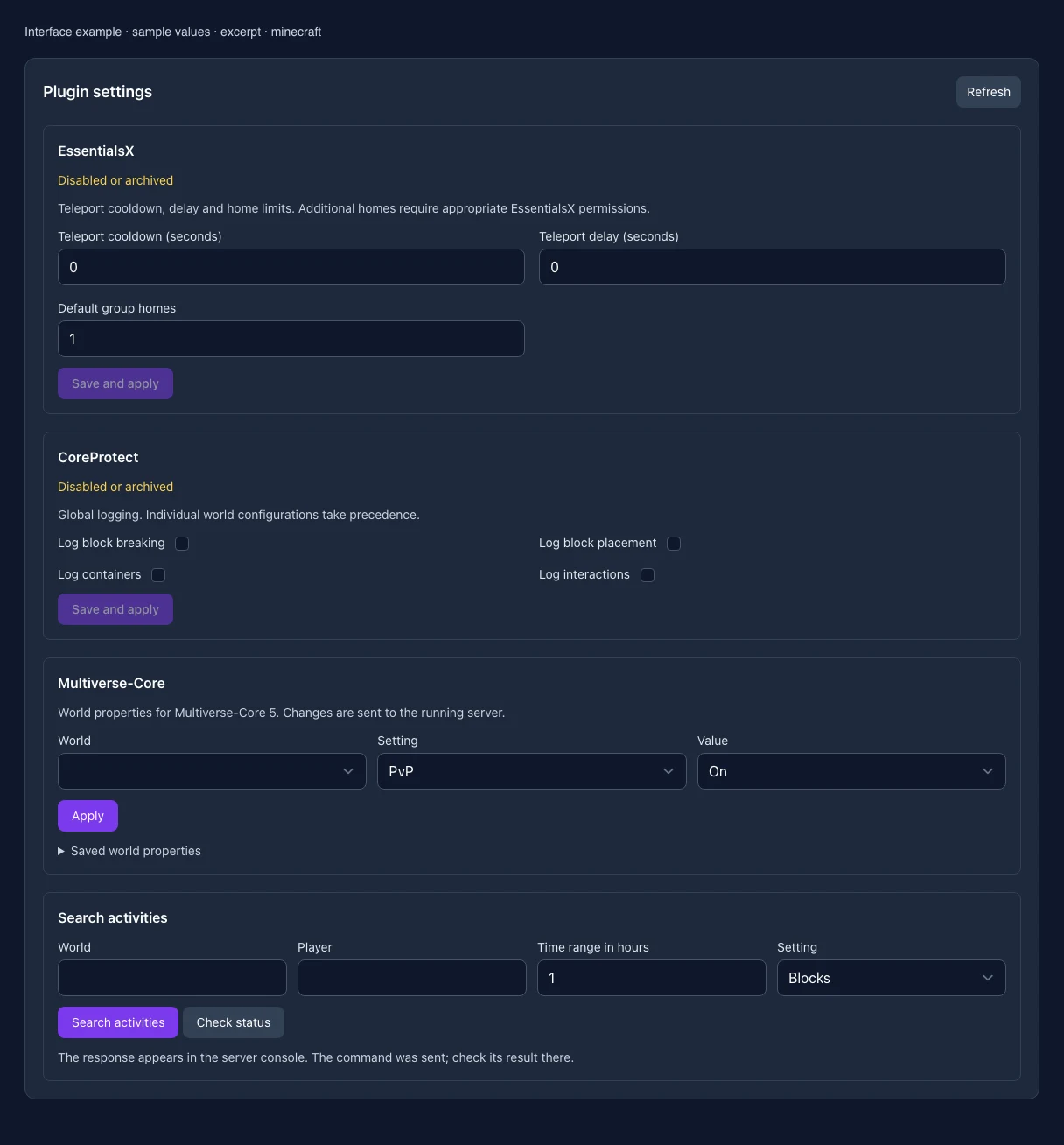
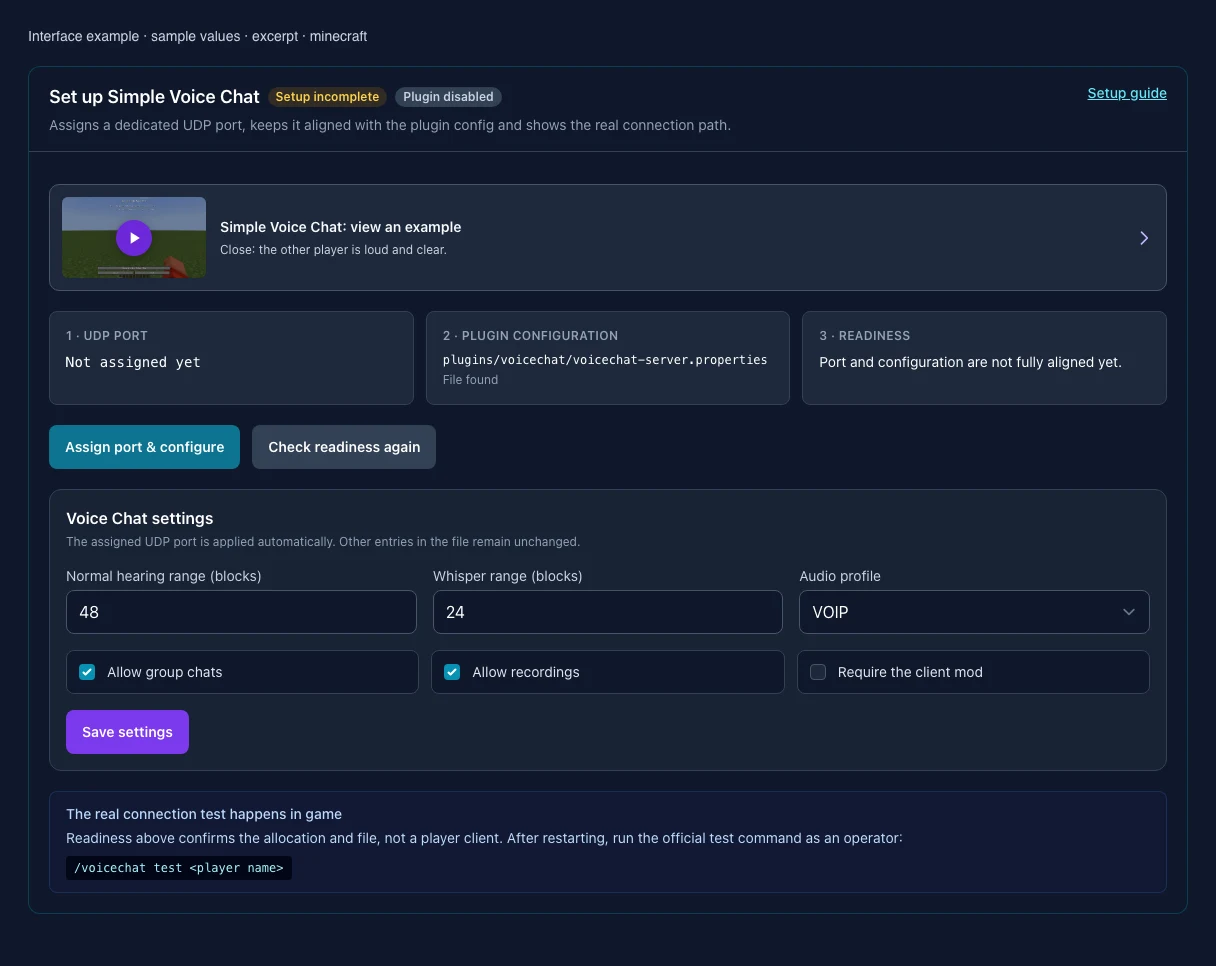
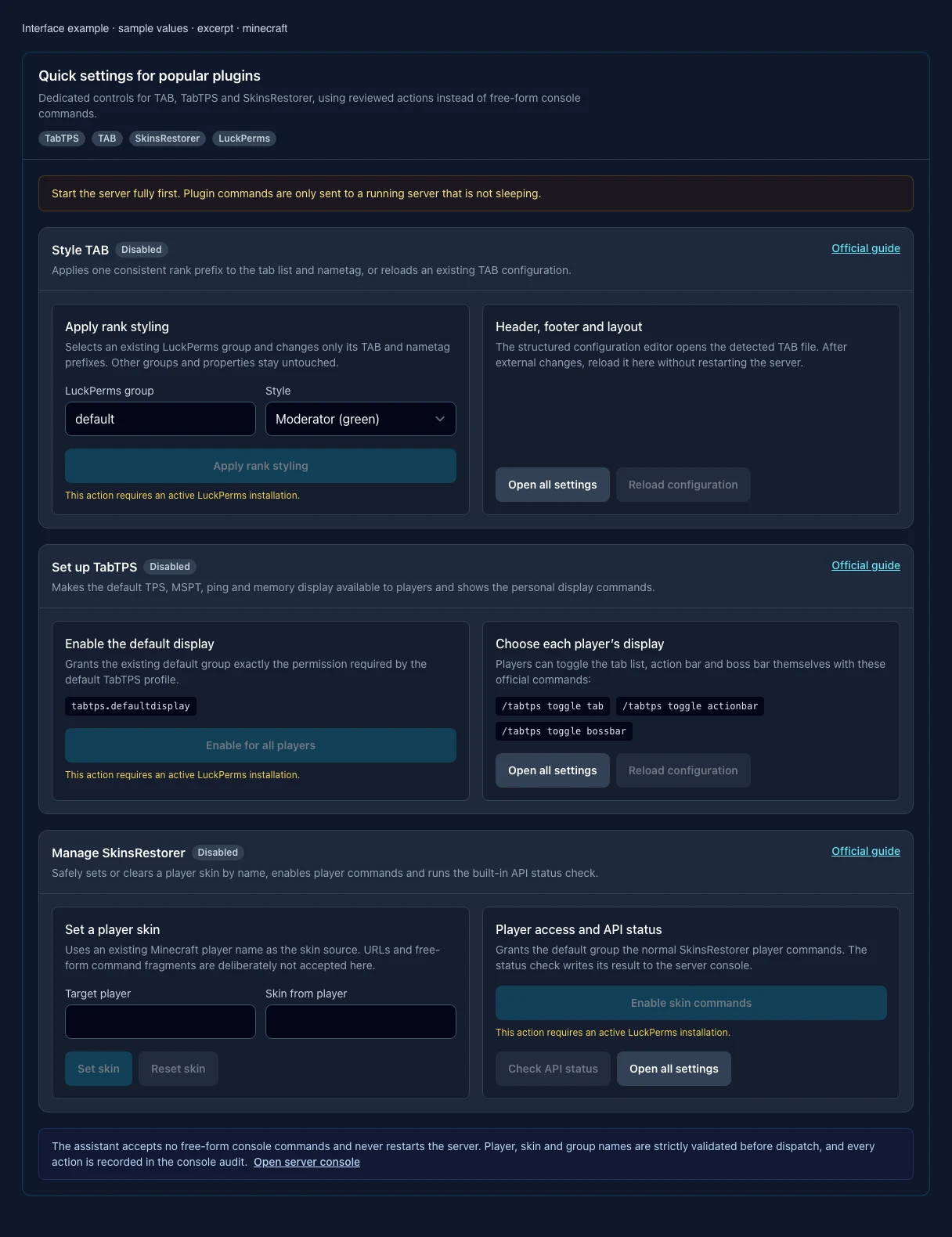
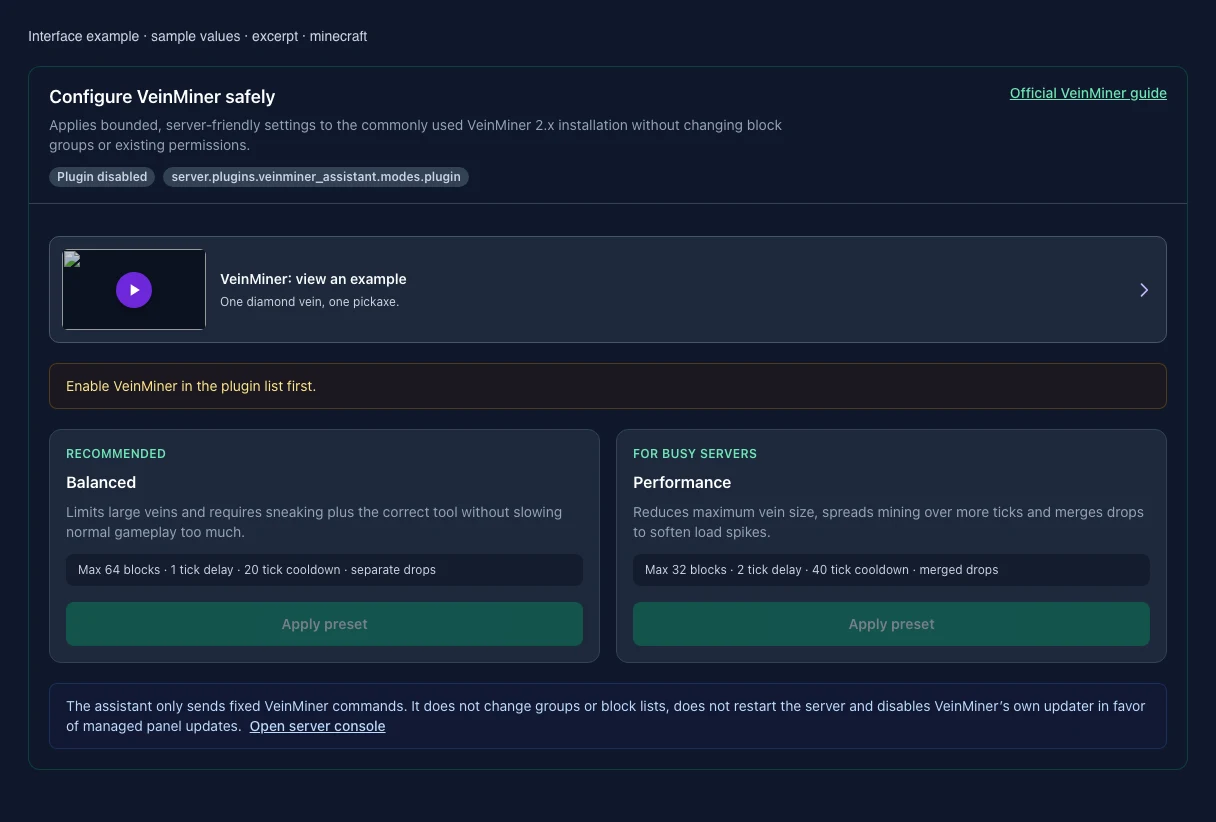
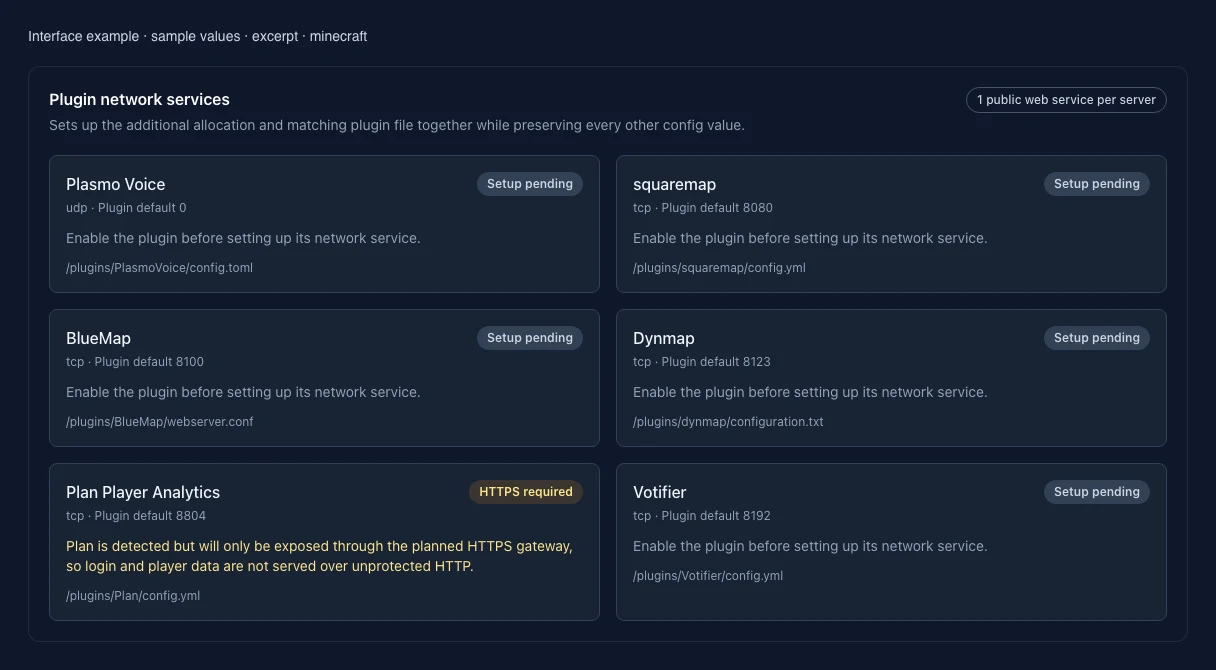
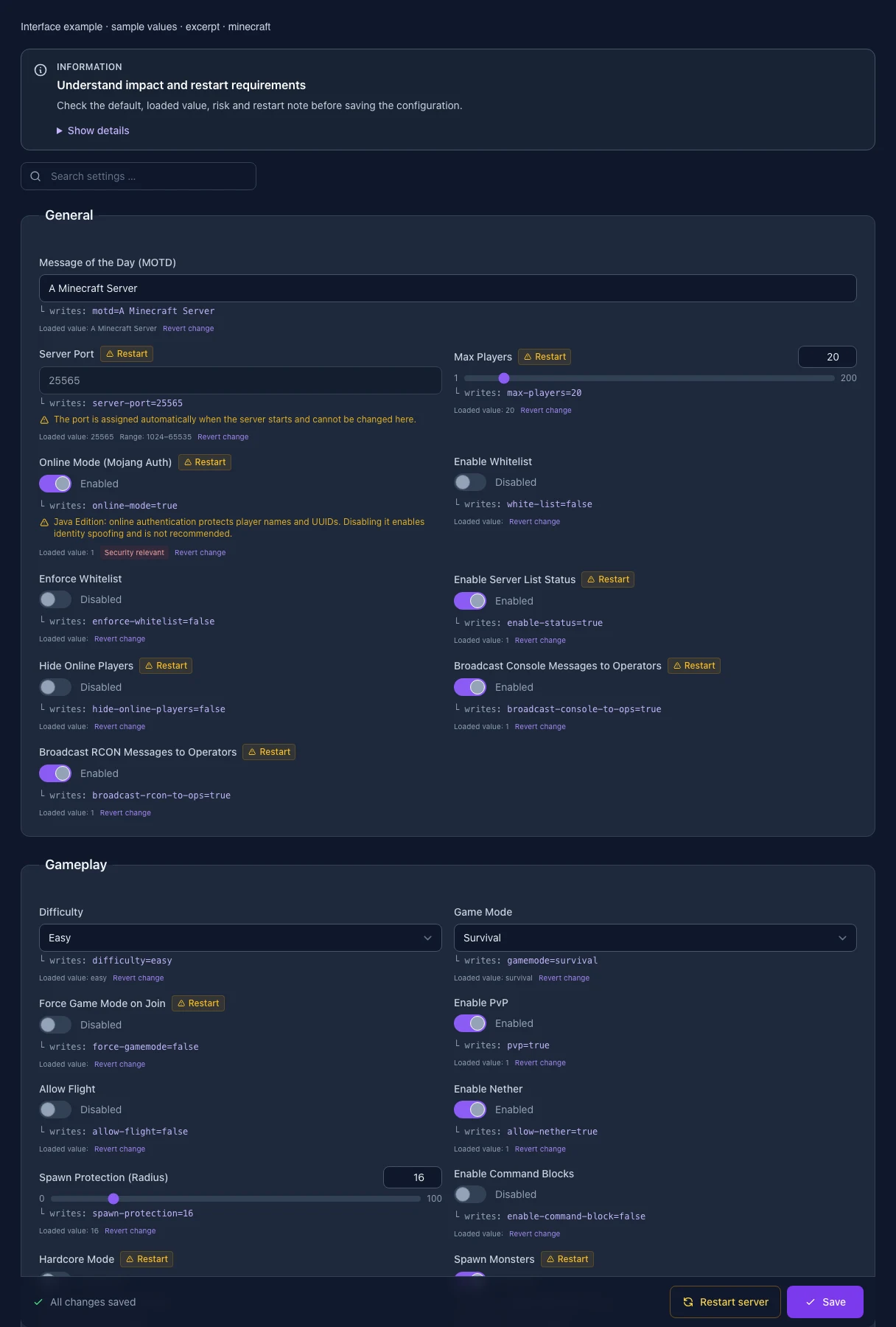
The image shows the interface on its capture date; earlier versions may differ.
Excerpt of the current interface with sample values. Values and prerequisites illustrate the controls; available tools depend on server software, plugins and permissions. · Captured on 2026-10-08Excerpt of the current interface with sample values. Values and prerequisites illustrate the controls; available tools depend on server software, plugins and permissions. · Captured on 2026-10-08Excerpt of the current interface with sample values. Values and prerequisites illustrate the controls; available tools depend on server software, plugins and permissions. · Captured on 2026-10-08Excerpt of the current interface with sample values. Values and prerequisites illustrate the controls; available tools depend on server software, plugins and permissions. · Captured on 2026-10-08Excerpt of the current interface with sample values. Values and prerequisites illustrate the controls; available tools depend on server software, plugins and permissions. · Captured on 2026-10-08Excerpt of the current interface with sample values. Values and prerequisites illustrate the controls; available tools depend on server software, plugins and permissions. · Captured on 2026-10-08Excerpt of the current interface with sample values. Values and prerequisites illustrate the controls; available tools depend on server software, plugins and permissions. · Captured on 2026-10-08Excerpt of the current interface with sample values. Values and prerequisites illustrate the controls; available tools depend on server software, plugins and permissions. · Captured on 2026-10-08Excerpt of the current interface with sample values. Values and prerequisites illustrate the controls; available tools depend on server software, plugins and permissions. · Captured on 2026-10-08Excerpt of the current interface with sample values. Values and prerequisites illustrate the controls; available tools depend on server software, plugins and permissions. · Captured on 2026-10-08
What the settings do
These values come from our guided editors. Defaults are the editor starting values; they do not show the contents of a customer server.
Message of the Day (MOTD)
Setting
motd
Default
A Minecraft Server
When it takes effect
Takes effect after saving and restarting the server.
Server Port
The port is assigned automatically when the server starts and cannot be changed here.
Setting
server-port
Default
25565
Range / options
1024 – 65535
When it takes effect
Takes effect after saving and restarting the server.
Max Players
Setting
max-players
Default
20
Range / options
1 – 200
When it takes effect
Takes effect after saving and restarting the server.
Online Mode (Mojang Auth)
Java Edition: online authentication protects player names and UUIDs. Disabling it enables identity spoofing and is not recommended.
Setting
online-mode
Default
true
When it takes effect
Takes effect after saving and restarting the server.
Enable Whitelist
Setting
white-list
Default
false
When it takes effect
Takes effect after saving and restarting the server.
Enforce Whitelist
Setting
enforce-whitelist
Default
false
When it takes effect
Takes effect after saving and restarting the server.
Enable Server List Status
Setting
enable-status
Default
true
When it takes effect
Takes effect after saving and restarting the server.
Hide Online Players
Setting
hide-online-players
Default
false
When it takes effect
Takes effect after saving and restarting the server.
Broadcast Console Messages to Operators
Setting
broadcast-console-to-ops
Default
true
When it takes effect
Takes effect after saving and restarting the server.
Difficulty
Setting
difficulty
Default
easy
Range / options
peaceful, easy, normal, hard
When it takes effect
Takes effect after saving and restarting the server.
Game Mode
Setting
gamemode
Default
survival
Range / options
survival, creative, adventure, spectator
When it takes effect
Takes effect after saving and restarting the server.
Force Game Mode on Join
Setting
force-gamemode
Default
false
When it takes effect
Takes effect after saving and restarting the server.
Enable PvP
Setting
pvp
Default
true
When it takes effect
Takes effect after saving and restarting the server.
When it takes effect
Since Minecraft 1.21.9, this setting is no longer read from server.properties.
Use this gamerule instead: pvp
Allow Flight
Setting
allow-flight
Default
false
When it takes effect
Takes effect after saving and restarting the server.
Enable Nether
Setting
allow-nether
Default
true
When it takes effect
Takes effect after saving and restarting the server.
When it takes effect
Since Minecraft 1.21.9, this setting is no longer read from server.properties.
Use this gamerule instead: allowEnteringNetherUsingPortals
Spawn Protection (Radius)
Setting
spawn-protection
Default
16
Range / options
0 – 100
When it takes effect
Takes effect after saving and restarting the server.
Enable Command Blocks
Setting
enable-command-block
Default
false
When it takes effect
Takes effect after saving and restarting the server.
When it takes effect
Since Minecraft 1.21.9, this setting is no longer read from server.properties.
Use this gamerule instead: commandBlocksEnabled
Hardcore Mode
Setting
hardcore
Default
false
When it takes effect
Takes effect after saving and restarting the server.
Spawn Monsters
Setting
spawn-monsters
Default
true
When it takes effect
Takes effect after saving and restarting the server.
When it takes effect
Since Minecraft 1.21.9, this setting is no longer read from server.properties.
Use this gamerule instead: spawnMonsters
Spawn Animals
Setting
spawn-animals
Default
true
When it takes effect
Takes effect after saving and restarting the server.
When it takes effect
Since Minecraft 1.21.2, this setting is no longer read from server.properties.
Spawn NPCs
Setting
spawn-npcs
Default
true
When it takes effect
Takes effect after saving and restarting the server.
When it takes effect
Since Minecraft 1.21.2, this setting is no longer read from server.properties.
World Name
Determines which world folder is loaded. A new name loads a different (possibly empty) world — your existing world is not deleted and returns once you re-enter the old name and restart.
Setting
level-name
Default
world
When it takes effect
Takes effect after saving and restarting the server.
World Seed
Setting
level-seed
Default
When it takes effect
Takes effect after saving and restarting the server.
World Type
Setting
level-type
Default
normal
Range / options
normal, flat, largeBiomes, amplified
When it takes effect
Takes effect after saving and restarting the server.
Generate Structures
Setting
generate-structures
Default
true
When it takes effect
Takes effect after saving and restarting the server.
Max. World Size
Setting
max-world-size
Default
29999984
Range / options
1 – 29999984
When it takes effect
Takes effect after saving and restarting the server.
View Distance
Java view distance in chunks. High values increase network, memory and CPU load.
Setting
view-distance
Default
10
Range / options
2 – 32
When it takes effect
Takes effect after saving and restarting the server.
Simulation Distance
Java simulation distance for ticks, mobs and redstone. It is not Bedrock tick distance; high values increase CPU load.
Setting
simulation-distance
Default
10
Range / options
2 – 32
When it takes effect
Takes effect after saving and restarting the server.
AFK Timeout (Minutes)
Setting
player-idle-timeout
Default
0
Range / options
0 – 999
When it takes effect
Takes effect after saving and restarting the server.
Entity Broadcast Range (%)
Setting
entity-broadcast-range-percentage
Default
100
Range / options
10 – 1000
When it takes effect
Takes effect after saving and restarting the server.
Compression Threshold (Bytes)
Setting
network-compression-threshold
Default
256
Range / options
-1 – 65535
When it takes effect
Takes effect after saving and restarting the server.
Require Resource Pack
Setting
require-resource-pack
Default
false
When it takes effect
Takes effect after saving and restarting the server.
Resource Pack URL
Setting
resource-pack
Default
When it takes effect
Takes effect after saving and restarting the server.
Resource Pack SHA-1
Setting
resource-pack-sha1
Default
When it takes effect
Takes effect after saving and restarting the server.
Server Jar File
The name of the Jarfile to use when running Forge version below 1.17.
Setting
SERVER_JARFILE
Default
server.jar
When it takes effect
Takes effect after saving and restarting the server.
Minecraft Version
The version of minecraft you want to install for.
Leaving latest will install the latest recommended version.
Setting
MC_VERSION
Default
latest
When it takes effect
Takes effect after saving and restarting the server.
Build Type
The type of server jar to download from forge.
Valid types are "recommended" and "latest".
Setting
BUILD_TYPE
Default
recommended
Range / options
recommended, latest
When it takes effect
Takes effect after saving and restarting the server.
Forge Version
The full exact version.
Ex. 1.15.2-31.2.4
Overrides MC_VERSION and BUILD_TYPE. If it fails to download the server files it will fail to install.
Setting
FORGE_VERSION
Default
When it takes effect
Takes effect after saving and restarting the server.
Loading...
Cookie settings
We use cookies to improve your experience and analyze our website.
Cookie settings
Essential cookies
Required
These cookies are required for the core functions of the website and cannot be disabled.
Analytics cookies
Help us understand how the website and customer area are used (our own usage analytics, Google Analytics, Microsoft Clarity).
Marketing cookies
Allow the pseudonymous matching of an ad click to an order in order to measure conversions.