EssentialsX is the everyday plugin for Paper and Spigot servers: homes, warps, a spawn point, teleport requests between players, kits and a greeting on join. Almost every survival server uses it because it bundles the commands players take for granted. This guide sets up the basics and shows which permissions you grant for them. The screenshots come from a test server running Paper 1.21.4 with EssentialsX 2.21.0.
Installation and first join
In the panel you find EssentialsX under Plugins → Browser. The main module EssentialsX is enough; add-on modules such as EssentialsX Chat or EssentialsX Spawn are only needed if you want their features. After the restart EssentialsX greets every player with a welcome message, the number of players online and the world time.
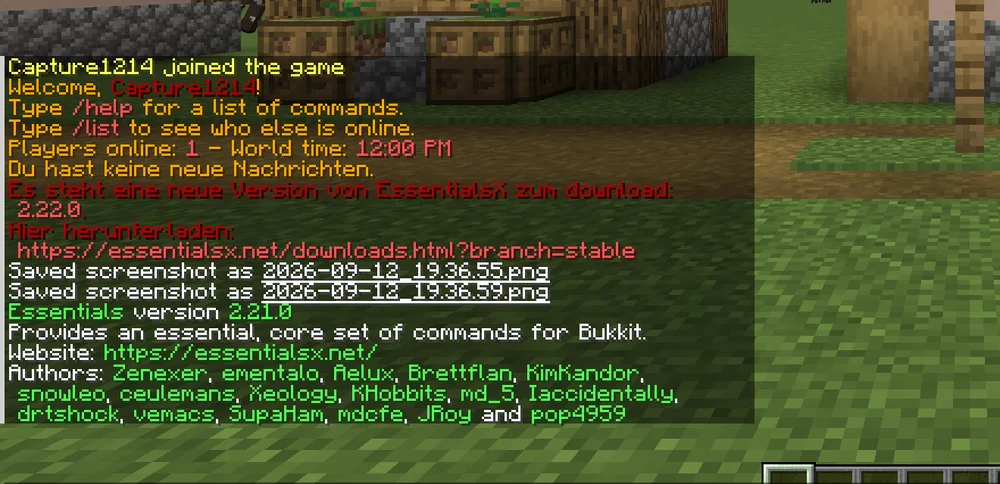
The red notice in the picture is the built-in update check: it tells operators when a newer version is available. Updates happen through the plugin browser in the panel, not through the link. If you do not want the notice, set update-check: false in plugins/Essentials/config.yml.
Spawn, homes and warps
The three commands players use most:
/setspawn
/sethome
/home
/setwarp market
/warp market
/setspawn defines the point where new players appear and /spawn leads to. /sethome saves the current position as the player's home; /home brings them back. Warps are public points an administrator creates with /setwarp and everyone reaches with /warp.
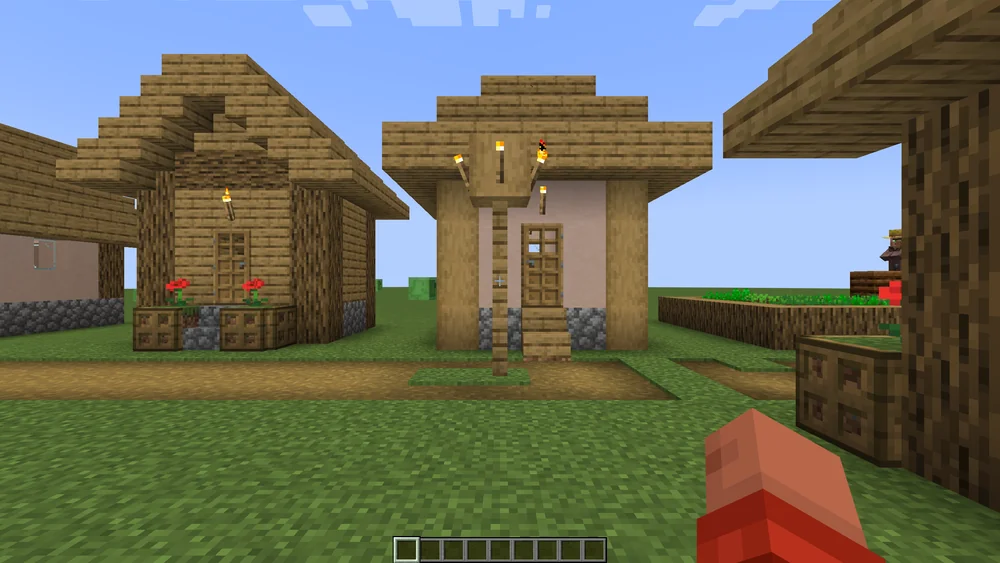
Several homes per player are controlled through permissions: whoever carries essentials.sethome.multiple.vip gets as many homes as config.yml lists for vip under sethome-multiple. Without these nodes it stays at one home.
Permissions for the default group
Without a permissions plugin EssentialsX gives all players most commands. Once LuckPerms is running, only what you allow applies. A sensible set for the group default:
/lp group default permission set essentials.spawn true
/lp group default permission set essentials.sethome true
/lp group default permission set essentials.home true
/lp group default permission set essentials.warp true
/lp group default permission set essentials.tpa true
/lp group default permission set essentials.tpaccept true
/lp group default permission set essentials.back true
/tpa sends a teleport request, /tpaccept accepts it; /back returns to the death point after dying. Commands such as /gamemode, /give, /kick and /ban stay reserved for the moderation group. How to create groups is covered in LuckPerms: permissions setup.
Kits and greeting
A starter kit puts tools into new players' hands. Kits live in plugins/Essentials/config.yml under kits; an entry names the items and a cooldown in seconds. The command /kit starter needs the permission essentials.kits.starter. The greeting and the message of the day live in the same file under newbies and motd; colours use & codes. After configuration changes /essentials reload loads them without a restart.
Common mistakes
/homehas no effect. The player has not set a home or lacksessentials.home.- Teleport aborts. The
teleport-delaysetting waits a few seconds and aborts on movement. Lower the value inconfig.ymlor grantessentials.teleport.timer.bypass. - Warps disappeared. Warps are files in
plugins/Essentials/warps/. The panel backup includes them; a new world folder does not change that. - Duplicate commands. Other plugins provide their own
/spawnor/home. Underoverridden-commandsinconfig.ymlyou decide which plugin wins.
Related guides
Areas players must not change are protected with WorldGuard: protect regions. If the server stutters despite few players, see spark: profile lag.
Sources
- EssentialsX wiki: https://essentialsx.net/wiki/Home.html
- Command reference: https://essentialsx.net/wiki/Command-Reference.html
- Permissions: https://essentialsx.net/wiki/Permissions.html
EssentialsX: view an example
Our own captures from a demonstration environment. The version and setup shown may differ from your server.

2.21.0