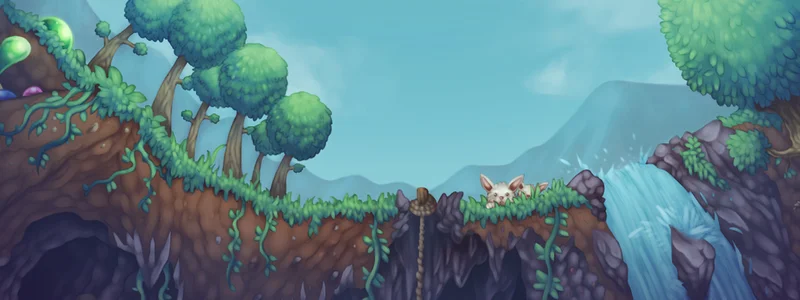
★ TERRARIA — DEDICATED SERVER HOSTING ★

TERRARIA
RENT A SERVER

Terraria the way your group wants it — tShock comes ready to go, mods and custom worlds are welcome, and up to 16 friends can join in.

Boss Raids
tShock
Custom Worlds
from €2.69/mo Transparent monthly pricing
from 1 GB RAM Resources
Typical initial setup: about 3 minutes. Queues or large installations can take longer. Automated setup
No long-term minimum Billing

Default: Recommended: 2 GB RAM for €3.84/mo. Smaller configurations from €2.69/mo.

  • tModLoader is ready to go if you want to go beyond vanilla.
  • Steam Workshop mods hook in directly through the catalogue.
  • Upload an existing world through the file manager instead of starting fresh.
tModLoader is ready to go if you want to go beyond vanilla.
Steam Workshop mods hook in directly through the catalogue.
Upload an existing world through the file manager instead of starting fresh.
A schedulable backup runs alongside the manual save before bigger changes.
Calamity, Thorium and other large modpacks work together as long as versions match.
Your own subdomain replaces the IP address: my-terraria.mc.mcfreehost.com

from €2.69/mo

Configure now No long-term minimum
tModLoader is ready to go if you want to go beyond vanilla.
Steam Workshop mods hook in directly through the catalogue.
Upload an existing world through the file manager instead of starting fresh.
Server location of your choice: DE or FR
Typical initial setup: about 3 minutes. Queues or large installations can take longer.
340+ servers hosted
Rent a Terraria Server

Configure server

Network Protection Shown per server
NVMe SSD Fast Storage
DE or FR Low ping across Europe
Scheduled Backups Manual or scheduled

Transparent features with no hidden costs

The configurator shows which features and protection apply to your server before you order.

Custom Subdomain

Choose your own address like mein-server.mc.mcfreehost.com — no ugly IP:Port combinations.

Free Extras

Activate with one click: server monitoring, music bot, Discord status and more. All free of charge.

Uptime Kuma Sinusbot Server Watcher

Automated setup

Typical initial setup: about 3 minutes. Queues or large installations can take longer.

Zero-config setup

Rent a Terraria server — the easiest way into the adventure

tShock from minute one

Permissions, region protection and admin commands come preinstalled — you start with full control.

Vanilla or Calamity?

Switch the server type between vanilla and tModLoader and grab Calamity, Thorium, Fargo's and hundreds more mods.

Small price, full world

Terraria is frugal: from 2 GB RAM you can host up to 8 players — few servers are cheaper to run.

From Normal to Journey

Normal, Expert, Master or Journey Mode — set the world options freely in the dashboard.
Frequently asked questions

Can we play with mods like Calamity?
Yes — the server runs tShock (tModLoader-compatible), and Steam Workshop mods install via the mod list. Everyone also needs tModLoader to join.
Small or large world?
For multiplayer, clearly Large. More content, more space to explore — Small only pays off for short sessions or speedruns. A Large world takes about 200–400 MB.
How many friends can join?
With 2 GB RAM, 8 players run without issue; with 4 GB up to 16. Big mod combos like Calamity plus Thorium like a bit more RAM.
What does tShock add over the plain server?
Vanilla only does basic multiplayer. tShock — our default — adds admin commands, group permissions, anti-cheat, whitelist and plugin support: essential for public or larger private servers.
Our world is still on my PC — can we bring it?
Yes: upload the .wld world file and .plr character data via the file manager; the server loads your world on the next start.
Do Calamity and Thorium get along?
Generally yes, with occasional version conflicts. Keep both mods on the same version and glance at the changelogs when updating.
Do I get a subdomain for my server?
Every mcfreehost server ships with its own address such as yourserver.mc.mcfreehost.com right from the start. Rename it anytime from the dashboard — no ticket required.
What do add-ons like bots and databases cost?
Monitoring and database add-ons — Uptime Kuma, MariaDB, phpMyAdmin, Game Server Watcher — never carry a surcharge. For music and chat bots, the first slot you activate is included; every additional bot is billed on top, and the dashboard shows the exact cost before you switch it on.
How long until I can actually play?
Typical initial setup: about 3 minutes. Queues or large installations can take longer. Larger Steam installs can take a bit longer depending on the game.
Am I locked into a long-term contract?
No — you are on a subscription that renews monthly, and you can cancel it from the dashboard whenever you like; the same goes for turning off automatic renewal.
Are the servers located in Germany?
You choose the location at checkout: Germany (Falkenstein and Limburg) or France (Roubaix) — all in the EU, connected to the major European exchanges. Low pings for players across Germany, Austria and Switzerland at both locations, and solid latency for the rest of Europe.
Which provider is best for my server?
The best provider is the one that shows you what you get before you pay: RAM, slots, location, price and cancellation terms. Here the price and resources are visible in the configurator before checkout, there is no minimum term and setup is automated — feel free to compare that with other offers.
Should I host the server myself or rent one?
Self-hosting costs power, time and a machine that runs around the clock; port forwarding, updates and backups are on you. A rented server is online within minutes, keeps running when your PC is off, and updates and backups are included; the network protection that applies to your server is shown in the configurator before you order. For one or two friends on a single evening self-hosting is often fine — for a persistent world, renting pays off.
Jump to configurator