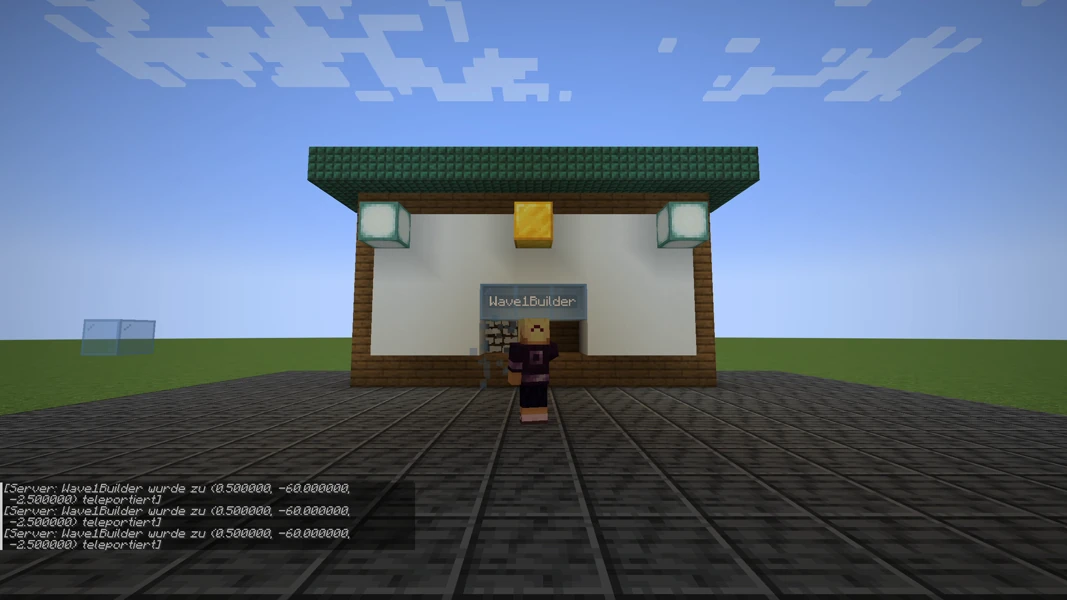
CoreProtect is your server's memory. It records who placed or broke which block and when, who opened a chest and what they took out. When a house gets destroyed you neither guess nor restore a full backup: you ask the log, read the name and revert exactly those changes. Everything other players built in the meantime stays in place. The screenshots come from a test server running Paper 1.21.1 and CoreProtect 24.0. For the demonstration a second test player damaged the house front, and a real rollback restored it.
Requirements
Install CoreProtect in the panel under Plugins → Browser. After the restart, /co version confirms the installation. Logging runs automatically from that moment; there is nothing to switch on. That is why the plugin has to be installed before the first damage: CoreProtect knows nothing about what happened earlier.
The commands belong to a moderation group only. The node coreprotect.* covers everything; helpers who should only look need coreprotect.inspect and coreprotect.lookup. Regular players need no node at all. How groups work is explained in LuckPerms: permissions setup.
By default CoreProtect writes to an SQLite file at plugins/CoreProtect/database.db. On a busy server it grows quickly, so checking disk space in the panel belongs to the routine. Old entries are removed with /co purge t:30d, which keeps the last 30 days and deletes the rest.
Finding the culprit: the inspector
The fastest way to a single block is the inspector. /co inspect (short /co i) turns it on; the same command turns it off again. While it is active, a left click on a block shows its history: who placed or broke it and when. A right click on a surface shows what once stood in the adjacent position, even if it is air now. A right click on a chest lists who put items in or took them out.
For a destroyed house that is often enough: click the gap in the wall and read the name.
Searching precisely: lookup
When several blocks are affected you query the log directly. The lookup takes the same parameters as the rollback, so you use it first to check what a rollback would touch at all:
/co lookup u:Wave1Builder t:1h r:15 a:-block
The parameters: u: is the player name, t: the time window (30m, 2h, 7d), r: the radius in blocks around your position, a: the action. a:-block means broken blocks, a:+block placed ones, a:container chest access, a:kill killed animals and players. b: narrows the search to specific blocks, for example b:chest. Long result lists are paged with /co l 2.
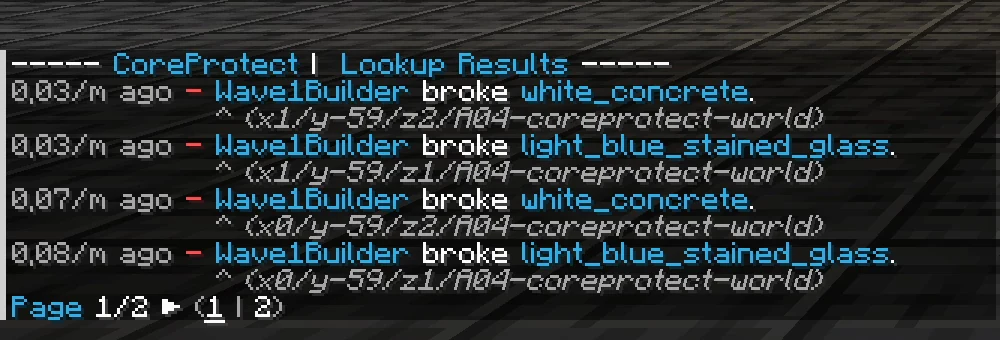
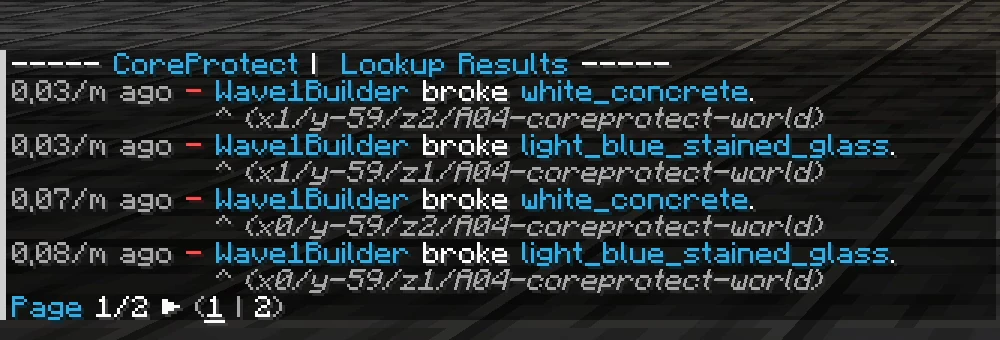
In the example the lookup shows that the test player broke white concrete and light blue glass out of the front within the last minute, with coordinates for each entry.
Restoring: rollback
The rollback takes exactly the parameters of the lookup you just checked:
/co rollback u:Wave1Builder t:1m r:15 a:-block
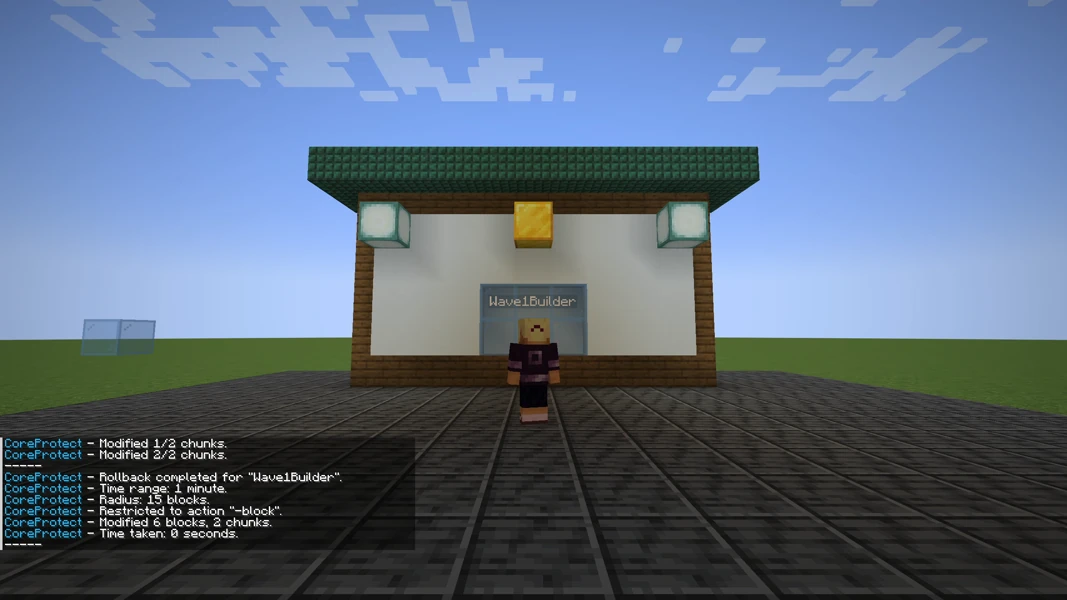
CoreProtect reports in chat how many blocks and chunks it changed and repeats the time window, radius and action. The front is back afterwards without anyone having to place a single block.
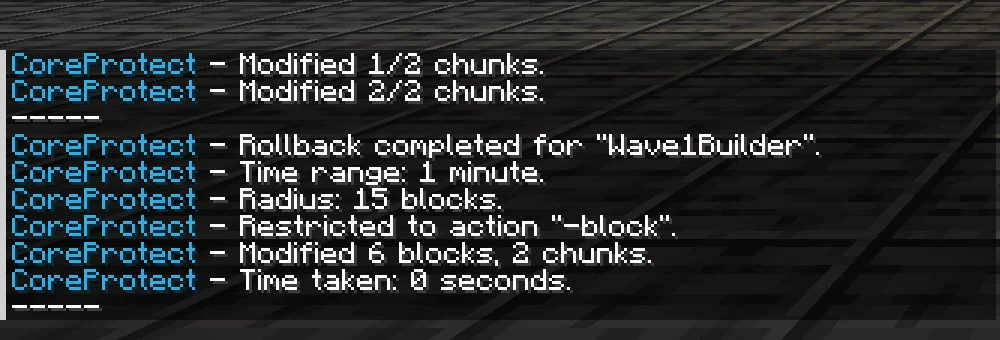
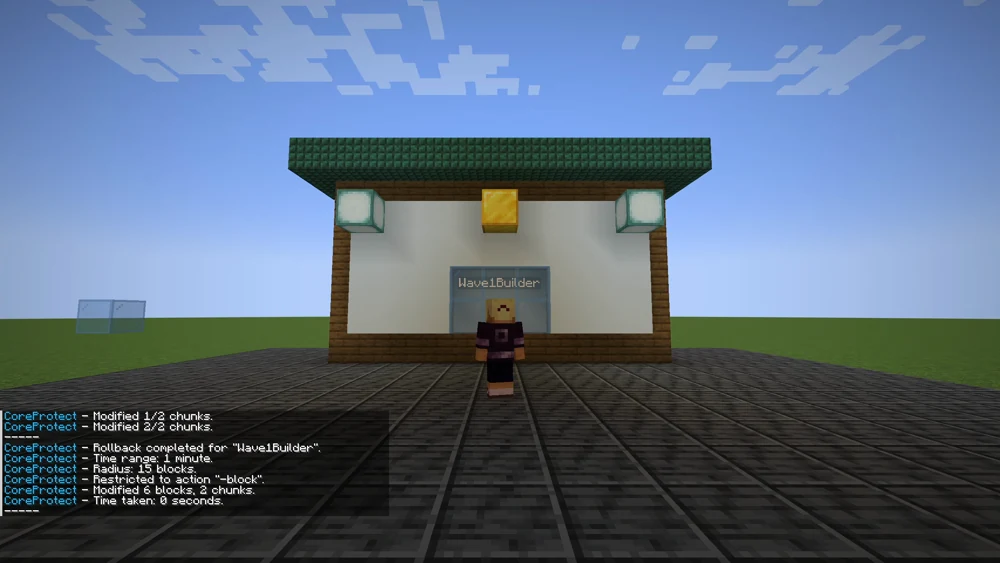
If something went wrong, /co restore with the same parameters reverts the rollback, and /co undo takes back the last rollback or restore. A rollback is not a leap without a net.
Common mistakes
- The rollback touches too much. Without
u:andr:it affects every player in the whole world. Always give player, radius and action, and read the lookup first. - "No results found". The time window is too small, the radius too tight, or the damage happened before CoreProtect was installed.
- Chests stayed empty. Withdrawals belong to the
containeraction;a:-blockonly restores blocks. For both, run two commands or omita:. - The database keeps growing. Run
/co purgewith a time window regularly, ideally on an empty server. - Killed animals do not come back.
a:killlists them, but a rollback only restores blocks and chest contents.
Related guides
To prevent the damage in the first place, protect important areas with WorldGuard: create regions. Which group gets which commands is handled with LuckPerms. For everything CoreProtect does not know about, the panel backup remains.
Sources
- CoreProtect documentation: https://docs.coreprotect.net/
- Commands and parameters: https://docs.coreprotect.net/commands/
- Permissions: https://docs.coreprotect.net/permissions/
- Project page: https://modrinth.com/plugin/coreprotect
CoreProtect: view an example
Our own captures from a demonstration environment. The version and setup shown may differ from your server.
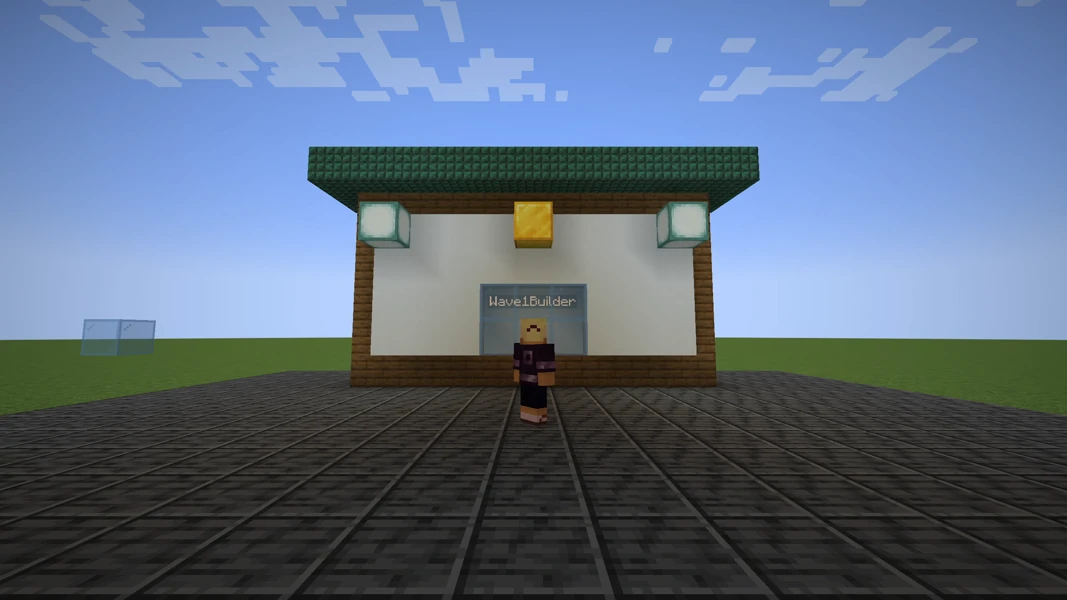
CoreProtect 24.0 · Paper 1.21.1 · 2026-09-14
CoreProtect 24.0 · Paper 1.21.1 · 2026-09-14
CoreProtect 24.0 · Paper 1.21.1 · 2026-09-14
CoreProtect 24.0 · Paper 1.21.1 · 2026-09-14
- The house front is intact.
- A second player breaks blocks out.
- /co lookup shows who broke what.
- /co rollback restores the front.