Tested technical baseline
Backrooms: Found Footage is available as a launchable server configuration with Fabric on Minecraft 1.20.1.
Until Dec 31: 4 GB for €4 a month. On the yearly plan you pay at most €1 per GB of RAM, for Minecraft Java, Minecraft-Modpacks and eight more games.
See the offerPrices are charged in euros. Amounts in USD are approximate, converted at the ECB reference rate of 2026-11-26 (1.0975 USD per euro).
Backrooms: Found Footage brings the Backrooms into Minecraft: endless yellow hallways, buzzing fluorescent lights and levels you have to find your way out of together — on your own boot-tested server for Minecraft 1.20.1.
Boot-tested · Last tested: .
Server locations: Germany (Falkenstein/Limburg) · France (Roubaix) · United States (Vint Hill).
Want a server closer to you?
This page measures the ping from your browser to each location.
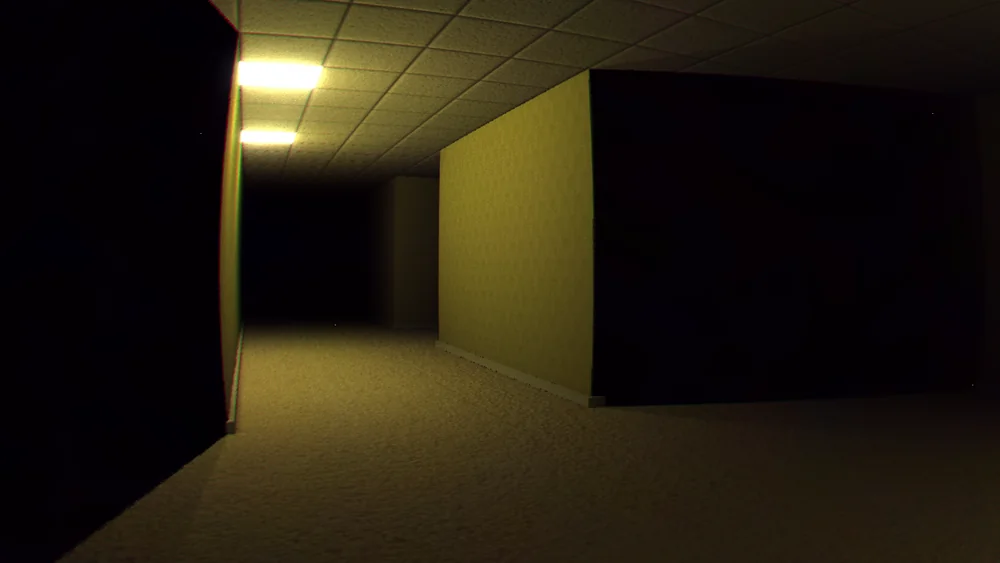
Backrooms: Found Footage is a Fabric modpack by onr23 with more than 900,000 downloads on Modrinth. At its core is the Backrooms mod of the same name; the author describes the pack as a more stable version of the well-known Minecraft Backrooms mod. Version 1.0.8.1 ships 47 files: 29 run on the server, 18 are client-only mods for lighting, camera and sound.
You start in a normal world, on a beach, in the desert or on a stony shore. To enter the Backrooms you get yourself buried: drop sand, gravel or other blocks on your own head and you are standing in Level 0. Besides Level 0 the pack contains Level 1, Level 2, the Poolrooms, the Darkrooms and the infinite grass field.
The mood comes from the found-footage style: inside the Backrooms a VHS filter covers the screen, the camera tilts as you walk, and Sound Physics Remastered makes footsteps and noises echo depending on the room. There is no hunger, Hunger Remover switches it off. All you have to worry about is finding the way back.
It gets truly creepy in a group: Simple Voice Chat carries your voices within earshot, Ping Wheel marks spots with the middle mouse button, and F switches on your flashlight. On your own server you decide who plays, and nobody resets your world.
We install version 1.0.8.1 with Fabric Loader 0.19.5 on Minecraft 1.20.1. In our start probe on 11 November 2026 the server came up with 29 mods in about 30 seconds and accepted a test player. The order dialog below already has the pack, the loader and 4 GB RAM preselected.
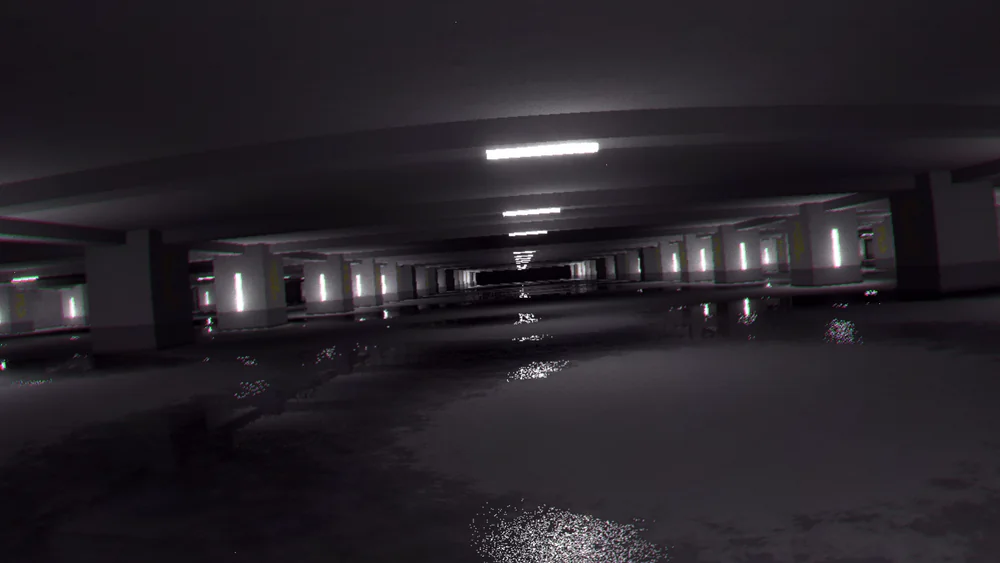
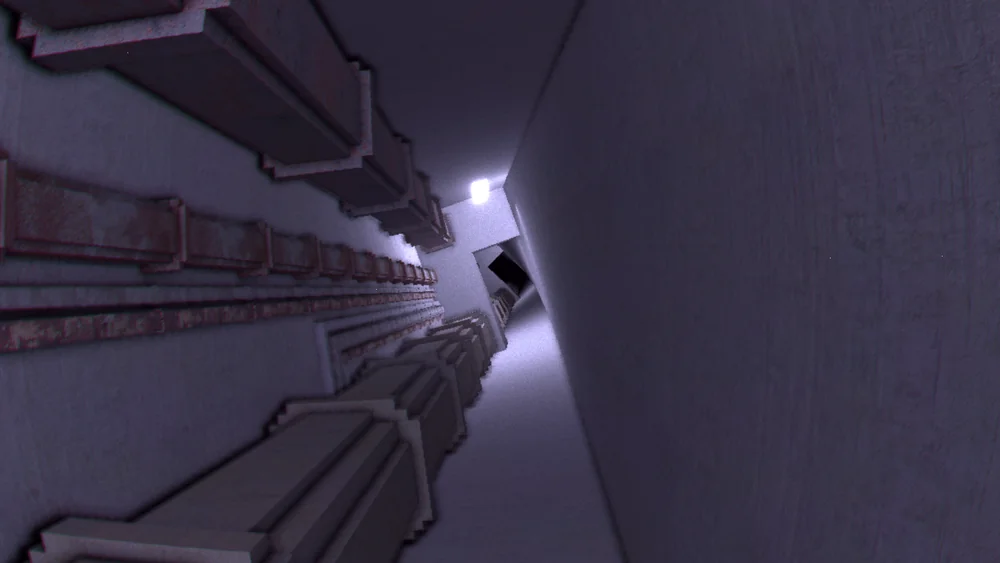
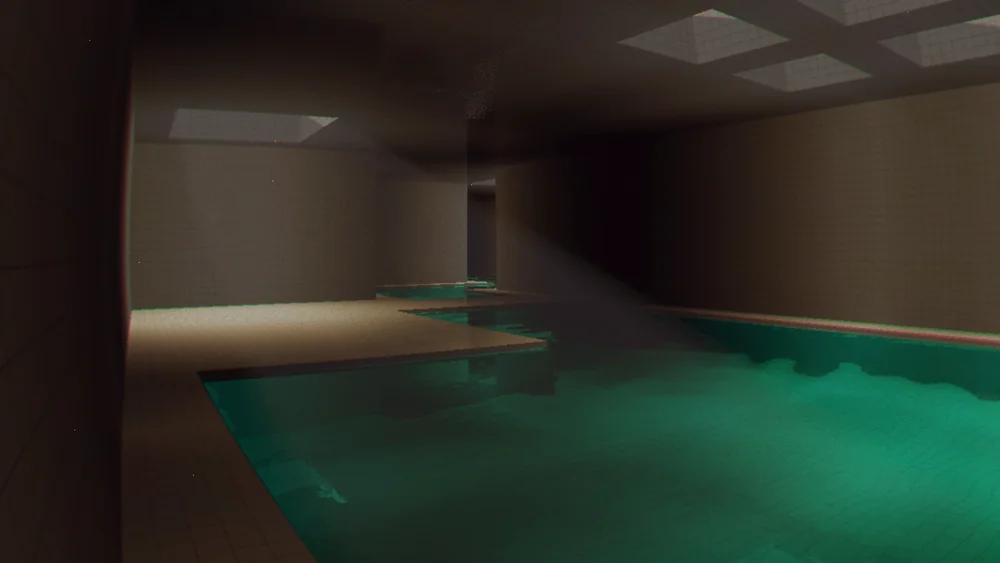
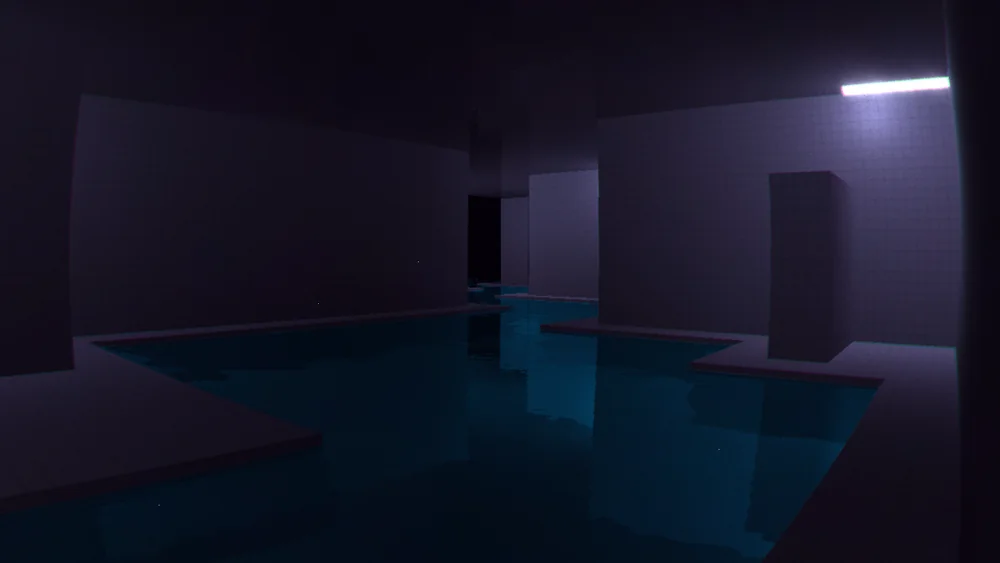

Image source: © onr23, via Modrinth
Game, loader and tested preset are preselected and remain adjustable.
Fabric
Configure a Minecraft serverBackrooms: Found Footage is available as a launchable server configuration with Fabric on Minecraft 1.20.1.
We recommend at least 4 GB RAM on Minecraft 1.20.1. The pack is lean: lighting, the VHS filter and the room acoustics are calculated on each player's PC, not on the server.
Backrooms: Found Footage 1.0.8.1 does not ship its own server.properties; that file comes from us with default values. The values below come from the configuration files in the pack file (mrpack overrides, read on 11 November 2026).
| File | Key | Value in the pack | Effect |
|---|---|---|---|
config/biomespawnpoint/spawnbiomes.txt |
minecraft:<biome> |
beach, snowy_beach, desert, stony_shore | New players only spawn in these four biomes (lines without a leading !). A ! in front of a biome excludes it; remove it to add that biome as a spawn point. |
config/spb-revamped.json |
exitSpawnRadius |
300 | Radius in blocks within which players reappear in the overworld after leaving the Backrooms. |
config/spb-revamped.json |
enableVhsEffectInTheBackrooms / enableLevel1Fog |
true / true | VHS filter in the Backrooms and fog in Level 1. These visual values apply on each player's PC, not on the server. |
config/hunger_remover.json |
disableMod / cantSprint |
false / false | Hunger Remover is active: nobody gets hungry and sprinting stays allowed. Set disableMod to true to bring normal hunger back. |
config/voicechat/voicechat-server.properties |
port |
24454 | UDP port of the voice chat; the file is created on first start. On our servers you enter the assigned additional port here, otherwise players cannot hear each other. |
server.properties |
view-distance / difficulty / allow-flight |
Minecraft default | The file comes from us: 10 chunks view distance, difficulty easy, flight off. Changes take effect after a restart. |
You find all files in the panel's file manager. Make a backup before changing anything, stop the server, save the file and start it again. A pack update can replace pack configs, so check your values again afterwards.
The yellow halls of Level 0, the wet concrete halls of Level 1, the pipe corridors of Level 2, the Poolrooms, the Darkrooms and the infinite grass field.
You start in a normal world. Bury yourself under sand or gravel and you land in Level 0. Plan the way in together.
Simple Voice Chat runs on the server. You only hear each other when you are close; whoever gets lost is alone in the silence, too.
A VHS filter in the Backrooms, camera tilt while walking and Sound Physics Remastered create the found-footage atmosphere.
Only 29 mods on the server, including ModernFix, FerriteCore, Krypton and Very Many Players. One of the leanest packs in our catalog.
A successful installation, boot or join test applies only to the tested pack version and does not demonstrate stable operation under every player load.
None known
Applies to every package on this page. You choose the package and price in the order wizard.
Every plan includes a CPU limit in vCPU that scales with RAM. An extra core raises it by 1 vCPU – that is 100% additional compute time of one logical processor core. The hardware is shared; it is not an exclusively reserved core.
If you add an extra core during a billing period, you only pay pro rata until it ends, and you can cancel at the end of each period.
Helps if …
Does not help if …
Try these for free first
Available for Minecraft Java (including Paper, Fabric, Forge, NeoForge and modpacks), Folia and Palworld – not for Minecraft Bedrock.
Yes. The wizard preselects the matching loader; modpack pages also load only the verified featured pack.
Yes. Always check compatibility and create a backup before changing versions.
Yes. Every player installs Backrooms: Found Footage 1.0.8.1 through the Modrinth App or a launcher with Modrinth support and joins with the server address from the panel. According to the author the pack does not support Sodium or OptiFine, so leave them out.
Get yourselves buried: sand, gravel or other blocks falling on you take you to Level 0. That is how the pack author describes it on Modrinth. Beaches and the desert, where new players spawn, have sand right there.
Simple Voice Chat is part of the pack and uses UDP port 24454 by default. On our servers you enter the assigned additional port in config/voicechat/voicechat-server.properties; our voice chat guide walks you through it. In game, B opens the voice chat menu.
Yes, for 2 to 4 players. Only 29 mods run on the server; if you invite more people, raise the RAM in the panel at any time.
Processor by location: Germany: AMD Ryzen 7 5800X (Zen 3, up to 4.8 GHz) or AMD Ryzen 9 5900X (Zen 3, up to 4.9 GHz) · France: AMD Ryzen 9 9950X (Zen 5, up to 5.7 GHz) · United States: AMD Ryzen 7 5800X (Zen 3, up to 4.8 GHz). Which of these processors your server gets in Germany is set at order time, based on free capacity; both are Zen 3, boosting up to 4.8 or 4.9 GHz. Per package: 2 GB RAM = 1 vCPU. Cores are shared: several servers run on the same machine, and no core is reserved for you alone. If you need more computing power, add up to 2 extra cores, each +1 vCPU for €2.99 per month. You can choose extra cores right when you order, or add them later in the panel.
10 GB NVMe SSD. Backups do not count towards it. 2 backups included. Schedule from hourly to monthly, retention up to 365 days; you restore and download them yourself in the panel. With Backup+ you get 10 backups for €1.99 per month. 12 months: €23.88 (12 × €1.99).
SFTP access and a file manager in the panel: upload your own saves, worlds and configs. You set the restart schedule yourself in the panel, along with scheduled backups, commands and announcements.
Target: 99.5% monthly average (terms of service). The status page shows the current state. Traffic at no extra cost; every machine is connected at 1 Gbit/s or more. Included at every location: automatic network-level DDoS protection from the data center. Servers on OVH game hardware additionally run behind OVH's game firewall. By ticket and email. Support languages: English, German, Spanish, French, Dutch, Portuguese, Russian. We usually reply within a few hours (median over the last 90 days: 2.1 hours), but we do not guarantee it.
This page has been updated in the meantime. Reload it so everything works correctly.