跳到内容

Until 12月 31: 4 GB for €4 a month. On the yearly plan you pay at most €1 per GB of RAM, for Minecraft Java, Minecraft-Modpacks and eight more games.

See the offer

Set up with AI

Tell your server what to do. For free.

Connect Claude or ChatGPT to your server and handle everything in the chat: plugins, files, console, backups. No pass and no subscription, for every server at mcfreehost.

Free · every feature included

Works with ChatGPTClaudeClaude CodeCodex

Example · Claude mcfreehost connected

Install EssentialsX on my Minecraft server and restart it.

3 actions run: plugin found, installed, server restarted

Done. EssentialsX is installed and the server was back online after 41 seconds.

PluginVersionStatus
LuckPerms5.4active
EssentialsX new2.21active
You confirm reinstalls, software changes and account actions in your browser. You choose which servers the AI can see.

Connect in two steps

  1. Step 1

    Connect

    Opens Claude with the connector already filled in. Confirm it there and sign in with your mcfreehost account.

    Add to Claude (opens claude.ai in a new tab) Using ChatGPT, Claude Code or Codex? See the guide
  2. Step 2

    Get started

    Opens a new chat with this message:

    Use the mcfreehost connector to check the status of my server. Don’t change anything yet.
    Start chat in Claude (opens claude.ai in a new tab)

    The message is then in the input field. You send it yourself.

Included at mcfreehost at no extra cost:

  • Files
  • Console
  • Backups
  • Plugins and mods
  • Start and stop
  • Troubleshooting

Your AI provider may charge for its own service.

Watch your assistant at work.

Animated demo with sample data. No server is changed here.

Your AI assistant Example
Your AI assistant

Hi! I can check your server, change settings, create a backup or import a world. What should I do?

You

Check my server and the latest console messages.

The assistant is replying …
Your AI assistant

Your server is running. In this example, the latest console messages show no startup errors. I have not changed anything.

Check complete. Nothing was changed.
Your AI assistant

Hi! I can check your server, change settings, create a backup or import a world. What should I do?

You

Set the difficulty in my server.properties to normal.

The assistant is replying …
Your AI assistant

I saved difficulty=normal in server.properties. Your connection needs the appropriate file permissions for this.

Setting saved in this example.

Your AI assistant

Hi! I can check your server, change settings, create a backup or import a world. What should I do?

You

Create a backup and check that it has finished.

The assistant is replying …
Your AI assistant

The backup is complete. I then checked that it exists.

Backup complete and checked in this example.

Your AI assistant

Hi! I can check your server, change settings, create a backup or import a world. What should I do?

You

Import the world I uploaded.

The assistant is replying …
Your AI assistant

I can import the world you uploaded. First, confirm the world import in your browser.

Confirm the world import in your browser

Confirmed in your browser.

World imported in this example after your confirmation.

首次尝试的三条指令

我的 Minecraft 服务器无法启动。读取状态、版本和最近几行控制台输出,并解释原因。先不要做任何更改。

无法复制。请手动选中文本并复制。

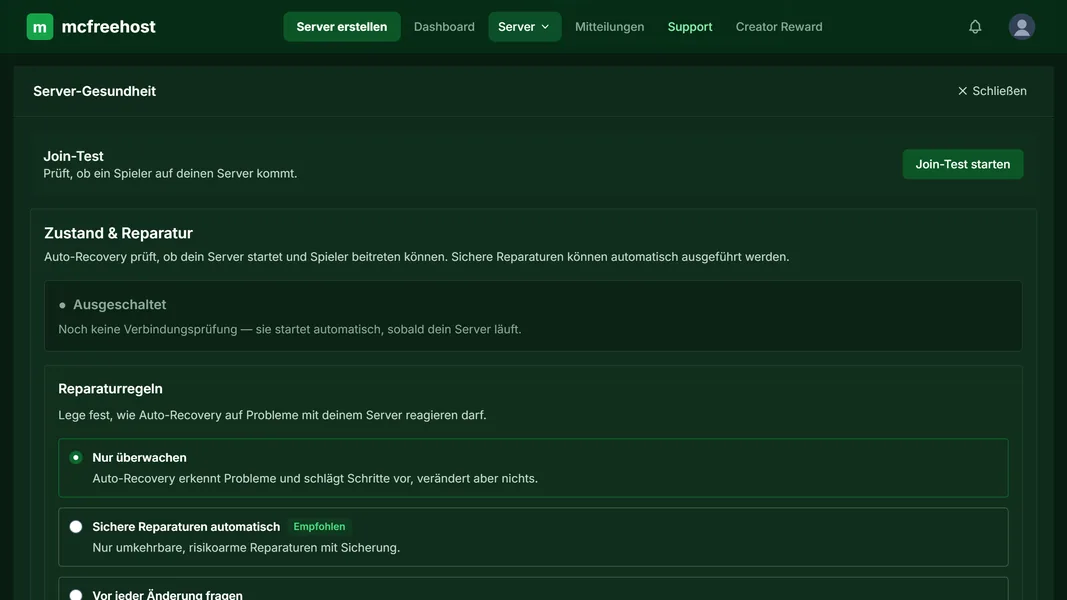
Health and join test · mcfreehost

Health and join test

Ask it to check the status and recent console messages before making changes.

Example views from the mcfreehost panel. You decide what your assistant can do there.

把这三位朋友加入白名单,然后检查白名单是否已开启。

无法复制。请手动选中文本并复制。

检查这个插件是否适用于我的 Paper 版本,并在安装前先问我。

无法复制。请手动选中文本并复制。

一条指令实际会触发什么,取决于你的服务器、你的套餐以及已授权的权限。

你的助手能在 Minecraft 服务器上完成哪些工作

Example views from the mcfreehost panel. You decide what your assistant can do there.

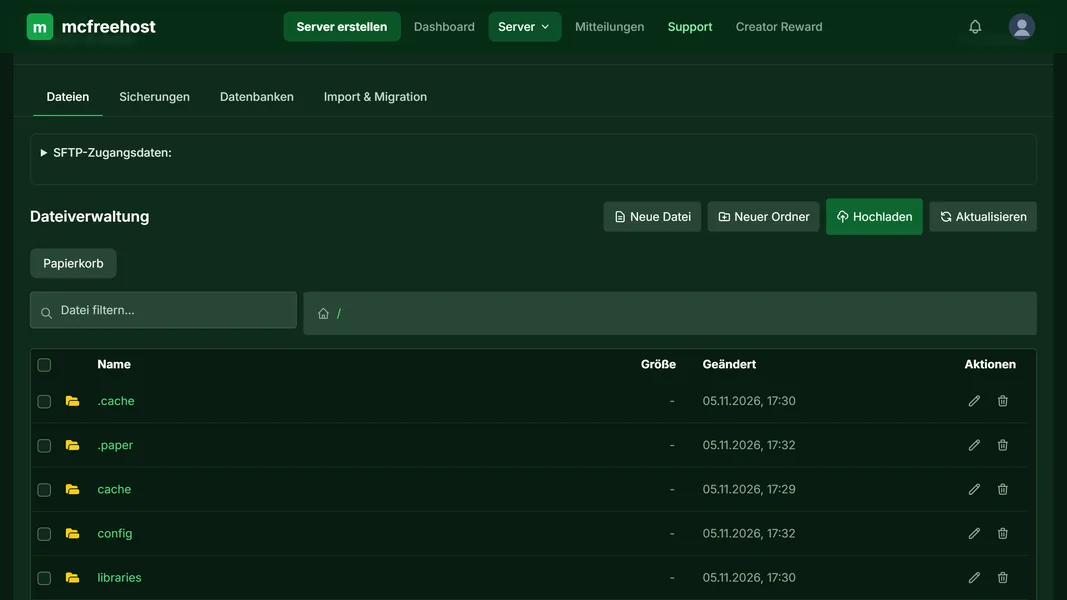
Files · mcfreehost

Files

Have settings in server files adjusted. You choose whether to grant file access.

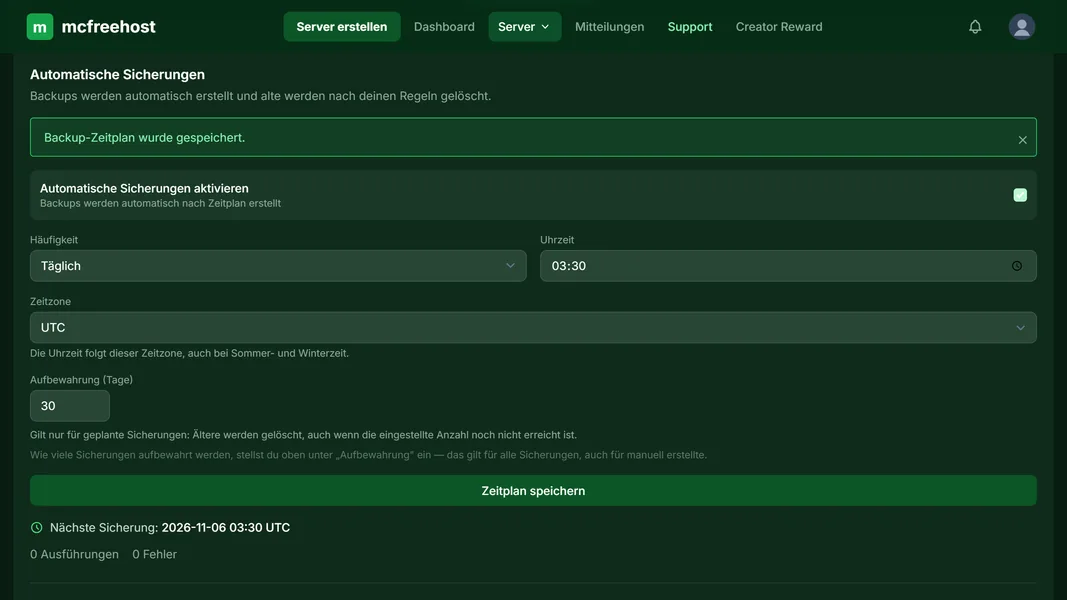
Backups · mcfreehost

Backups

Have backups created and their completion checked. You manage the schedule in the panel.

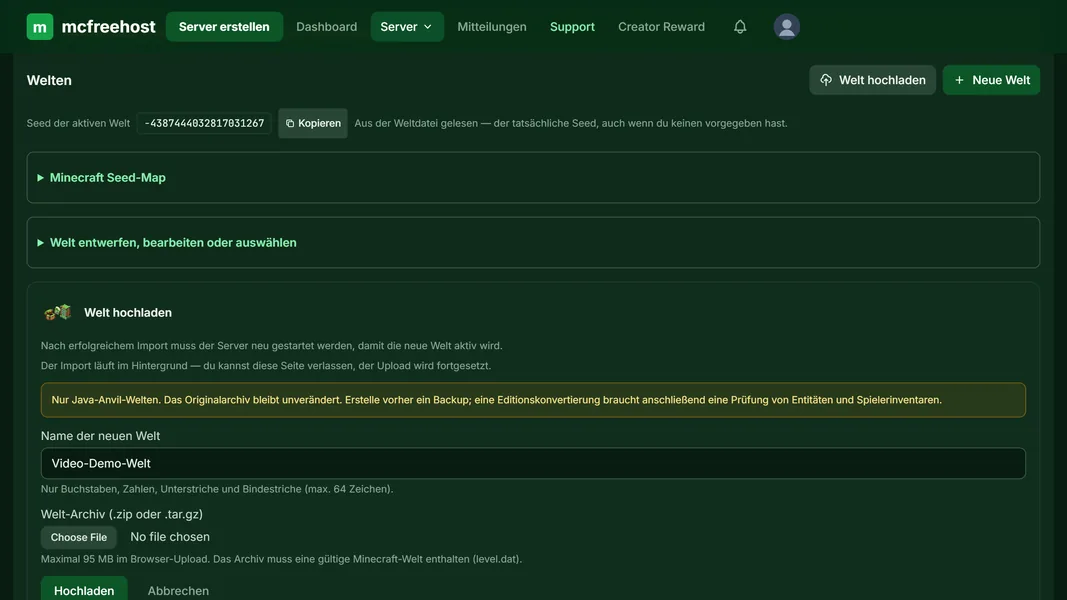
Worlds · mcfreehost

Worlds

Have an existing world imported. With the standard connection, you confirm this step in your browser.

显示接口的所有操作

目录列出了接口的每一项操作,包括适用于其他游戏和高级功能的操作。在你的服务器上,只有与游戏、套餐和服务器软件相符,并且你已为该访问凭据授权的操作才会生效。

Server & power

  • servers_list
  • server_status
  • server_start
  • server_stop
  • server_restart
  • reinstall_status
  • server_tps

Players

  • players_list
  • whitelist_read
  • whitelist_add
  • whitelist_remove
  • bedrock_allowlist_read
  • bedrock_allowlist_add
  • bedrock_allowlist_remove
  • bedrock_allowlist_enforce
  • bedrock_pocketmine_whitelist_read
  • bedrock_pocketmine_whitelist_add
  • bedrock_pocketmine_whitelist_remove
  • players_live
  • players_broadcast
  • player_message
  • players_history
  • unban_requests_list
  • unban_request_accept
  • unban_request_reject
  • whitelist_requests_list
  • whitelist_request_accept
  • whitelist_request_reject

Console

  • console_read
  • console_command
  • operator_reserve
  • log_share

Files

  • files_list
  • file_read
  • file_write
  • file_patch
  • directory_create
  • files_delete
  • trash_list
  • trash_restore
  • trash_purge
  • file_copy
  • file_rename
  • files_compress
  • file_decompress
  • server_icon_status
  • server_icon_set
  • server_icon_remove

Backups

  • backups_list
  • backup_create
  • backup_restore
  • backup_delete
  • backup_rename
  • backup_protect
  • backup_destinations_list
  • backup_destination_connect
  • backup_destination_bind
  • backup_destination_test
  • backup_destination_disconnect
  • backups_recovery_list
  • backup_cloud_restore
  • backup_incremental_create
  • backup_incremental_restore
  • backup_mirror
  • backup_schedule_read
  • backup_schedule_update
  • backup_settings_update
  • backup_files_browse
  • backup_files_restore

Schedules

  • schedules_list
  • schedule_create
  • schedule_update
  • schedule_delete
  • task_create
  • task_update

Configuration

  • config_read
  • config_write
  • bedrock_gamerules_read
  • bedrock_gamerule_set
  • eula_status
  • eula_accept

Worlds

  • worlds_list
  • world_create
  • world_switch
  • world_delete
  • world_studio_job_status
  • world_studio_cancel
  • world_studio_import
  • world_studio_snapshot
  • world_studio_snapshot_status
  • geoworld_search
  • geoworld_status
  • geoworld_start
  • geoworld_cancel
  • world_library_list
  • world_library_install
  • schematics_list
  • schematic_place
  • bedrock_worlds_list
  • bedrock_world_create
  • bedrock_world_switch
  • bedrock_world_delete
  • world_import_status
  • world_import_install

Versions

  • versions_list
  • version_status
  • version_preview
  • version_change
  • java_runtime_read
  • java_runtime_select
  • loader_builds_list
  • loader_build_change

Server software

  • software_catalog
  • software_preview
  • software_change

Plugins & mods

  • addons_list
  • addons_search
  • addon_versions
  • addon_install
  • addon_update
  • addon_remove
  • live_map_status
  • live_map_enable
  • live_map_continue
  • plugin_analysis
  • plugin_outdated_mods_status
  • plugin_outdated_mods_choose
  • plugin_outdated_mod_reenable
  • plugin_config_files
  • plugin_config_read
  • plugin_config_write
  • mod_settings_list
  • mod_settings_read
  • mod_settings_save
  • mod_settings_run_action
  • spark_diagnostic_start
  • spark_report
  • hologram_list
  • hologram_toggle
  • skript_list
  • skript_toggle
  • skript_reload
  • skript_modules_list
  • skript_module_save
  • worldguard_regions
  • worldguard_status
  • worldguard_reload
  • worldguard_global_flag
  • worldedit_reload
  • worldedit_group_access
  • veinminer_status
  • veinminer_apply_preset
  • chunky_status
  • chunky_prewarm_start
  • voice_chat_status
  • voice_chat_setup
  • voice_chat_save_config
  • voice_chat_repair_crossplay
  • voice_chat_restart
  • mc_settings_read
  • mc_settings_save
  • mc_settings_world_property
  • mc_settings_core_status
  • mc_settings_core_lookup
  • minecraft_maker_runs
  • minecraft_maker_create

Modpacks

  • modpacks_catalog
  • modpack_preview
  • modpack_status
  • modpack_install
  • modpack_update
  • modpack_settings_read
  • modpack_settings_write
  • modpack_versions
  • modpack_client_pack_read
  • modpack_client_pack_refresh
  • modpack_client_pack_rotate_link
  • modpack_client_pack_mod_mode
  • modpack_profile_find
  • modpack_profile_apply
  • modpack_rollback

Bedrock packs

  • bedrock_packs_list
  • bedrock_catalog
  • bedrock_pack_install
  • bedrock_pack_enable
  • bedrock_pack_disable
  • bedrock_pack_remove
  • bedrock_migration_status
  • bedrock_migration_start
  • bedrock_migration_confirm_join
  • bedrock_migration_cancel
  • bedrock_migration_revert

Server settings

  • notifications_read
  • notification_rules_update
  • notification_alerts_update
  • notification_quiet_hours_update
  • settings_read
  • settings_update
  • auto_update_read
  • auto_update_set
  • profile_quiet_hours_read
  • profile_quiet_hours_update
  • discord_webhook_read
  • discord_webhook_set
  • discord_events_update
  • discord_webhook_test
  • startup_variables_read
  • startup_variables_update

Metrics and history

  • metrics_current
  • metrics_history

Activity log

  • activity_list

Health and join test

  • health_status
  • join_test_start
  • join_test_status
  • health_crash_diagnosis
  • health_repairs_list
  • health_boot_repair
  • health_plugin_repair_preview
  • health_plugin_repair_apply

Databases

  • databases_list
  • database_create
  • database_delete
  • database_password_rotate

World export and import

  • export_start
  • export_status

Server address

  • subdomain_check
  • subdomain_change

Game tools

  • cs2_build_update
  • rust_wipe_schedule_read
  • rust_wipe_schedule_create
  • rust_wipe_schedule_cancel
  • rust_startup_params_read
  • rust_startup_params_update
  • rust_map_preview
  • cs2_map_pool_read
  • cs2_map_pool_write
  • cs2_match_status
  • cs2_match_load
  • cs2_match_control
  • cs2_map_change
  • ark_ini_read
  • ark_ini_write
  • ark_mod_order_read
  • ark_mod_order_write
  • valheim_worlds_list
  • valheim_world_activate
  • valheim_backups_list
  • valheim_backup_create
  • valheim_plugins_list
  • valheim_plugin_toggle
  • minecraft_players_admin_read
  • minecraft_player_op
  • minecraft_player_deop
  • minecraft_player_kick
  • minecraft_player_ban
  • minecraft_player_unban
  • minecraft_crossplay_read
  • minecraft_crossplay_set
  • minecraft_gamerules_read
  • minecraft_gamerule_set
  • minecraft_cracked_mode_read
  • minecraft_cracked_mode_set
  • minecraft_presets_list
  • minecraft_preset_apply
  • minecraft_anti_xray_read
  • minecraft_anti_xray_set
  • minecraft_item_obfuscation_read
  • minecraft_item_obfuscation_set
  • minecraft_end_access_read
  • minecraft_end_access_set
  • minecraft_gameplay_options_read
  • minecraft_gameplay_option_set
  • minecraft_many_players_read
  • minecraft_many_players_set

Reinstall

  • server_reinstall

Account

  • account_read
  • account_profile_update
  • account_billing_history
  • account_subscriptions
  • account_email_change
  • account_password_change
  • account_delete_request
  • subscription_cancel
  • subscription_reactivate
  • account_security_status
  • account_two_factor_manage
  • account_payment_methods_manage
  • account_order_prepare

Support tickets

  • support_ticket_create

All tools of the AI connector

Connect with Claude or ChatGPT

Add this address as a custom connector. Then sign in here and choose servers, permissions and duration. You don’t need a key for this.

Connector address

https://mcfreehost.com/api/automation/v1/mcp

无法复制。请手动选中文本并复制。

Menu names are shown as they appear in English; in your language they read similarly.

What you need

You need Claude or ChatGPT on a plan that allows custom connectors:

In Claude

Claude: Free (one custom connector), Pro, Max, Ultra, Team and Enterprise.

On Team and Enterprise, a team owner adds the connector.

  1. Open “Customize” → “Connectors” and choose “+ Add” → “Add custom connector”.
  2. Enter a name, for example mcfreehost, and paste the address.
  3. Under “OAuth client”, choose “Register automatically”, then “Add”.
  4. Choose “Connect”, sign in here and allow access.

In ChatGPT (in the browser)

ChatGPT: Business, Enterprise and Edu, only in the browser at chatgpt.com.

On Business, an admin or owner adds the server. OpenAI currently lists no other ChatGPT plans for this.

  1. On chatgpt.com, open “Plugins” and choose “+” → “Add custom MCP server”.
  2. Enter a name, for example mcfreehost, and paste the address under “Connection”.
  3. Choose OAuth for sign-in, confirm the notice and sign in here.

As of 2026年11月2日, according to the Anthropic and OpenAI help pages.

You have neither? Ask our support directly

For developers: Claude Code, Codex, REST

通过终端使用 Claude Code 或 Codex

  1. 用你的 Minecraft 服务器所属的账户登录 mcfreehost,并在你的电脑上安装 Claude Code 或 Codex。
  2. 复制适用于你助手的两条命令,并在你电脑的终端中运行。不要把它们输入到 Minecraft 控制台里。
  3. 在浏览器中选择服务器、权限和有效期。刚开始只给读取权限就够了;整个过程中你无需复制任何 Token。
  4. 先从一个不会做出任何更改的问题开始,例如询问状态、版本和最近几行控制台输出。只有在回答正确之后,再下达会进行更改的指令。

在浏览器中登录并授权服务器

在你的助手中添加连接并打开登录页面。登录 mcfreehost 后,选择要授权哪台服务器以及授予哪些权限。

通过这种方式,你无需在命令中输入任何 Token。

claude mcp add --scope user --transport http mcfreehost https://mcfreehost.com/api/automation/v1/mcp
claude mcp login mcfreehost

无法复制。请手动选中文本并复制。

或者:手动创建访问凭据

对于不支持浏览器登录的程序,你可以在个人资料中创建一个个人访问凭据。示例展示了使用占位符的配置方法,请将占位符替换为你的 Token。

Important: this is not a command for your server's game console. Enter it in the terminal on your own computer (Windows: PowerShell, macOS and Linux: Terminal).

claude mcp add --scope user --transport http mcfreehost https://mcfreehost.com/api/automation/v1/mcp --header "Authorization: Bearer <TOKEN>"

Codex 需要通过环境变量获取访问凭据。export 这一行只在当前打开的终端中生效;如果以后启动时也要用,请把它写入你的私人 Shell 配置文件。

Important: this is not a command for your server's game console. Enter it in the terminal on your own computer (Windows: PowerShell, macOS and Linux: Terminal).

export MCFREEHOST_ASSISTANT_TOKEN="<TOKEN>"
codex mcp add mcfreehost --url https://mcfreehost.com/api/automation/v1/mcp --bearer-token-env-var MCFREEHOST_ASSISTANT_TOKEN

自建的 MCP 客户端需要支持 Streamable HTTP 和 Bearer Token。如果你的客户端支持 OAuth,也可以改为在浏览器中登录。

URL: https://mcfreehost.com/api/automation/v1/mcp
Header: Authorization: Bearer <TOKEN>

所有操作也都提供 REST 接口。OpenAPI 文件描述了每一个调用。

Important: this is not a command for your server's game console. Enter it in the terminal on your own computer (Windows: PowerShell, macOS and Linux: Terminal).

curl -H "Authorization: Bearer <TOKEN>" https://mcfreehost.com/api/automation/v1/servers

<TOKEN> 在这里只是一个占位符。你真正的访问凭据只能填写在你助手的私密配置中。

在下达更改指令之前
  • 对于正在休眠的免费服务器,启动指令会先返回服务器正在被唤醒。助手应当等待,并再次查询状态。
  • 即使接口已经接受了指令,整合包安装、版本切换和备份仍会在后台继续进行。请让助手确认它们是否已完成。
  • 拥有文件和控制台权限时,助手可以做出很多更改。只有在任务确实需要时才开放这些权限。
  • 通过这种方式无法更改邮箱、密码或取消订阅。这类操作始终需要你本人在浏览器中确认。
  • 不再需要的访问凭据,可以在个人资料中撤销。撤销后它会立即失效。

免费服务器:先唤醒,再检查

mcfreehost 上的免费服务器在没有玩家 15 分钟后会进入休眠。世界、插件和设置都会完整保留。当你让助手启动服务器时,这个指令会唤醒服务器。返回的结果起初只表示唤醒已经开始。之后让助手持续查询状态,直到服务器真正运行起来,然后再分析控制台。这样它就不会把正在休眠的服务器误认为是崩溃。

与版本匹配的插件和模组

新建的 Minecraft 服务器最常见的故障,是插件或模组与服务器版本不匹配。Paper 可以加载 Bukkit 和 Spigot 插件,而 Fabric、Forge 和 NeoForge 各自需要专用的模组。每次安装之前,让你的助手先读取服务器软件和版本,并说明为什么这个文件是合适的。免费套餐提供 2 GB 内存,所以使用大型整合包之前最好先确认一下。如果之后服务器无法启动,控制台里通常会写明缺少哪个模组,或者哪个模组占用了过多内存。

邀请朋友,而不必开放所有权限

想和朋友一起玩一局,往往一条指令就够了:把这些玩家加入白名单,并检查白名单是否已开启。为此助手需要玩家权限,但不需要你的文件,也不需要你的账户。只给它这些权限,并且只开放相关的那台服务器。免费服务器和高级服务器需要分别授权;你之后新建的服务器永远不会被自动包含在内。

助手能做什么,由你决定

  • 分项权限而非完全访问:读取、启动和停止、玩家、控制台、文件以及账户都可以分别选择。
  • 仅限选定的服务器:一个访问凭据只能看到你授权给它的服务器。新服务器不会被自动加入。
  • 有效期限:由你决定一个访问凭据的有效时长。
  • 立即撤销:在个人资料中撤销后,使用该凭据的任何后续请求都会被拒绝。
  • 日志记录:每一项操作都会连同时间和所用凭据记录在你服务器的活动历史中。
  • 请求限流:即使助手陷入循环,也无法用大量调用淹没你的服务器。
  • 不在聊天中发送 Token:访问凭据只应填写在你助手受保护的设置字段中。

automation:unattended 是无需浏览器确认即可执行操作的附加权限。如果没有这项权限,助手在切换服务器软件、安装或更新整合包、重装服务器、导入世界、更改服务器地址或创建工单之前,都会在你已登录的账户中征求你的确认。即使拥有这项权限,更改邮箱、密码、取消订阅和删除账户也始终需要你的确认。其他所有操作,它都会在你授予的权限范围内立即执行。

关于 mcfreehost AI 管理的常见问题

免费服务器也能用吗?

可以。mcfreehost 的每台服务器都自带这个接口,免费套餐也不例外,而且不收取任何额外费用。如果要使用 Claude 或 ChatGPT,你需要在相应服务商那里订阅支持自定义连接器的套餐;那里可能会产生费用。

如果我的服务器正在休眠,会怎么样?

启动或重启指令会把它唤醒。世界加载完成需要一点时间。请让你的助手在发送控制台命令或排查错误之前,再次查询服务器状态。

我可以连接哪些助手?

最简单的方式是在浏览器中把 Claude 或 ChatGPT 添加为自定义连接器。如果你更喜欢在终端中工作,可以使用 Claude Code 或 Codex;自己编写的程序可以通过 Streamable HTTP 使用 MCP,或者调用 REST 接口。

助手会花钱或者升级到高级套餐吗?

不会。下单、升级到高级套餐和付款始终需要你在已登录的账户中确认。没有你的参与,访问凭据不会支付任何费用。

如何撤销访问权限?

在个人资料的“自动化 API”中撤销访问凭据。从那时起,mcfreehost 会拒绝使用该凭据的所有请求。助手此前所做的更改会保留下来;为此我们提供了备份功能。

Panel view

Escape closes the large view. At original size, you can pan within the view.