콘텐츠로 건너뛰기

Until 12월 31: 4 GB for €4 a month. On the yearly plan you pay at most €1 per GB of RAM, for Minecraft Java, Minecraft-Modpacks and eight more games.

See the offer

Set up with AI

Tell your server what to do. For free.

Connect Claude or ChatGPT to your server and handle everything in the chat: plugins, files, console, backups. No pass and no subscription, for every server at mcfreehost.

Free · every feature included

Works with ChatGPTClaudeClaude CodeCodex

Example · Claude mcfreehost connected

Install EssentialsX on my Minecraft server and restart it.

3 actions run: plugin found, installed, server restarted

Done. EssentialsX is installed and the server was back online after 41 seconds.

PluginVersionStatus
LuckPerms5.4active
EssentialsX new2.21active
You confirm reinstalls, software changes and account actions in your browser. You choose which servers the AI can see.

Connect in two steps

  1. Step 1

    Connect

    Opens Claude with the connector already filled in. Confirm it there and sign in with your mcfreehost account.

    Add to Claude (opens claude.ai in a new tab) Using ChatGPT, Claude Code or Codex? See the guide
  2. Step 2

    Get started

    Opens a new chat with this message:

    Use the mcfreehost connector to check the status of my server. Don’t change anything yet.
    Start chat in Claude (opens claude.ai in a new tab)

    The message is then in the input field. You send it yourself.

Included at mcfreehost at no extra cost:

  • Files
  • Console
  • Backups
  • Plugins and mods
  • Start and stop
  • Troubleshooting

Your AI provider may charge for its own service.

Watch your assistant at work.

Animated demo with sample data. No server is changed here.

Your AI assistant Example
Your AI assistant

Hi! I can check your server, change settings, create a backup or import a world. What should I do?

You

Check my server and the latest console messages.

The assistant is replying …
Your AI assistant

Your server is running. In this example, the latest console messages show no startup errors. I have not changed anything.

Check complete. Nothing was changed.
Your AI assistant

Hi! I can check your server, change settings, create a backup or import a world. What should I do?

You

Set the difficulty in my server.properties to normal.

The assistant is replying …
Your AI assistant

I saved difficulty=normal in server.properties. Your connection needs the appropriate file permissions for this.

Setting saved in this example.

Your AI assistant

Hi! I can check your server, change settings, create a backup or import a world. What should I do?

You

Create a backup and check that it has finished.

The assistant is replying …
Your AI assistant

The backup is complete. I then checked that it exists.

Backup complete and checked in this example.

Your AI assistant

Hi! I can check your server, change settings, create a backup or import a world. What should I do?

You

Import the world I uploaded.

The assistant is replying …
Your AI assistant

I can import the world you uploaded. First, confirm the world import in your browser.

Confirm the world import in your browser

Confirmed in your browser.

World imported in this example after your confirmation.

처음 시도해 볼 세 가지 작업

내 Minecraft 서버가 시작되지 않아. 상태, 버전, 최근 콘솔 줄을 읽고 원인을 설명해 줘. 아직 아무것도 바꾸지 마.

복사할 수 없어. 텍스트를 선택해서 직접 복사해줘.

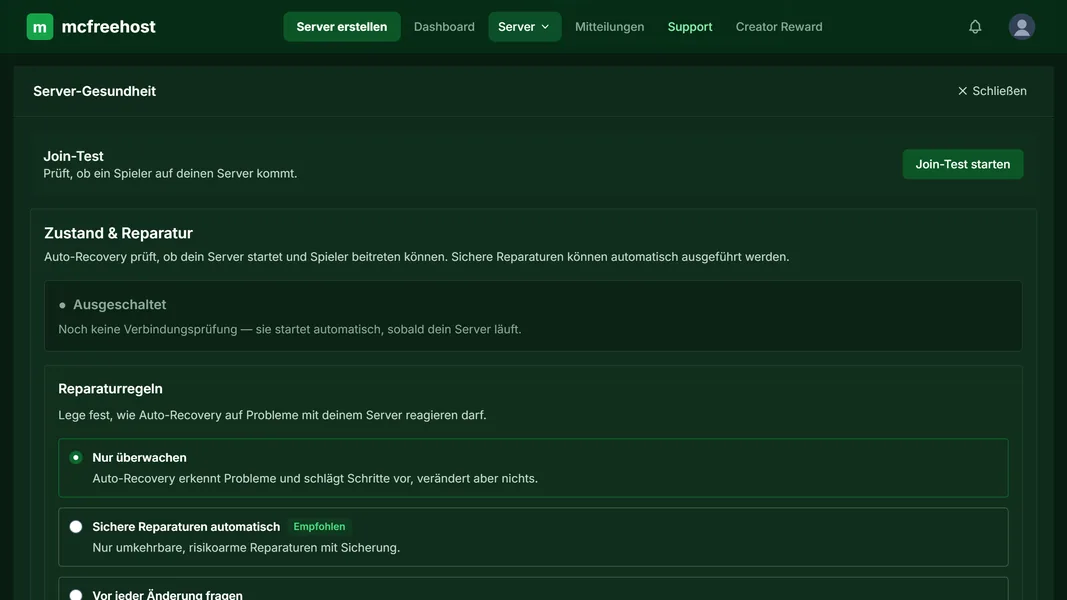
Health and join test · mcfreehost

Health and join test

Ask it to check the status and recent console messages before making changes.

Example views from the mcfreehost panel. You decide what your assistant can do there.

이 친구 세 명을 화이트리스트에 추가하고, 그다음 화이트리스트가 켜져 있는지 확인해 줘.

복사할 수 없어. 텍스트를 선택해서 직접 복사해줘.

이 플러그인이 내 Paper 버전에 맞는지 확인하고, 설치 전에 나한테 물어봐.

복사할 수 없어. 텍스트를 선택해서 직접 복사해줘.

작업이 실제로 무엇을 실행하는지는 네 서버, 요금제, 허용한 권한에 따라 달라.

어시스턴트가 Minecraft 서버에서 할 수 있는 일

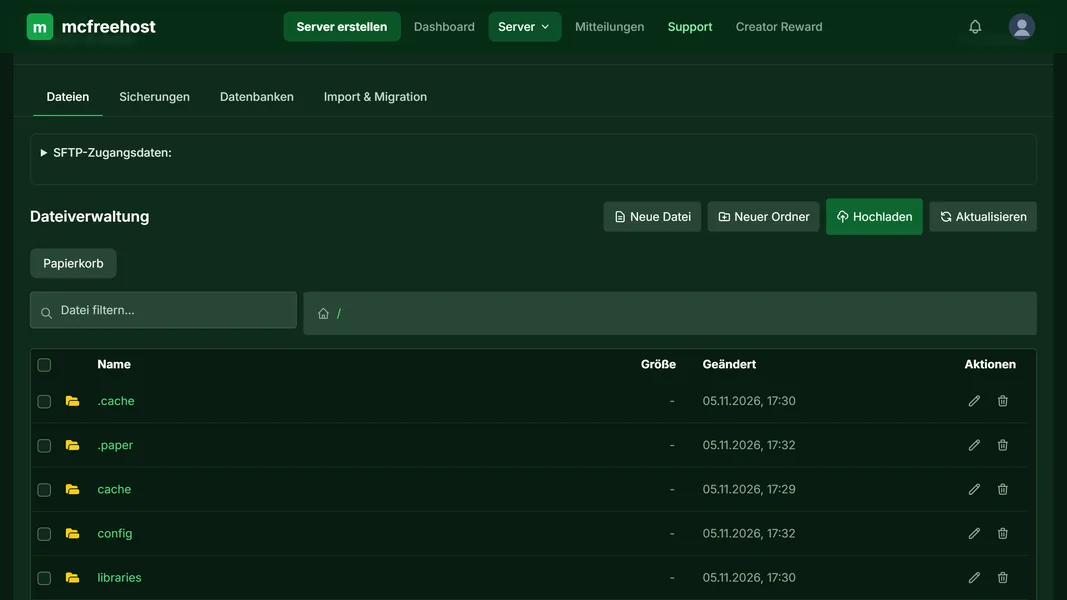
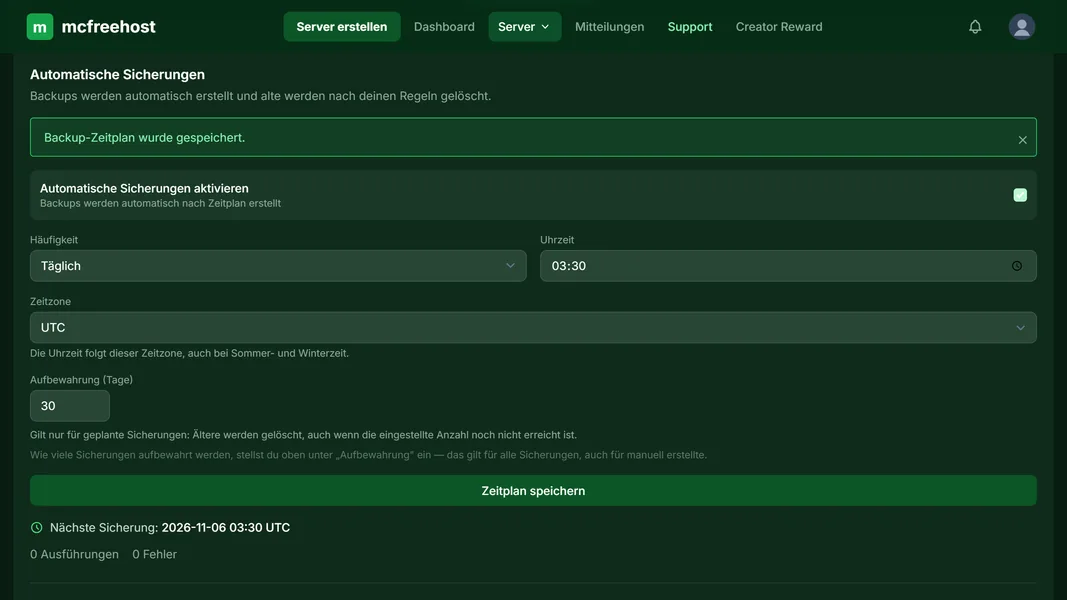
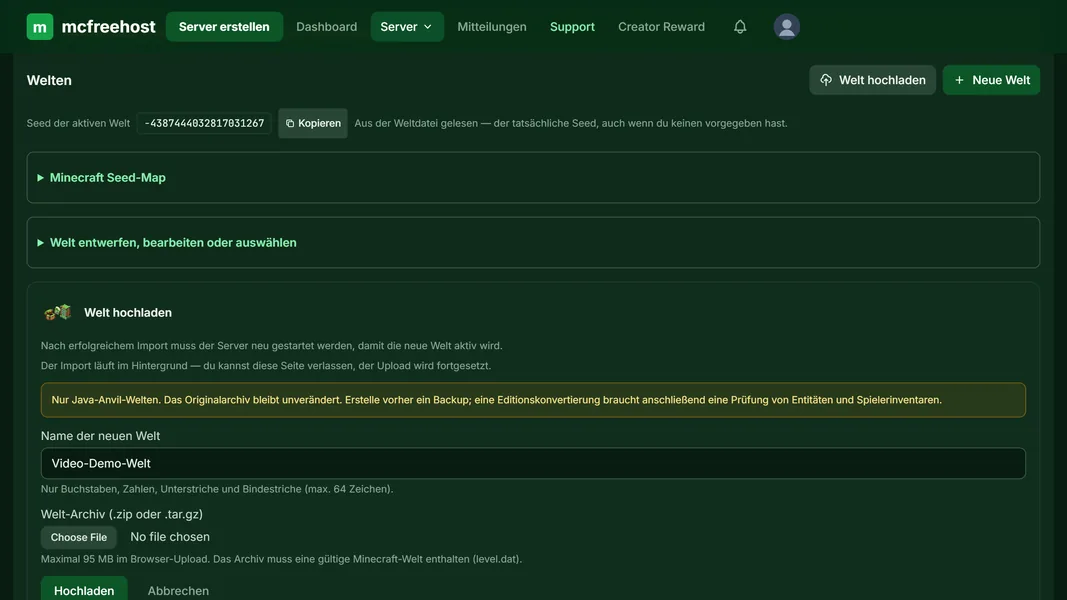
Example views from the mcfreehost panel. You decide what your assistant can do there.

Files · mcfreehost

Files

Have settings in server files adjusted. You choose whether to grant file access.

Backups · mcfreehost

Backups

Have backups created and their completion checked. You manage the schedule in the panel.

Worlds · mcfreehost

Worlds

Have an existing world imported. With the standard connection, you confirm this step in your browser.

API의 모든 작업 보기

카탈로그에는 다른 게임용이나 프리미엄 기능용을 포함해 API의 모든 작업이 나와 있어. 네 서버에서는 게임, 요금제, 서버 소프트웨어에 맞고 접근 권한에 허용한 것만 적용돼.

Server & power

  • servers_list
  • server_status
  • server_start
  • server_stop
  • server_restart
  • reinstall_status
  • server_tps

Players

  • players_list
  • whitelist_read
  • whitelist_add
  • whitelist_remove
  • bedrock_allowlist_read
  • bedrock_allowlist_add
  • bedrock_allowlist_remove
  • bedrock_allowlist_enforce
  • bedrock_pocketmine_whitelist_read
  • bedrock_pocketmine_whitelist_add
  • bedrock_pocketmine_whitelist_remove
  • players_live
  • players_broadcast
  • player_message
  • players_history
  • unban_requests_list
  • unban_request_accept
  • unban_request_reject
  • whitelist_requests_list
  • whitelist_request_accept
  • whitelist_request_reject

Console

  • console_read
  • console_command
  • operator_reserve
  • log_share

Files

  • files_list
  • file_read
  • file_write
  • file_patch
  • directory_create
  • files_delete
  • trash_list
  • trash_restore
  • trash_purge
  • file_copy
  • file_rename
  • files_compress
  • file_decompress
  • server_icon_status
  • server_icon_set
  • server_icon_remove

Backups

  • backups_list
  • backup_create
  • backup_restore
  • backup_delete
  • backup_rename
  • backup_protect
  • backup_destinations_list
  • backup_destination_connect
  • backup_destination_bind
  • backup_destination_test
  • backup_destination_disconnect
  • backups_recovery_list
  • backup_cloud_restore
  • backup_incremental_create
  • backup_incremental_restore
  • backup_mirror
  • backup_schedule_read
  • backup_schedule_update
  • backup_settings_update
  • backup_files_browse
  • backup_files_restore

Schedules

  • schedules_list
  • schedule_create
  • schedule_update
  • schedule_delete
  • task_create
  • task_update

Configuration

  • config_read
  • config_write
  • bedrock_gamerules_read
  • bedrock_gamerule_set
  • eula_status
  • eula_accept

Worlds

  • worlds_list
  • world_create
  • world_switch
  • world_delete
  • world_studio_job_status
  • world_studio_cancel
  • world_studio_import
  • world_studio_snapshot
  • world_studio_snapshot_status
  • geoworld_search
  • geoworld_status
  • geoworld_start
  • geoworld_cancel
  • world_library_list
  • world_library_install
  • schematics_list
  • schematic_place
  • bedrock_worlds_list
  • bedrock_world_create
  • bedrock_world_switch
  • bedrock_world_delete
  • world_import_status
  • world_import_install

Versions

  • versions_list
  • version_status
  • version_preview
  • version_change
  • java_runtime_read
  • java_runtime_select
  • loader_builds_list
  • loader_build_change

Server software

  • software_catalog
  • software_preview
  • software_change

Plugins & mods

  • addons_list
  • addons_search
  • addon_versions
  • addon_install
  • addon_update
  • addon_remove
  • live_map_status
  • live_map_enable
  • live_map_continue
  • plugin_analysis
  • plugin_outdated_mods_status
  • plugin_outdated_mods_choose
  • plugin_outdated_mod_reenable
  • plugin_config_files
  • plugin_config_read
  • plugin_config_write
  • mod_settings_list
  • mod_settings_read
  • mod_settings_save
  • mod_settings_run_action
  • spark_diagnostic_start
  • spark_report
  • hologram_list
  • hologram_toggle
  • skript_list
  • skript_toggle
  • skript_reload
  • skript_modules_list
  • skript_module_save
  • worldguard_regions
  • worldguard_status
  • worldguard_reload
  • worldguard_global_flag
  • worldedit_reload
  • worldedit_group_access
  • veinminer_status
  • veinminer_apply_preset
  • chunky_status
  • chunky_prewarm_start
  • voice_chat_status
  • voice_chat_setup
  • voice_chat_save_config
  • voice_chat_repair_crossplay
  • voice_chat_restart
  • mc_settings_read
  • mc_settings_save
  • mc_settings_world_property
  • mc_settings_core_status
  • mc_settings_core_lookup
  • minecraft_maker_runs
  • minecraft_maker_create

Modpacks

  • modpacks_catalog
  • modpack_preview
  • modpack_status
  • modpack_install
  • modpack_update
  • modpack_settings_read
  • modpack_settings_write
  • modpack_versions
  • modpack_client_pack_read
  • modpack_client_pack_refresh
  • modpack_client_pack_rotate_link
  • modpack_client_pack_mod_mode
  • modpack_profile_find
  • modpack_profile_apply
  • modpack_rollback

Bedrock packs

  • bedrock_packs_list
  • bedrock_catalog
  • bedrock_pack_install
  • bedrock_pack_enable
  • bedrock_pack_disable
  • bedrock_pack_remove
  • bedrock_migration_status
  • bedrock_migration_start
  • bedrock_migration_confirm_join
  • bedrock_migration_cancel
  • bedrock_migration_revert

Server settings

  • notifications_read
  • notification_rules_update
  • notification_alerts_update
  • notification_quiet_hours_update
  • settings_read
  • settings_update
  • auto_update_read
  • auto_update_set
  • profile_quiet_hours_read
  • profile_quiet_hours_update
  • discord_webhook_read
  • discord_webhook_set
  • discord_events_update
  • discord_webhook_test
  • startup_variables_read
  • startup_variables_update

Metrics and history

  • metrics_current
  • metrics_history

Activity log

  • activity_list

Health and join test

  • health_status
  • join_test_start
  • join_test_status
  • health_crash_diagnosis
  • health_repairs_list
  • health_boot_repair
  • health_plugin_repair_preview
  • health_plugin_repair_apply

Databases

  • databases_list
  • database_create
  • database_delete
  • database_password_rotate

World export and import

  • export_start
  • export_status

Server address

  • subdomain_check
  • subdomain_change

Game tools

  • cs2_build_update
  • rust_wipe_schedule_read
  • rust_wipe_schedule_create
  • rust_wipe_schedule_cancel
  • rust_startup_params_read
  • rust_startup_params_update
  • rust_map_preview
  • cs2_map_pool_read
  • cs2_map_pool_write
  • cs2_match_status
  • cs2_match_load
  • cs2_match_control
  • cs2_map_change
  • ark_ini_read
  • ark_ini_write
  • ark_mod_order_read
  • ark_mod_order_write
  • valheim_worlds_list
  • valheim_world_activate
  • valheim_backups_list
  • valheim_backup_create
  • valheim_plugins_list
  • valheim_plugin_toggle
  • minecraft_players_admin_read
  • minecraft_player_op
  • minecraft_player_deop
  • minecraft_player_kick
  • minecraft_player_ban
  • minecraft_player_unban
  • minecraft_crossplay_read
  • minecraft_crossplay_set
  • minecraft_gamerules_read
  • minecraft_gamerule_set
  • minecraft_cracked_mode_read
  • minecraft_cracked_mode_set
  • minecraft_presets_list
  • minecraft_preset_apply
  • minecraft_anti_xray_read
  • minecraft_anti_xray_set
  • minecraft_item_obfuscation_read
  • minecraft_item_obfuscation_set
  • minecraft_end_access_read
  • minecraft_end_access_set
  • minecraft_gameplay_options_read
  • minecraft_gameplay_option_set
  • minecraft_many_players_read
  • minecraft_many_players_set

Reinstall

  • server_reinstall

Account

  • account_read
  • account_profile_update
  • account_billing_history
  • account_subscriptions
  • account_email_change
  • account_password_change
  • account_delete_request
  • subscription_cancel
  • subscription_reactivate
  • account_security_status
  • account_two_factor_manage
  • account_payment_methods_manage
  • account_order_prepare

Support tickets

  • support_ticket_create

All tools of the AI connector

Connect with Claude or ChatGPT

Add this address as a custom connector. Then sign in here and choose servers, permissions and duration. You don’t need a key for this.

Connector address

https://mcfreehost.com/api/automation/v1/mcp

복사할 수 없어. 텍스트를 선택해서 직접 복사해줘.

Menu names are shown as they appear in English; in your language they read similarly.

What you need

You need Claude or ChatGPT on a plan that allows custom connectors:

In Claude

Claude: Free (one custom connector), Pro, Max, Ultra, Team and Enterprise.

On Team and Enterprise, a team owner adds the connector.

  1. Open “Customize” → “Connectors” and choose “+ Add” → “Add custom connector”.
  2. Enter a name, for example mcfreehost, and paste the address.
  3. Under “OAuth client”, choose “Register automatically”, then “Add”.
  4. Choose “Connect”, sign in here and allow access.

In ChatGPT (in the browser)

ChatGPT: Business, Enterprise and Edu, only in the browser at chatgpt.com.

On Business, an admin or owner adds the server. OpenAI currently lists no other ChatGPT plans for this.

  1. On chatgpt.com, open “Plugins” and choose “+” → “Add custom MCP server”.
  2. Enter a name, for example mcfreehost, and paste the address under “Connection”.
  3. Choose OAuth for sign-in, confirm the notice and sign in here.

As of 2026년 11월 2일, according to the Anthropic and OpenAI help pages.

You have neither? Ask our support directly

For developers: Claude Code, Codex, REST

Claude Code 또는 Codex로 터미널에서 연결하기

  1. Minecraft 서버가 속한 계정으로 mcfreehost에 로그인하고, 컴퓨터에 Claude Code 또는 Codex를 설치해.
  2. 어시스턴트용 명령어 두 개를 복사해서 컴퓨터의 터미널에서 실행해. Minecraft 콘솔에 입력하는 게 아니야.
  3. 브라우저에서 서버, 권한, 유효 기간을 선택해. 처음에는 읽기 권한이면 충분하고, 토큰을 복사할 필요도 없어.
  4. 상태, 버전, 최근 콘솔 줄처럼 아무것도 바꾸지 않는 질문부터 시작해. 답이 정확할 때만 변경을 포함한 작업으로 넘어가.

브라우저에서 로그인하고 서버 허용하기

어시스턴트에 연결 정보를 입력하고 로그인 창을 열어. mcfreehost에 로그인한 뒤 어떤 서버를 어떤 권한으로 허용할지 선택해.

이 방법에서는 명령어에 토큰을 입력하지 않아도 돼.

claude mcp add --scope user --transport http mcfreehost https://mcfreehost.com/api/automation/v1/mcp
claude mcp login mcfreehost

복사할 수 없어. 텍스트를 선택해서 직접 복사해줘.

또는: 접근 권한 직접 만들기

브라우저 로그인이 없는 프로그램이라면 프로필에서 개인 접근 권한을 만들어. 예시는 자리 표시자를 사용한 설정을 보여주니, 그 부분을 네 토큰으로 바꿔.

Important: this is not a command for your server's game console. Enter it in the terminal on your own computer (Windows: PowerShell, macOS and Linux: Terminal).

claude mcp add --scope user --transport http mcfreehost https://mcfreehost.com/api/automation/v1/mcp --header "Authorization: Bearer <TOKEN>"

Codex는 접근 정보를 환경 변수로 받아. export 줄은 열려 있는 터미널에서만 적용되니, 나중에도 쓰려면 개인 셸 프로필에 추가해.

Important: this is not a command for your server's game console. Enter it in the terminal on your own computer (Windows: PowerShell, macOS and Linux: Terminal).

export MCFREEHOST_ASSISTANT_TOKEN="<TOKEN>"
codex mcp add mcfreehost --url https://mcfreehost.com/api/automation/v1/mcp --bearer-token-env-var MCFREEHOST_ASSISTANT_TOKEN

직접 만든 MCP 클라이언트에는 Streamable HTTP와 Bearer 토큰이 필요해. 클라이언트가 OAuth를 지원하면 대신 브라우저에서 로그인하면 돼.

URL: https://mcfreehost.com/api/automation/v1/mcp
Header: Authorization: Bearer <TOKEN>

모든 작업은 REST API로도 제공돼. OpenAPI 파일에 모든 호출이 설명되어 있어.

Important: this is not a command for your server's game console. Enter it in the terminal on your own computer (Windows: PowerShell, macOS and Linux: Terminal).

curl -H "Authorization: Bearer <TOKEN>" https://mcfreehost.com/api/automation/v1/servers

<TOKEN>은 여기서 자리 표시자일 뿐이야. 실제 접근 정보는 어시스턴트의 개인 설정에만 입력해.

변경 작업을 맡기기 전에
  • 잠든 무료 서버의 경우, 시작 요청은 먼저 서버를 깨우는 중이라고 알려줘. 어시스턴트가 기다렸다가 상태를 다시 확인하게 해.
  • 모드팩 설치, 버전 변경, 백업은 API가 작업을 이미 접수한 후에도 계속 진행돼. 완료 여부를 확인하게 해.
  • 파일 및 콘솔 권한이 있으면 어시스턴트가 많은 걸 바꿀 수 있어. 작업에 정말 필요할 때만 허용해.
  • 이 방법으로는 이메일, 비밀번호, 해지에 접근할 수 없어. 이런 단계는 항상 브라우저에서 직접 확인해.
  • 더 이상 필요 없는 접근 권한은 프로필에서 철회해. 그러면 즉시 무효가 돼.

무료 서버: 먼저 깨우고, 그다음 확인하기

mcfreehost의 무료 서버는 플레이어가 없으면 15분 후에 절전 상태로 들어가. 이때 월드, 플러그인, 설정은 그대로 유지돼. 어시스턴트에게 시작을 요청하면 그 작업이 서버를 깨워. 응답은 처음에는 깨우기가 시작되었다는 뜻일 뿐이야. 그다음 서버가 실제로 실행될 때까지 어시스턴트가 상태를 확인하게 하고, 그 후에야 콘솔을 분석하게 해. 그래야 잠든 서버를 크래시로 착각하지 않아.

버전에 맞는 플러그인과 모드

새로 만든 Minecraft 서버에서 가장 흔한 문제는 서버 버전에 맞지 않는 플러그인이나 모드야. Paper는 Bukkit 및 Spigot 플러그인을 불러오고, Fabric, Forge, NeoForge는 각각 전용 모드가 필요해. 설치하기 전에 어시스턴트가 서버 소프트웨어와 버전을 읽고, 그 파일이 왜 맞는지 설명하게 해. 무료 요금제에서는 2 GB RAM을 쓸 수 있으니, 큰 모드팩이라면 미리 확인해 보는 게 좋아. 그 후 서버가 시작되지 않으면 보통 콘솔에 어떤 모드가 빠졌는지, 혹은 어떤 모드가 메모리를 너무 많이 쓰는지 나와 있어.

모든 걸 열어주지 않고 친구 초대하기

친구들과 한 판 하려면 작업 하나면 충분한 경우가 많아: 이 플레이어들을 화이트리스트에 추가하고 화이트리스트가 켜져 있는지 확인하기. 이를 위해 어시스턴트에게는 플레이어 권한만 필요하고, 네 파일이나 계정은 필요 없어. 딱 그 권한과 해당 서버만 허용해 줘. 무료 서버와 프리미엄 서버는 각각 따로 허용해야 하고, 나중에 만드는 서버는 절대 자동으로 포함되지 않아.

어시스턴트가 할 수 있는 일은 네가 정해

  • 전체 접근 대신 개별 권한: 읽기, 시작 및 중지, 플레이어, 콘솔, 파일, 계정을 따로 선택할 수 있어.
  • 선택한 서버만: 접근 권한은 네가 지정한 서버만 볼 수 있어. 새 서버가 저절로 추가되지 않아.
  • 기한 설정: 접근 권한이 얼마나 유효할지 네가 정해.
  • 즉시 철회: 프로필에서 철회하면 그 접근 권한으로 들어오는 모든 요청이 거부돼.
  • 기록: 모든 작업이 시간과 접근 권한과 함께 서버 활동 기록에 남아.
  • 요청 제한: 어시스턴트가 루프에 빠져도 서버를 호출로 마비시킬 수 없어.
  • 채팅에 토큰 금지: 접근 정보는 어시스턴트의 보호된 설정 필드에만 넣어.

automation:unattended 는 브라우저 확인 없이 작업하기 위한 추가 권한이야. 이 권한이 없으면 어시스턴트는 서버 소프트웨어 변경, 모드팩 설치 또는 업데이트, 서버 재설치, 월드 가져오기, 서버 주소 변경, 지원 티켓 생성 전에 로그인된 계정에서 너에게 물어봐. 이메일, 비밀번호, 해지, 계정 삭제는 이 권한이 있어도 항상 네 확인이 필요해. 그 밖의 모든 작업은 네 권한 범위 안에서 바로 실행돼.

mcfreehost AI 관리에 대한 질문

무료 서버에서도 되나요?

응. API는 무료 요금제를 포함해 mcfreehost의 모든 서버에 포함되어 있고 추가 비용이 없어. Claude나 ChatGPT를 쓰려면 해당 제공업체에서 커스텀 커넥터를 지원하는 요금제가 필요하고, 그쪽에서는 비용이 발생할 수 있어.

서버가 잠들어 있으면 어떻게 되나요?

시작 또는 재시작 요청이 서버를 깨워. 월드가 로드될 때까지는 시간이 좀 걸려. 어시스턴트가 콘솔 명령을 보내거나 오류를 찾기 전에 상태를 다시 확인하도록 요청해.

어떤 어시스턴트를 연결할 수 있나요?

가장 쉬운 방법은 브라우저에서 Claude나 ChatGPT에 커스텀 커넥터로 추가하는 거야. 터미널을 선호하면 Claude Code나 Codex를 쓰면 되고, 직접 만든 프로그램은 Streamable HTTP 기반 MCP나 REST API로 연결할 수 있어.

어시스턴트가 돈을 쓰거나 프리미엄으로 전환할 수 있나요?

아니. 주문, 프리미엄 전환, 결제는 항상 로그인된 계정에서 네 확인이 필요해. 네가 없으면 접근 권한으로는 아무것도 결제할 수 없어.

접근 권한은 어떻게 다시 회수하나요?

프로필의 „자동화 API“에서 접근 권한을 철회해. 그때부터 mcfreehost는 그 권한으로 들어오는 모든 요청을 거부해. 어시스턴트가 그전에 바꾼 내용은 그대로 남으니, 그럴 때를 위해 백업이 있어.

Panel view

Escape closes the large view. At original size, you can pan within the view.