The short answer: On a free server, Java-Modded is the edition that provides Forge, Fabric, NeoForge and Quilt. Before choosing a different loader, work out which mods you can keep using and whether you want to continue your existing world. Open Manage, then Change software / loader in the panel. Our switch kept a played world and the mods directory, but did not convert any mod files to another loader. If no player has ever been online on your server, the panel puts the existing world aside and begins a fresh one. A protection point provides a route back to the earlier state.
This guide was last updated on November 1, 2026. The text was rewritten on November 3, 2026; the server measurements date from October 31 and November 1. This walkthrough is for the free mcfreehost server with 2048 MB RAM. Starting from scratch? When creating your free server for Minecraft, you can choose Java-Modded and your preferred loader immediately.
Let your mods determine the destination
Look up each mod's downloads for your Minecraft version and intended loader before making changes. From Minecraft 1.20.2, NeoForge introduced renamed packages and the neoforge mod ID. An existing Forge download is therefore no assurance of a usable NeoForge build. NeoForge's documentation advises Forge for Minecraft 1.20.1 and recommends NeoForge from 1.20.2 onwards.
Fabric often involves another download: many mods require Fabric API. See choosing matching Fabric versions for help. This guide includes no switch to Fabric or Quilt using real mods.
Our measured test server had 2048 MB available. It could start NeoForge without mods even though the panel specified a minimum of 4 GB. That observation does not establish how much memory your own collection needs. We did not test a large set of mods.
Step 1: Find your destination under Mods
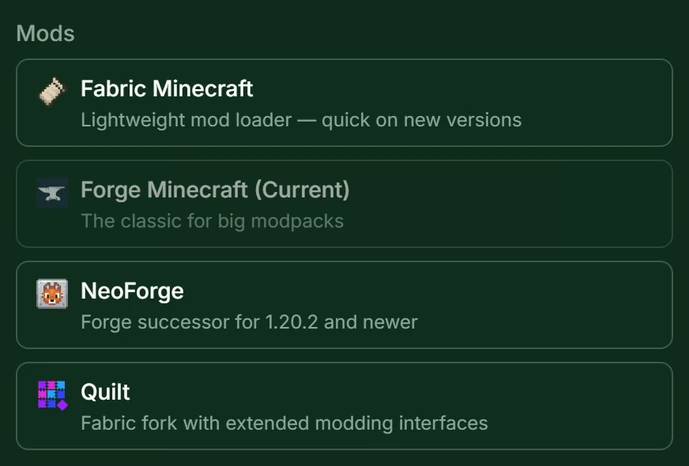
Go to Manage, which initially opens Updates. Change software / loader contains the Server software selection. Under Installed now, “Minecraft Java-Modded” identifies the edition. To identify your existing loader, look for the disabled card marked (Current). The Mods group offers Fabric, Forge, NeoForge and Quilt.
 (Enlarge image)
The neighbouring groups are Plugins, Plugins and mods and No plugins or mods. Install a different game leads away from this Minecraft selection. For this walkthrough, stay within Mods and select the loader you want.
Step 2: Choose what should happen to the world
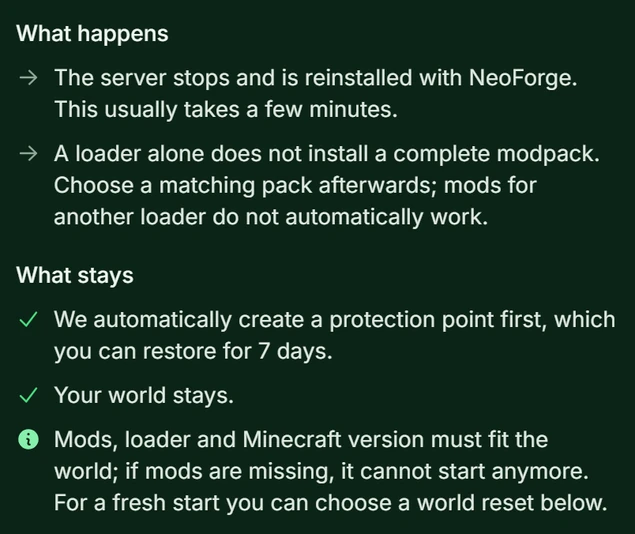
After selecting a destination, read both lists: What happens explains the reinstall, while What stays covers the protection point and world. For a server recognised as played, the message reads Your world stays.; the display also reminds you to match the mods, loader and Minecraft version to that world.
 (Enlarge image)
Use these cases to decide:
- You have played on the server and want to continue building: Leave the world reset off. Our Forge-to-NeoForge trial preserved the seed and a gold block we placed. This demonstrates preservation of that test world, without establishing compatibility for arbitrary mod content.
- If no player has ever been online on your server, the display announces a new world. The previous directory is renamed and remains available in the file manager.
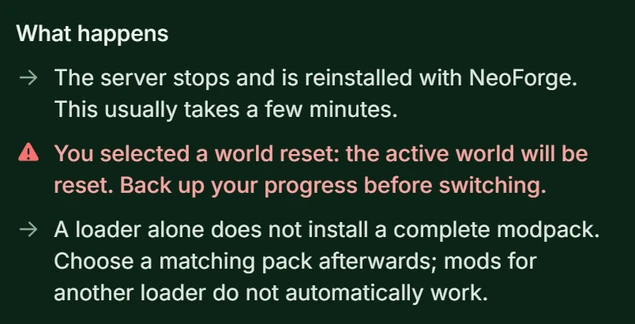
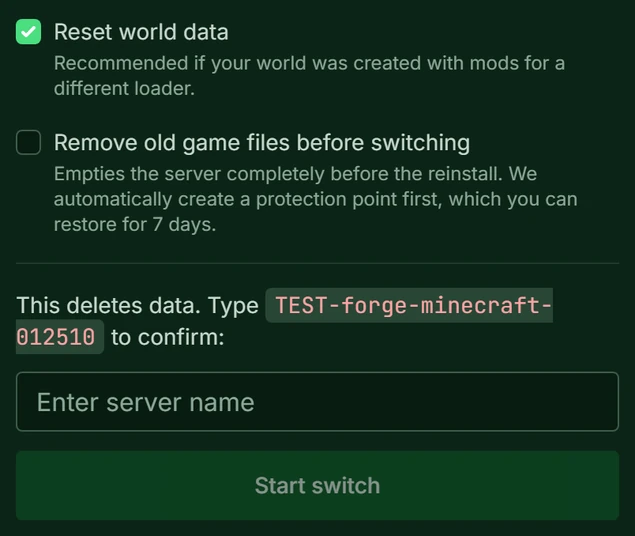
- You deliberately want a fresh start: The Reset world data checkbox is not preselected. Its hint reads “Recommended if your world was created with mods for a different loader.” Selecting it adds a red warning about the active world under What happens.
 (Enlarge image)
With a world reset selected, ticking a confirmation is insufficient: you must enter the server name before Start switch becomes available.
 (Enlarge image)
Keep this separate from Remove old game files before switching. That additional option empties the server before reinstalling and also requires its name. Our loader-to-loader trial did not need it.
Step 3: Wait for installation and check the mod files
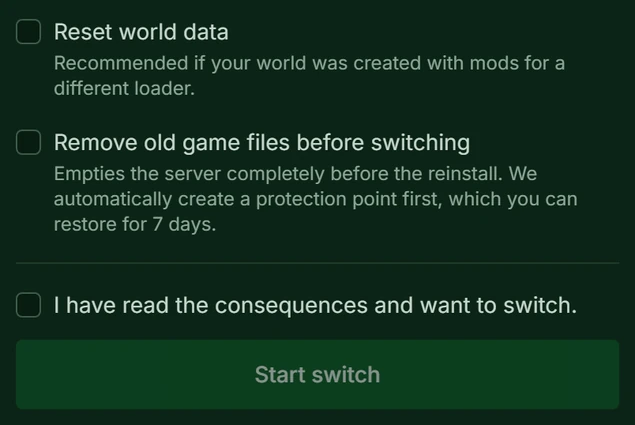
When neither resetting the world nor removing old files, confirm I have read the consequences and want to switch. and click Start switch. Without the tick, the button stays greyed out.
 (Enlarge image)
Progress moves through Create protection point, Prepare files, Install and First start. Completion is reported as “Done, your server has been switched.” Our loader switch did not include a Minecraft version change: the server used 1.21.1 both before and afterwards.
You now have a loader installed, rather than a modpack. For a complete pack, choose it afterwards in the Modpack tab. If adding individual mods, first inspect the retained mods directory: it can still contain downloads for the previous loader. Remove unsuitable mod files and upload builds for the destination loader and Minecraft version. With Fabric, include Fabric API where required.
Read the console during the subsequent startup. For troubleshooting, consult help with mod errors or help with a server that will not start. Check your friends' Minecraft installations too; joining a modpack server covers preparation.
Step 4: Use the protection point if problems appear
Return to Manage for the way back. Last change shows the date beside Undo (protection point).
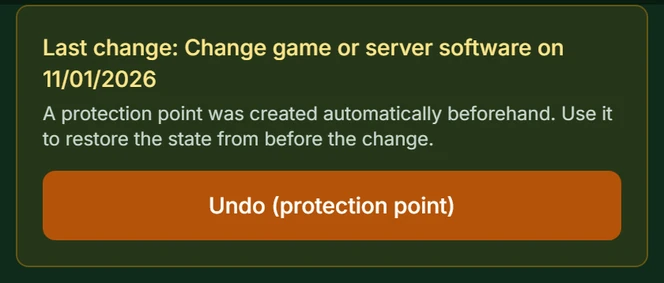 (Enlarge image)
This opens the backups at the relevant protection point. Select Restore this protection point and read its preview before ticking the checkbox: the restore covers server files, version and startup configuration. Changes made after that saved state are discarded, including new builds made following the switch. Restoring returns to the earlier state; it does not combine two worlds.
If you want Paper instead of mods
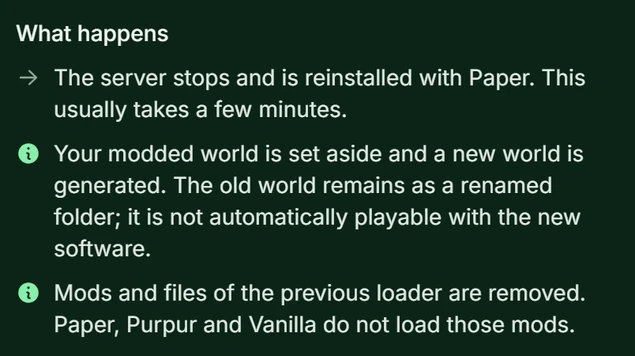
Leaving a loader behind has different consequences from choosing another loader. For NeoForge → Paper, our panel announced that it would put the modded world aside, generate a new one and remove existing mods together with loader files.
 (Enlarge image)
We read and captured this display at mcfreehost. We did not execute the Paper switch on these test servers.
FAQ
Does retaining the world mean every mod will still work? No. Keeping a directory does not establish that its mod files and content fit the new installation. Obtain suitable builds for the destination loader; if mods are unavailable, plan a return to the previous state or a deliberate fresh start.
Why are several loaders offered on the free server? Java-Modded includes Forge, Fabric, NeoForge and Quilt. Choosing another loader does not require creating another server. The switch tab also contains software outside that edition; this walkthrough uses the Mods selection.
Was NeoForge tested with 2048 MB? Yes, without mods on our own test server. Successful startup in that trial is no promise for a particular modpack or player count.
Sources and Verification
Verification: On October 31, 2026, we used our own mcfreehost test server with 2048 MB and Minecraft 1.21.1. It started with Forge 52.1.20 and a played world. The switch reported completion after 196 seconds, with NeoForge 21.1.265 installed. Without mods, its startup took 4 seconds. The Minecraft version, seed, our gold block at 0 120 0 and the contents of mods were preserved. Restoring afterwards took 37 seconds: the server was back on Forge 52.1.20, with the seed and gold block unchanged.
The seven image crops were captured on another test server of our own on November 1, 2026. Before marking it as played, the interface announced that it would put the world aside. For the repeat trial we set that flag ourselves in the panel. Completion followed after 155 seconds; world remained and no new directory matching world.bak-eggswitch-* appeared. The flag was test preparation, rather than an additional gameplay trial.
On November 3, 2026, we reread the same upstream sources for the loader details:
- NeoForge documentation: NeoForge recommended from 1.20.2, with Forge advised for 1.20.1.
- NeoForge 20.2 release announcement: changed packages and mod ID explain the need for adaptations.
- Fabric installation guide: Fabric API is required by many mods.
- Control labels and consequences come from the recorded mcfreehost panel observations. The pictures are crops of that interface.
Not verified: Fabric or Quilt with real mods, a large mod collection, or actually switching to Paper at mcfreehost. No new server measurement has been made for this guide since November 1.
