Create a free Minecraft server
Choose Java or Bedrock, start for free and share your server address with friends. No payment details or port forwarding required.
Server locations: Germany · France.
Free server locations are assigned automatically. On a paid plan you choose the location yourself.
Want a server closer to you?
Start a 2 GB Minecraft server for free
Choose the edition that fits your devices and playstyle.
Which Minecraft editions do all players use?
What do you want to do on your server?
Our recommendation:
Java Edition
Java/Paper for plugins; Bedrock clients connect through Geyser and an additional UDP port.
Mods and mixed devices require a conscious choice
Client-required Java mods cannot generally be translated to Bedrock devices or consoles.
Bedrock Edition
Play together on console, mobile and PC. No Java needed.
Java-Modded
Forge & Fabric — start with mods and explore new worlds.
| Java | Bedrock | Java-Modded | |
|---|---|---|---|
| Devices | Windows, macOS, Linux (Java) | Minecraft for Windows, phone, tablet, console | Windows, macOS, Linux (Java) |
| Crossplay | Bedrock clients via Geyser on this Java server | Between Bedrock devices only | Not with client-required mods |
| Plugins | Spigot / Paper | BDS add-ons; no Paper or PocketMine plugins | No Paper plugins; extensions are mods for the chosen mod type (Fabric, Forge) |
| Mods | Forge / Fabric | ||
| Target audience | Beginners & vanilla+ | Mobile & console players | Mod enthusiasts & explorers |
Software and version selection
Minecraft version installed on the server.
Build of the server software for the selected Minecraft version. "latest" or an empty field means the newest build.
- Estimated players
- ~3-6
A real city. A playable Minecraft world.
Not just any world: your city.
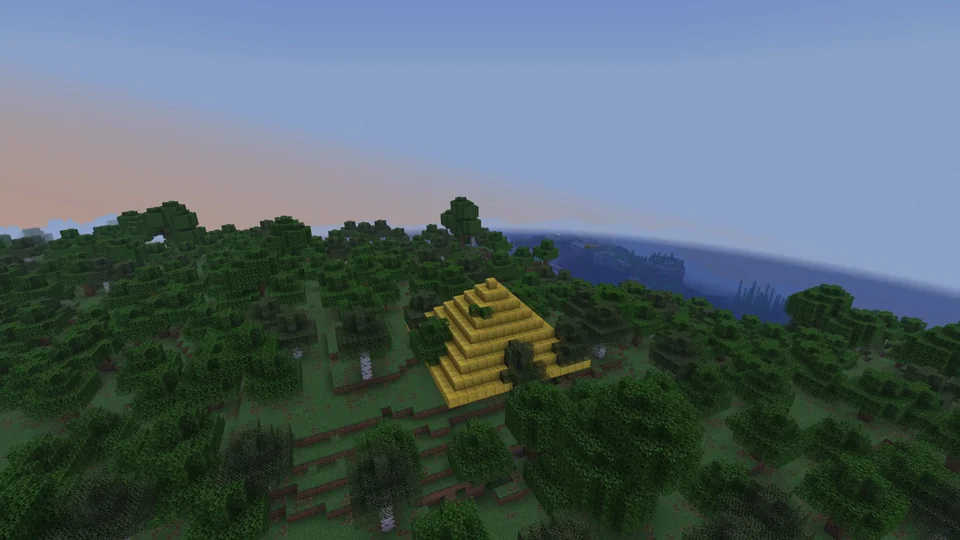
Choose a real place as your starting world while ordering. The preview shows the area before your server is built.
Guides & tutorials
Aternos Alternative: Is mcfreehost Right for Your Free Server Group?
Compare verified free-tier limits, crossplay, start-up flow and backups. Decide before switching whether mcfreehost suits your small Minecraft group.
Free Minecraft Bedrock Server: Connect Phone, Windows, and Console
Create a suitable free Bedrock server and check that you can really join using the panel address and port. Consoles need a separate connection route.
Minecraft with Friends for Free: Invitation, Permissions and Game Night
Organize a small private Minecraft group with the right edition paths, a clear invitation and separate permissions for players and collaborators.
Your server in 3 steps
It does not get much simpler.
-
Choose edition
Minecraft Java or Bedrock. Java-Bedrock crossplay is available on supported Paper stacks; consoles may require additional connection steps.
-
Configure
Pick RAM, Paper or a mod type (Fabric, Forge) and your own subdomain. Start free, switch to Premium anytime.
-
Play
Your server is set up automatically, usually in 1–20 minutes; larger installations can take longer.
Free Minecraft servers compared
Three free offers side by side — only figures the providers publish themselves. Where we found no figure, the table says so.
| Feature | mcfreehost | Aternos | Falix (Free) |
|---|---|---|---|
| Price | €0 — no payment details | €0, "free forever" according to Aternos | €0, no card and no time limit according to Falix |
| Ads | No ad banners | Financed through advertising according to Aternos help | Not stated on the free page |
| Idle & wake-up | Sleeps after 15 min without players; wake it by connecting or in the panel | Stops when the last player leaves; queue before starting when capacity is full | Sleeps after inactivity; wake via server IP with the start tool, in about 10 seconds according to Falix |
| Memory (RAM) | 2 GB | Depends on the software, e.g. 2,400 MB for Vanilla 1.20.1 | Not stated on the free page |
| Storage | 10 GB | 4 GB | Not stated (NVMe storage) |
| Servers per account | 2, 1 of them online at the same time | No figure found | 1 |
Aternos and Falix figures according to their own pages, retrieved on ; offers may change. Our figures come live from the free plan configuration.
Sources: Aternos · Aternos Support: Server RAM · Aternos Support: Queue · Aternos Support: 24/7 Hosting · Aternos Support: Maximum allowed server size · Aternos Support: Adblocker · Falix: Free Minecraft Server Hosting
More RAM, a database or Always Online? Upgrade only when needed.
- Free plan: Java, Modded Java, or Bedrock/BDS; inactivity rules apply
- Premium with more RAM and your own database
- Up to 12% discount with a 12-month term
- Cancel monthly; automatic renewal can be disabled
Frequently asked questions
How fast is my Minecraft server online?
Your server is usually provisioned automatically within 1-20 minutes. EULA and DNS are configured; Geyser + Floodgate are available on supported Paper stacks.
Can Bedrock players (mobile/console) join?
On supported Paper stacks, Bedrock clients can join through Geyser + Floodgate. Forge/Fabric modpacks remain Java-only; consoles may need an additional connection method.
What does the Free plan cost and what inactivity rules apply?
The Free plan costs nothing and requires no payment details. Servers in use go to sleep after 15 minutes without players and can be woken up again. Servers that were never played are released after 7 days, and otherwise after 14 days of inactivity following two warnings; a recovery archive remains available for 30 days. Each account can have up to 2 free servers, with a maximum of 1 online at the same time.
Which server software and mod types are available?
Java: Paper, Spigot, and Purpur for plugins, plus Fabric, Forge, NeoForge, and Quilt for mods. Bedrock uses the official Bedrock Dedicated Server (BDS).
What is the custom subdomain?
Every server gets an address like your-server.mc.mcfreehost.com. You can choose it yourself and change it anytime - Java and Bedrock players use the same address.
Is there a minimum term or contract?
The Free plan remains free. Premium is a monthly subscription with no long-term minimum; automatic renewal can be disabled.
Is DDoS protection included?
Yes, at no extra cost. Every server is covered by automatic network-level DDoS protection from the data center (OVHcloud Anti-DDoS or Hetzner DDoS protection). Servers on OVH game hardware also run behind the OVH game firewall.
Can I connect my own domain?
An mcfreehost subdomain is included for free. For your own domain, you need the corresponding paid domain unlock. The Domain tab shows the available options and checks your DNS settings.
How much is premium and what is included?
Premium starts at €4.39 per month for 3 GB RAM. The configurator shows the current monthly price as the final price. Premium offers more RAM and a MariaDB database. Plugins, mods, and backups are already available in the Free plan with the limits shown there. Premium can be cancelled monthly; automatic renewal can be turned off.
Where are the servers located?
Our locations: Germany (Falkenstein/Limburg), France (Roubaix). Free servers usually run here: Germany (Limburg). With Premium, you choose the location yourself when you order. The farther your players are from the location, the higher their ping.