WorldGuard can protect your shared spawn from unwanted building and give individual friends permission to build there. Region membership and the permission to manage protection rules are separate things. A friend can help build at the spawn without being allowed to edit every region on the server.
This guide sets up a small, agreed spawn area on a Paper server. It does not describe a world-wide protection policy. The MCF panel assistant can change global flags for the selected world; this effect is larger than a single spawn region.
Checked: October 7, 2026. The images show an earlier combination of Paper 1.21.4, WorldGuard 7.0.12, and WorldEdit 7.3.9. For your world, what counts is your own playtest afterwards with normal accounts.
Define the Area and the Intended Use
Mark on your map or during a walk-through together where the spawn protection should begin and end. Also check cellars, roofs, and surrounding paths. Decide whether the entire height should be protected or only a deliberately limited structure. Block protection is not automatically a movement ban.
Back up the world and the existing protection configuration before making changes. Keep existing regions and read their names and boundaries. The desired spawn area might overlap with an old building zone. So do not overwrite an already existing region of the same name on a hunch.
For the selection you need WorldEdit, and for the rules WorldGuard. Check for matching Paper builds and a successful, orderly start. /wg version helps with comparing versions; the current startup log shows possible loading errors. The small selection test is explained in WorldEdit for Friends.
Create the Region Without Global Side Effects
Select the agreed area with //pos1 and //pos2 or the WorldEdit axe. Then read //size. If the protection should reach from the bottom to the top of the world, expand only this selection with //expand vert. This is a selection change, not a block fill.
The example name freundesspawn is freely chosen. Use it only if no region of this name exists yet. In the game:
/rg define freundesspawn
/rg info freundesspawn
Check the world and corner points in the output. The WorldGuard quick start explains the default protective effect of a newly created region. For normal membership protection you do not additionally need build deny. An explicitly set blanket build ban can change your planned member permission.
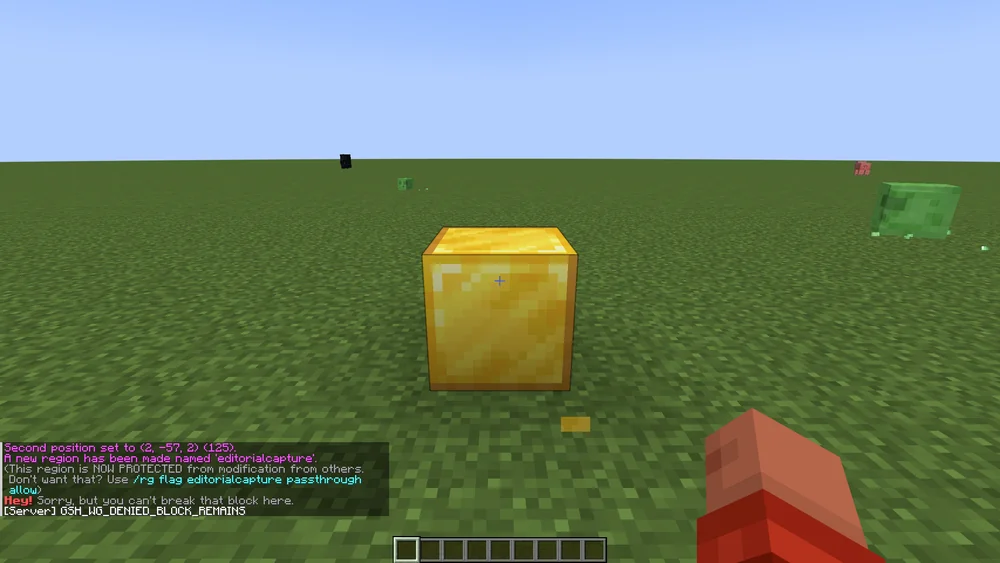
Earlier demonstration in the region editorialcapture. Your own region name and the actual boundaries must be correct separately.
Let Selected Friends Build
Replace SPIELERNAME with the reliably identified game account and add only the planned co-builders:
/rg addmember freundesspawn SPIELERNAME
/rg info freundesspawn
Membership grants the intended use within the region. It does not automatically grant the management commands for all protected areas. An owner entry is also not the same as the MCF owner account; any required WorldGuard management permissions must additionally be set appropriately. The region commands describe the difference.
For two or three explicitly chosen friends, a manageable account list is easier to check than a broad management wildcard. When the group changes later, read the current list again. A panel co-manager does not receive Minecraft region membership merely through their panel role.
Set Only the Additionally Needed Rules
If no PvP should take place at the spawn, you can set this for exactly this region:
/rg flag freundesspawn pvp deny
Initially leave other flags at their intended setting as long as no specific additional rule is needed. An arbitrary bundle of entry, build, hunger, and invulnerability rules can change your group more than planned. The flag documentation explains the respective effect.
The checked MCF assistant sends its world-wide flags to __global__ of the selected world. It therefore does not automatically create your small spawn region. If you only want to change the spawn, use the checked local region and verify the result there.
Test Inside and Outside with Normal Accounts
Use your own game accounts without OP and without protection bypass. A test with the owner, who is allowed to change everything anyway, proves no protection for ordinary friends. The WorldGuard configuration can give OPs additional permissions; a negative LuckPerms wildcard is therefore not universal proof that the owner is treated like a normal player. The WorldGuard configuration reference describes this.
| In-game test | Expected behavior |
|---|---|
| Member inside | The agreed small build test is possible |
| Non-member inside | The same build test is denied |
| Both outside | The other protection rules that apply there decide |
| Removal | The removed member loses the special build permission |
Choose a harmless test block of your own. Check placing and breaking, not just a chat message. Pay attention to cellars and roofs if the entire height should be protected. For doors or shared chests, check the desired use separately; a single block test does not prove every interaction.
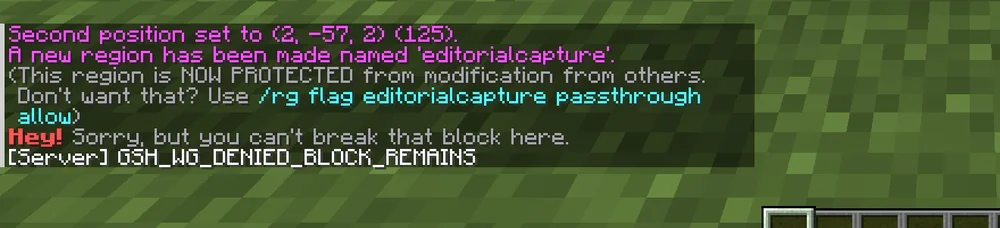
A denied action proves the test point at that time. It proves neither all boundaries of your new region nor all other protection functions.
Remove Membership and Narrow Down Errors
For targeted removal, in the example:
/rg removemember freundesspawn SPIELERNAME
Then check the account again at the same test point. If building is still allowed, look for additional membership, an owner entry, bypass, or an overlapping region. Do not remove the entire protected area just to fix a single unexpected permission.
If members are denied building despite their entry, check existing flags and the overlapping regions. Priority affects the calculation; with equal-priority conflicting state flags, deny can decide. "The higher number always wins everything" is not a complete description of all region properties.
A later boundary change needs the same playtest. Back up the state beforehand, deliberately make a new selection, and use the appropriate region command. Deleting the region means removing its protection; it does not repair blocks that are already damaged. For that, backups or a previously active CoreProtect log come into question.
FAQ
Do all friends have to become region administrators?
No. For the agreed building, the appropriate membership is enough. Commands for protection management require separate permissions and belong only to the intended responsible people.
Is build deny necessary for a new spawn region?
Normally not for ordinary membership protection. Check existing rules; a blanket explicit ban can have a different effect than the planned member permission.
Why can the OP owner still break blocks?
OP and bypass can circumvent the normal protection. Test with your own normal account. The actual OP treatment also depends on the WorldGuard configuration.
Does the panel switch automatically protect only the spawn?
No. The checked flags of the MCF assistant affect the global region of the selected world. For this small area, you use your own local region.
Does the region restore a destroyed wall?
No. It prevents certain future actions. For past damage you need a suitable backup or existing logs.
Can a friend enter a protected area?
A normal build ban is not a general entry ban. If you want to regulate entry or exit specifically, you need the appropriate rules and an additional test.
WorldGuard: view an example
Our own captures from a demonstration environment. The version and setup shown may differ from your server.
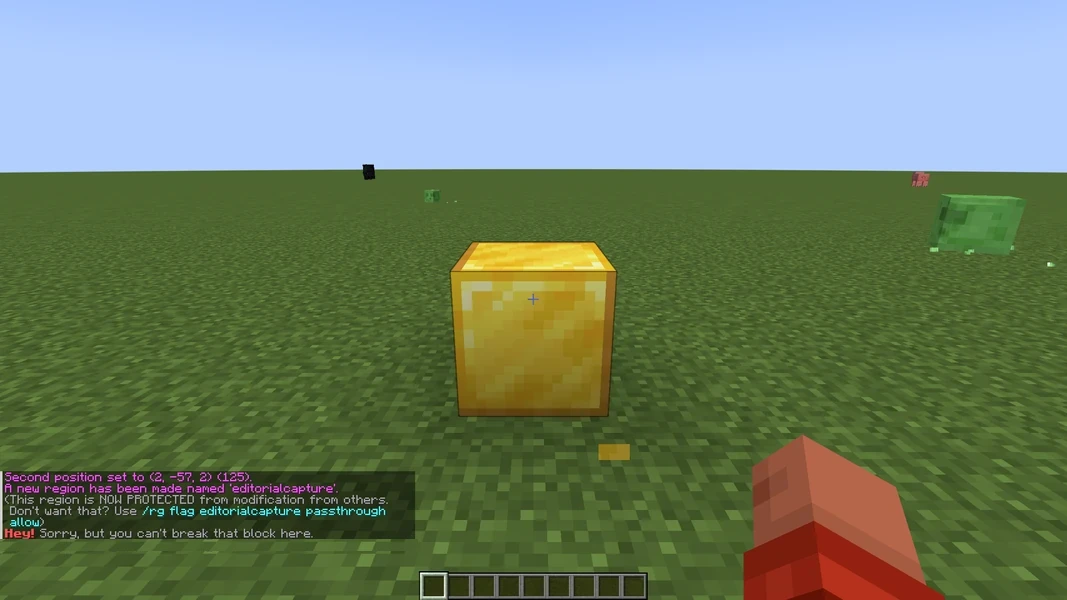
WorldGuard 7.0.12 · 2026-09-12
WorldGuard 7.0.12 · 2026-09-12