EssentialsX can give a small Minecraft group a shared meeting point and a personal way back. Start with one verified spawn and one home per friend instead of immediately unlocking every teleport, kit and administration feature.
This guide uses a Paper server. Regular friends get the agreed player commands; a designated account sets the shared point. Access to the MCF panel and the management of other players remain separate tasks.
Verified: October 7, 2026. The two images come from an earlier Paper 1.21.4 test with EssentialsX 2.21.0. They show a setup from that time and do not replace a functional test of your own installed version.
Choosing the Meeting Point Before the Commands
Pick an easily reachable open spot with safe ground. Check the correct world and the surroundings: a point in the middle of a wall, above a chasm or inside someone else's protected area is not a usable meeting point. Decide who is allowed to change it later.
A shared spawn is something different from a personal home. Each friend can set their own home point; the group returns to the agreed meeting point. A public warp or teleport requests are additional features that you can deliberately add later.
| Task | Responsibility |
|---|---|
| Set the shared meeting point | One selected administration account |
| Set and use your own home | Regular friend with the appropriate permissions |
| Change other players' homes | Do not grant for this starter setup |
| Manage the panel and plugin installation | Separate, limited panel access |
Back up the current world and any existing EssentialsX data before you change settings. Also write down any existing spawn rules. A new meeting point should not accidentally replace the current return policy of another world.
The Spawn Module Is Part of the Planned Workflow
The main plugin offers homes and warps, among other things. For the EssentialsX commands /setspawn and /spawn, this setup additionally requires EssentialsX Spawn. The official module overview explains this separation. Setting a permission does not load a missing module.
Install builds compatible with the server version through the offered plugin route and restart the server in an orderly way. Check in the current startup log that both required modules were loaded. Do not add chat, Discord or AntiBuild modules on a hunch if your group only needs a meeting point and a home.
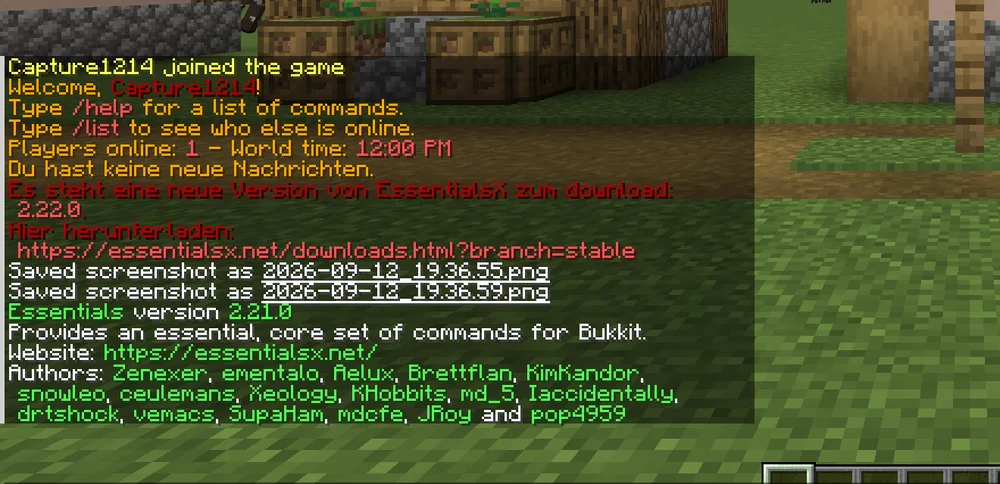
Earlier demonstration from September 12, 2026: EssentialsX 2.21.0 reports an available update. The notice does not install the update and does not prove a current MCF plugin version.
If several plugins offer commands with the same name, check which extension is actually responsible. A response to /spawn alone does not prove that EssentialsX Spawn is handling the command. Read the loaded modules and their command assignments before you change any further permissions.
Granting Only the Agreed Player Permissions
With LuckPerms, you can specifically enable an existing friends role. The freely chosen example name freund must be replaced with the group you have actually set up. Do not create a second group just because of this name. In the game, using the authorized administration account:
/lp group freund permission set essentials.sethome true
/lp group freund permission set essentials.home true
/lp group freund permission set essentials.spawn true
The EssentialsX permissions reference and the published plugin permissions file describe the nodes. To set the shared point, the responsible account additionally needs essentials.setspawn; regular players should not be able to change the meeting point at will.
Also check inherited groups and any existing wildcards. Three new nodes do not mean that an account only has three permissions. A test without OP shows actual usage more accurately than a test with the owner. The LuckPerms guide for friends explains roles, inheritance and revocation.
The reviewed MCF community assistant assigns a broader default set to default and creates a moderation group with additional administration permissions. That is not the same small permission grant as above. A success message from the assistant also does not automatically confirm an installed spawn module or a completed gameplay test.
Checking a Home as a Manageable Rule
Have a regular friend stand at their agreed safe home point and run:
/sethome
Walk a short distance away and then check /home. The player should return to the expected location. If homes already existed beforehand, keep them for now and read their names; do not delete other people's or older data for the test.
Multiple homes depend on configuration and permissions. The current EssentialsX configuration explains sethome-multiple: for an additional named tier, the general node essentials.sethome.multiple and the matching tier node are required. A tier node alone is not a complete setup.
For your first one-home rule, check that no multiple-home or unlimited permission from other groups is in effect. Do not treat a configured multiple-home value as proof of the permissions of a specific account. A changed limit does not remove existing homes as a controlled replacement for your own data check.
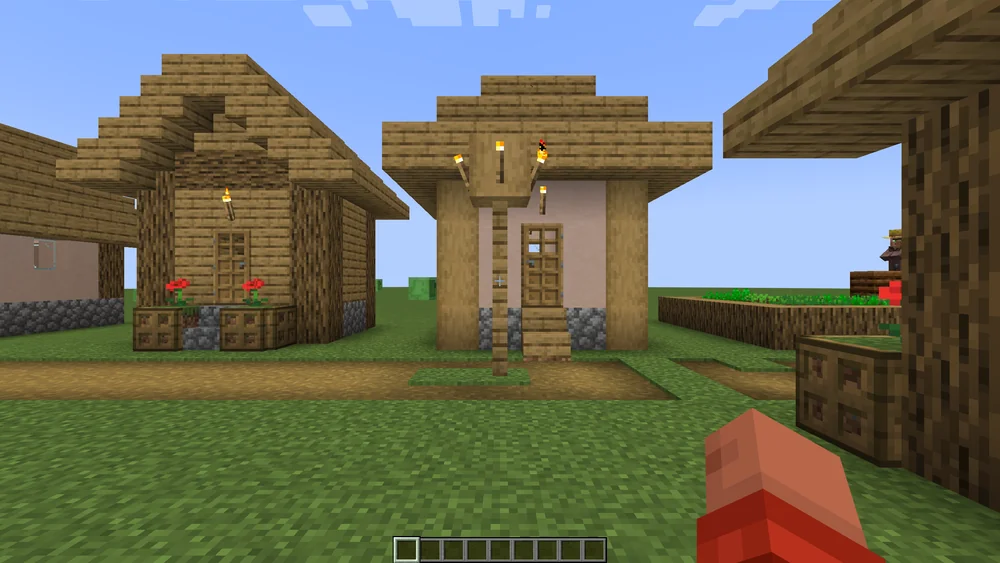
The image illustrates a possible return location. It does not document a new teleport attempt by your group.
Trying Out the Shared Spawn Separately
The responsible account stands at the verified meeting point and runs /setspawn. Then you have regular friends use /spawn. Check the actual arrival point and any teleport delay. The configuration can cancel a pending teleport on movement or attack.
Do not grant a timer bypass just because someone is walking during the wait. First decide which behavior you want for your group. Also check protection rules at the destination; a teleport permission is not a build permission in a WorldGuard region.
First join, death and every later join can use different spawn rules than the normal /spawn command. Check these cases separately if they are part of your agreement. A working command does not automatically prove that a bed or another respawn plugin is still taken into account unchanged.
Checking the Return Trip and Data After a Restart
After an orderly restart, run /home and /spawn again with regular accounts. Check the expected world and the arrival point. For the starter setup, keep blocking changes to other players' homes and to the shared meeting point.
In addition to the world, homes and other EssentialsX data are stored in the plugin directory. Back up the entire plugins/Essentials/ folder, including homes, warps and configuration, together with the world. Check that it is actually included in the backup. If you replace or rename a world, saved world references and coordinates can become invalid even though the home file is still present.
/back and saving a death point are also separate permissions. The general essentials.back alone is not a guarantee for every return from death; the permissions file additionally lists essentials.back.ondeath. You do not need this feature for the first home workflow.
FAQ
Why is setspawn unknown despite EssentialsX?
For this command, the EssentialsX setup needs the additional Spawn module. Check its installation and successful startup, as well as possible commands from other plugins.
Does every friend need OP for home?
No. The appropriate player permission is enough in the intended setup. Check the actual permissions with a regular account and keep them separate from panel management.
Is a VIP node enough for multiple homes?
The current configuration additionally requires the general multiple-home node. The tier value configured for it must also be correct.
Why does the return get canceled when walking?
A configured teleport delay can take movement or attack into account. Check the intended value and the desired gameplay behavior before using a bypass.
Is spawn always the point after every death?
A bed, spawn configuration and other extensions can influence the return. Check death, first join and the normal command as different cases.
Is a world copy enough to back up all homes?
Also check the required data in the EssentialsX directory. An old home entry can point to a different or missing location after a world change.
EssentialsX: view an example
Our own captures from a demonstration environment. The version and setup shown may differ from your server.

2.21.0