Chunky generates terrain in advance so that your friends have to request fewer new chunks while exploring in that area later. It does not fix every low TPS issue, nor too many mobs, large farms, or client stutter. For a small Free group, the decision therefore starts with the cause and the area you actually need.
In the checked scope, MCF Free offers 2 GB RAM and 10 GB storage. The Chunky project recommends at least 4 GB RAM for generation. This is not a proven hard start limit, but a clear hint: on Free, even a small attempt is no promise of stable operation. If the world already has memory problems at normal startup, do not expand it with additional generation.
Checked: October 7, 2026. This article contains a planning workflow, not a new runtime measurement and no guaranteed generation rate. The Chunky FAQ describes resource requirements and possible conflicts with extensions.
When pregeneration helps your group
First ask when the problem occurs. If new areas are entered and generated, preparing a limited area can help. If the delay instead happens at an existing farm or already in the unchanged spawn, check that situation separately. A larger pregeneration is then not a proven solution.
Before the attempt, note the world, software, version, total used storage, and the specific in-game action. Back up the starting state and keep an independent copy of the world. Free storage also holds logs, plugins, mods, and other data; it is not fully available for new region files.
Do not generate a world on the side with a terrain mod that you will soon swap. Existing terrain is not simply turned into the new landscape of a generation extension installed later. Check the intended generator and a suitable new test state first.
Why a doubled radius quickly becomes expensive
For a square, the nominal side length is twice the radius. Doubling the radius quadruples its area. This is a geometric relationship, not a prediction for RAM, runtime, or file size.
| Radius | Nominal area |
|---|---|
| 128 blocks | 256 × 256 blocks; comparison baseline 1 |
| 256 blocks | 512 × 512 blocks; four times the area |
| 512 blocks | 1,024 × 1,024 blocks; sixteen times the area |
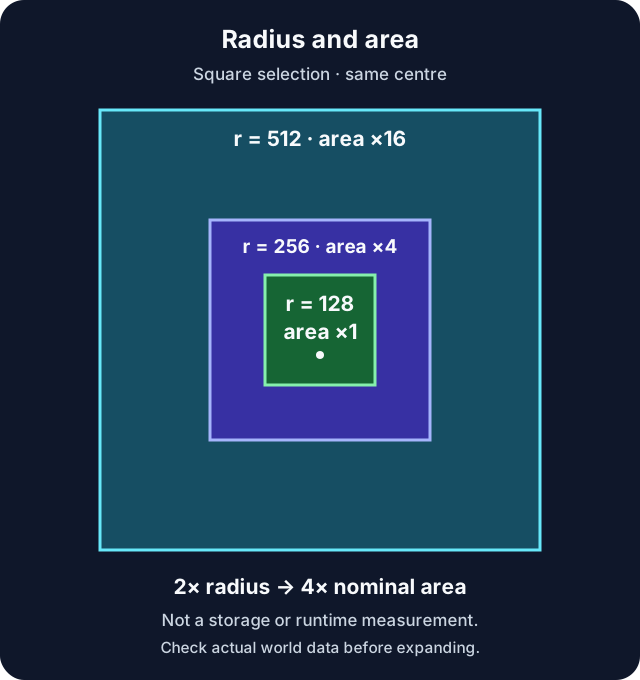
Pure area planning. Chunk boundaries, existing terrain, dimension, and generator affect the actual work. The graphic contains no measured storage values.
A small pilot area with radius 128 is a cautious planning value here, not a tested Free limit. If the area has already been generated, no usable storage requirement for new terrain can be derived from it. For a real comparison, you need a deliberately chosen, backed-up test area with a known starting point.
Panel assistant or your own small task?
The MCF Chunky assistant describes a background task predefined by the hosting. It is not a freely adjustable radius editor. Read the world, area, notice, and status in the offered assistant before you confirm. A storage estimate shown there is a model value, not a measurement of your world.
For the small manual selection in this article, you need the Chunky release that matches your software and a loaded server. On a Paper setup, the plugin goes into the plugin area; with a mod loader, the matching mod release is required. Do not start a manual task in parallel with a preparation already running from the assistant.
The required panel permission for installation, console, or restart is separate from Minecraft gameplay permissions. Players do not need these management permissions to enter the prepared area later.
Read world, center, and radius before starting
The following console example only applies if your target world is actually called world and the agreed center is at 0 0. Otherwise, replace these values with the checked details. In the game, the commands need a leading slash.
chunky world world
chunky shape square
chunky center 0 0
chunky radius 128
chunky selection
Read the entire output of selection. Only when world, shape, center, and radius are correct do you start the small task:
chunky start
chunky progress
The official command reference explains selection and task control. The world spawn is not necessarily at 0 0. Also do not blindly adopt a world border as the selection: a very large existing border would create a very large task. For the vanilla world border, the size value describes the diameter; Chunky uses a radius. Chunky on world borders explains the relationship.
Observe during the run
After starting, compare progress, actual storage, and load with the starting state. During this time, do not let friends explore large new areas at the same time. Do not start a second dimension or additional map rendering just because a task is running.
If storage is tight, there is a noticeable delay, repeated errors occur, or a game night is planned, pause the affected world. In the example:
chunky pause world
Note the selection, progress, storage state, and message. Only resume once the cause is clarified. The matching command in the example is chunky continue world. Without a world argument, pause, continue, and cancel apply to all worlds; the selection world previously chosen with chunky world does not automatically restrict these control commands.
Free sleep mode remains a hosting condition of its own. Do not plan an unattended overnight run with guaranteed constant availability. A background task managed by the panel and your manual session are different processes. The operating limits are explained in 24/7 Free: Sleeping and Waking.
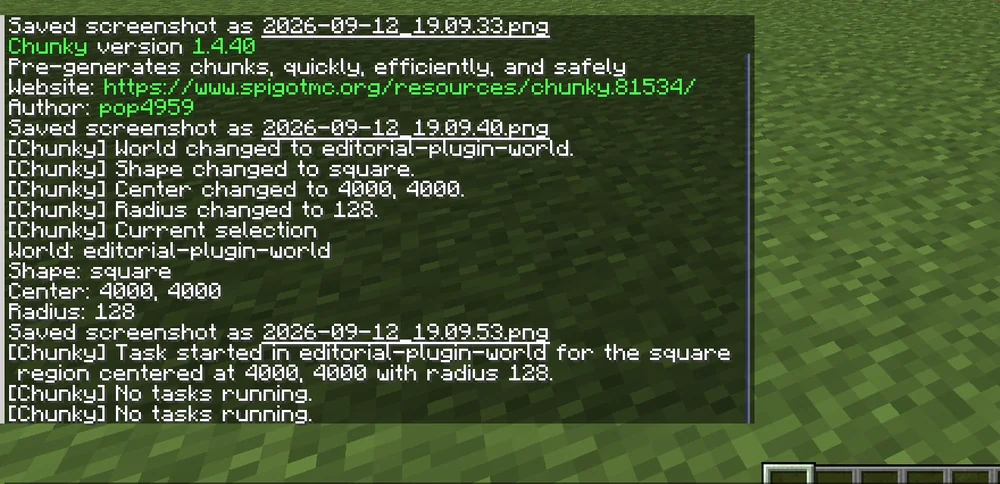
Earlier functional test from September 12, 2026 with Chunky 1.4.40: own test world and center 4,000/4,000. These details are not a default for your server and not a current benchmark.
Decide on an expansion after the pilot run
Check the actual completion and the storage growth. Then have a friend explore the intended area normally and compare the same in-game situation. Improvement in this area does not mean that all performance problems are solved.
If even the small run was unstable, do not enlarge the radius. If it went well, choose only the next area you actually need. Reserve enough space for further progress and back up regularly. No universal kilobytes-per-chunk figure can be derived from a single world section.
If you cancel, chunky cancel world deletes the task, but not the chunks already generated. This does not automatically free the used storage. Do not remove region files on suspicion: a wrong cutout can destroy buildings and player progress. For this group, a backed-up way back is more sensible than unchecked trimming.
FAQ
Will the server be lag-free after Chunky?
No. Pregeneration shifts terrain generation. Mobs, farms, plugins, tick load, and the players' connections remain possible causes.
Is radius 128 guaranteed safe on Free?
No. It is a small suggested pilot value. The project recommends more RAM than the checked 2 GB Free plan offers; your actual combination has to be observed.
How much storage does a chunk need?
There is no reliable general figure for every world. Measure the actual growth in a known new section and take other files and future game growth into account.
Can I set the large assistant task to be smaller?
The checked assistant works with a predefined selection. For your own small area, you need the matching manual path and must not start a second task alongside it.
Does the Nether automatically have to be one eighth the size?
No. The portal coordinate relationship does not replace planning the area actually used. Check each dimension and its storage requirement separately.
Does a canceled task save storage?
It stops further work. Terrain that has already been generated remains stored. Canceling a job is not deleting chunks and not restoring the backed-up starting state.
Tempi di riattivazione misurati: variano con il carico e la coda e possono superare di molto un minuto. P50, P95 e tasso di successo attuali: dati prodotto mcfreehost.
Chunky: view an example
Our own captures from a demonstration environment. The version and setup shown may differ from your server.
- The same route illustrates the before-and-after difference. The second run may also benefit from caching, so this is not a general performance measurement.
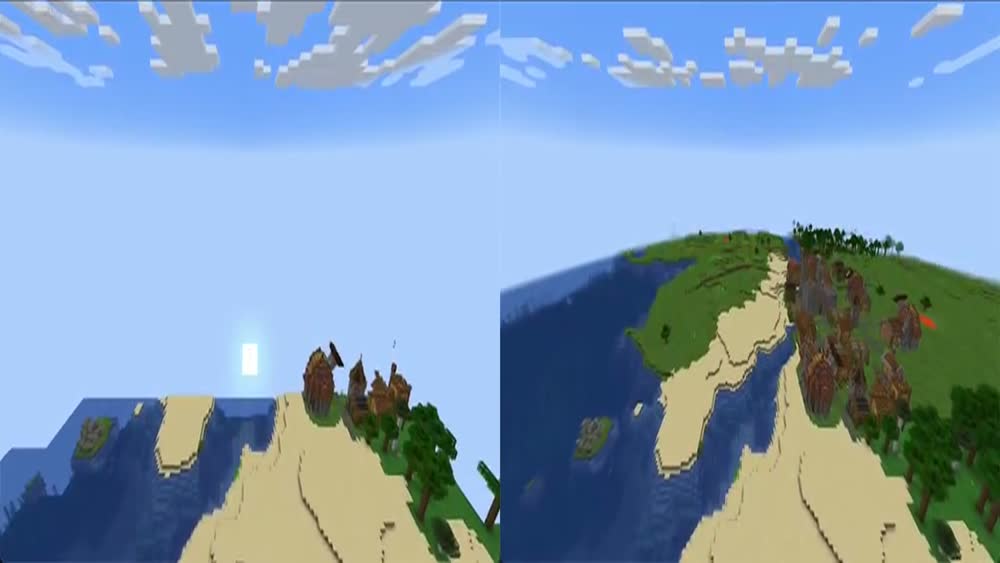
Minecraft-Demo · 2026-09-25

1.4.40