For a modpack night, your friends mainly need the right client instance and the current server address. The pack name alone is not enough: two releases of the same pack can use different content, Minecraft versions or loaders.
This guide puts together a short invitation and checks a friend's join. It covers connecting to an MCF modpack server that has already been set up. If the server aborts on startup, first deal with the failed start.
Checked: October 7, 2026. The details on the panel card distinguish between pack release, Minecraft version and loader. An internal download or archive ID is not a reliable version indication for your friends.
Collect Five Details from the Existing Server
Open the server view and the connection section. Read the details on the installed pack release and copy the address offered. If a detail is missing or contradictory, check the installation job and the official release before you send out the invitation.
| Detail | Use when joining |
|---|---|
| Pack project and official source | The right project instead of a similarly named pack |
| Exact pack release | The release intended for this server |
| Minecraft version | The matching game base of the pack instance |
| Loader including required build | The matching Fabric, Forge or NeoForge setup |
| Address from the panel | The current connection target with the displayed port |
The pack release and the Minecraft version are different details. "Minecraft 1.21.1" therefore cannot yet explain which release of a particular pack is meant. A numeric server archive ID is also not automatically the client release.
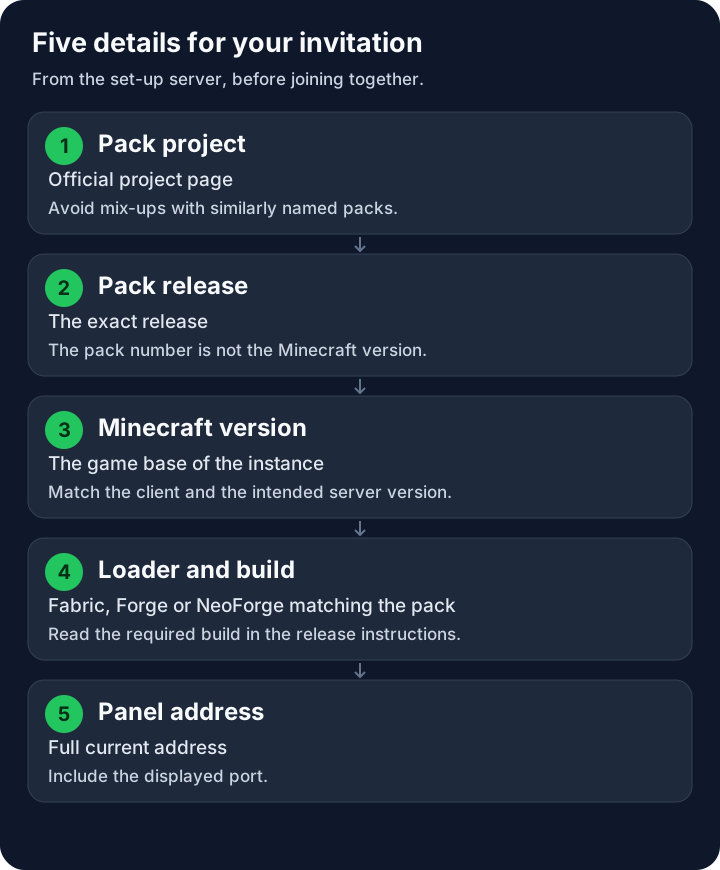
The five fields make up one shared invitation. Login details for the MCF owner account do not belong in it.
Do Your Friends Even Need a Client Pack?
Many packs change game content and require a matching client instance. Other compilations use only server-side features and may allow a normal compatible client. Check the specific project guide and the note on the MCF pack card.
Don't just compare file names. The client and server packages can intentionally contain different components. A client mod for visuals doesn't automatically belong on the server; a pure server mod doesn't need to be copied onto every friend's device. The versions and content relevant to the connection must still match.
A Java modpack doesn't automatically run on Bedrock for mobile, console or Windows Bedrock. A set-up crossplay path does not replace Java client mods for new pack content. Check for explicit support of the specific setup. For a native Bedrock group, start with the Bedrock introduction.
Open the Official Release in a Separate Instance
Follow the relevant project source and deliberately choose the agreed release. A button for the latest version may now install a different pack release than the one on your server. After installation, read the instance name and the version details again.
For a CurseForge pack, the official installation guide explains how to install and import pack profiles. Use the intended client download; a server archive is not meant to be used as an ordinary game profile.
For Modrinth, the modpack documentation describes the pack formats and their use. Check the selected release there as well. A .mrpack file is a pack format and not a substitute for agreeing on the version with your group.
If you use Prism Launcher, its official pack guide describes the available installation methods. Choose the matching source and version. Don't carry over fixed instructions for another launcher if the import path on your device differs.
A separate instance preserves your existing Minecraft profile. Always start the game through this pack instance and not through a normal vanilla profile such as "Latest Release": that contains neither the pack content nor the loader. When a pack launcher installs the pack, it sets up the matching loader itself; don't additionally install Forge, NeoForge, Fabric or Quilt into another profile for this process. Don't copy pack files indiscriminately over another installation. Check the client requirements for Java, memory and operating system based on the specific release. More RAM on the server doesn't replace a friend's overstretched computer.
Build a Short Invitation from the Checked Data
You can use this template and fill each field with the actual value:
Our pack: name and official project page
Pack release: exact release for this server
Minecraft: version of the pack instance
Loader: name and required build
Server address: copied in full from the MCF panel
Play date: agreed date after the first join test
Regular friends don't need a panel login or a shared owner password to play. They need a valid Minecraft Java license and log in with their own intended account in the matching client. A whitelist or a server-specific login may additionally be required; such approvals are independent of the pack import.
Send the official pack link and the checked values. Don't distribute other people's launcher profiles with saved accounts. A manually exported profile must also match the agreed release and must not contain any private login data.
Let One Friend Actually Join First
Wait until installation and server start are complete. If the free server is asleep, use the wake-up method offered and then check the actual startup state. Clicking a start button is not yet a successful join.
Your friend starts the pack instance you just checked, opens the multiplayer section and adds the complete panel address. Copy the displayed port along with it if it is part of the address. Don't take an example port from someone else's guide.
Check in the game that both accounts are in the same expected world and that the important pack content is present. Watch for error messages or an immediate disconnect. A visible server entry in the list does not yet prove that the actual login succeeds.
Only after this test do other friends get the same invitation. The guide Minecraft with Friends adds the whitelist, normal play permissions and a sensible division of administration.
Compare a Join Error in a Targeted Way
In case of a version or mod mismatch, compare pack release, Minecraft and loader on both sides. Use the specific error message and, if necessary, the client and server logs. The direction of a missing extension follows from this finding, not merely from the fact that two file lists look different.
In case of a timeout, check the current address, port and the running server. If the login is rejected, check the game account, session and allow rules. For missing or mismatched mods, first compare the exact pack release and temporarily remove any content mods you added yourself; your own extra mods can also prevent a join. Additional graphics mods should only follow once a working baseline exists and must fit the pack. Don't reinstall the entire pack after every failed connection.
For Fabric Loader and Fabric API, the version comparison goes deeper into the right combination. If the server itself doesn't finish starting, go back to the startup diagnosis instead of letting all your friends keep trying with different clients.
Carry Out Later Pack Changes Together
Keep the tested invitation on record. Before an update, back up the world and important data, read the notes for the target release and plan the changeover for the server and clients together. Afterwards, update the invitation and repeat the join test with a friend.
A pack update can change more than the version number: removed mods, new registries or changed world generators affect your save. A rollback needs matching software and a suitable backed-up data state. Keep the previous instance and the backup until the check is successful.
FAQ
Is it enough if everyone has the same Minecraft version?
For a client modpack, usually not. Also check the exact pack release and the intended loader including build.
Should my friend import the server pack?
Use the explicitly intended client download or the matching launcher installation. A server archive is meant for setting up the server.
Do all files have to be identical on the client and server?
No. Client-only and server-only components can differ. Versions and content relevant to the connection must match the pack release.
Can mobile and a Java modpack play together without further steps?
Bedrock does not run Java client mods. Check for explicit pack and crossplay support; general crossplay support is not enough for this.
Do friends need access to the MCF panel?
For normal play, the matching client instance with a game account and connection address is enough, plus approval if applicable. Administration is granted separately and selectively.
Why does joining no longer work after a client update?
The new release may differ from the server. Compare the actual versions and use the agreed version until the shared update has been checked.
All the Mods 10: view an example
Our own captures from a demonstration environment. The version and setup shown may differ from your server.
- Multiplayer → Add Server: pick a name and enter the address from your panel.
- The server is listed with its ping – select it and join.
- On the first join the pack loads the world; sped up here, in reality it took about 70 seconds.
- Arrived in the All the Mods 10 world.
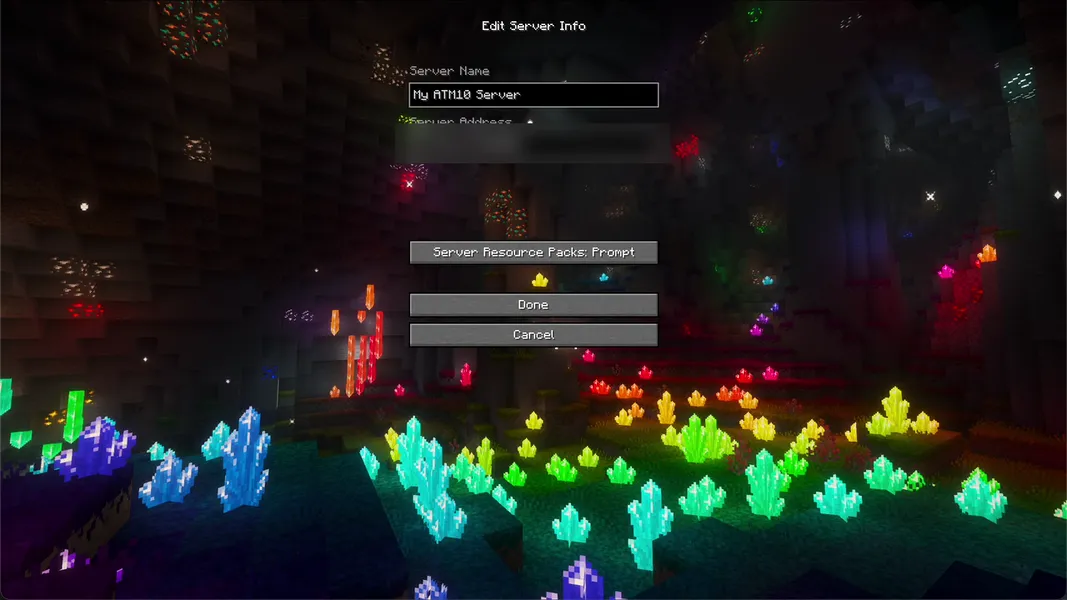
All the Mods 10 8.2 · NeoForge 21.1.251 · Minecraft 1.21.1 · 2026-09-25
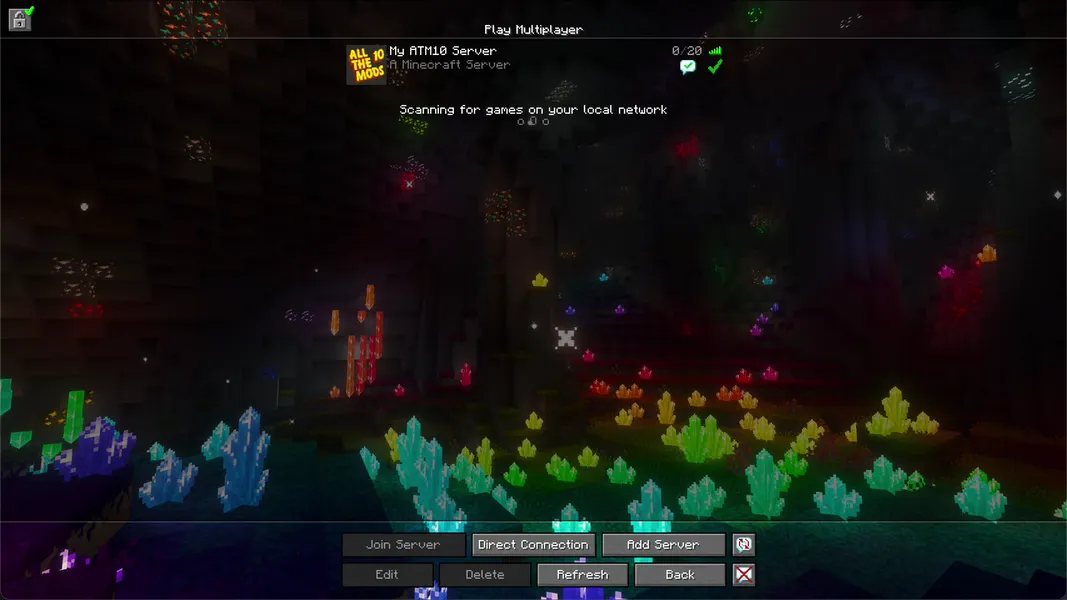
All the Mods 10 8.2 · NeoForge 21.1.251 · Minecraft 1.21.1 · 2026-09-25
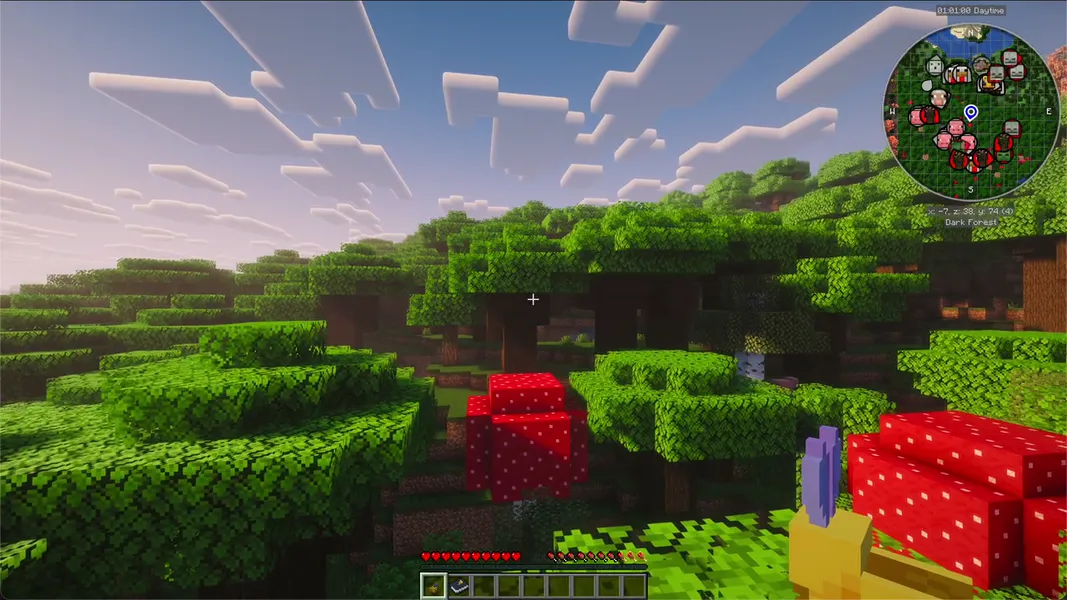
All the Mods 10 8.2 · NeoForge 21.1.251 · Minecraft 1.21.1 · 2026-09-25