सामग्री पर जाएँ

Until दिस. 31: 4 GB for €4 a month. On the yearly plan you pay at most €1 per GB of RAM, for Minecraft Java, Minecraft-Modpacks and eight more games.

See the offer

Rust सर्वर किराये पर लें

पहले अलाव से साझा बेस तक: मैप चुनो, नियम तय करो और साथ शुरू करो।

Rust · PC / Steam

€11.99/माह से

12 महीने अग्रिम भुगतान पर €10.19 प्रति माह एकमुश्त €122.30 · −15 %

8 GB RAM · 20 स्लॉट

पक्का नहीं पता कि तुम्हें कितनी RAM चाहिए?

पैकेज की तुलना ↓

PC/Steam पर Rust के लिए। PlayStation और Xbox का Rust Console Edition अलग उत्पाद है।
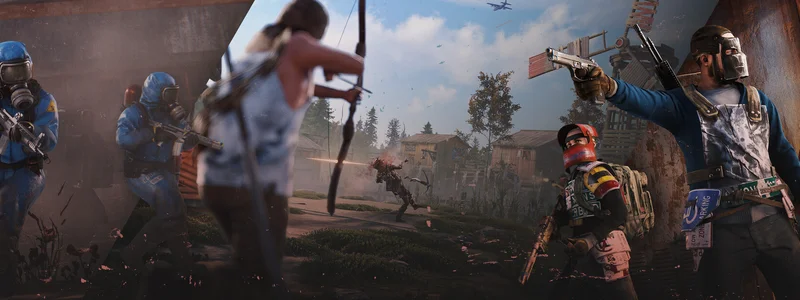
तुम्हारी टीम। नई शुरुआत।
अपनी सीडनिर्धारित बैकअपफ़ाइलों तक पहुँच

तुम्हारी टीम क्या बनाएगी?

उपलब्ध प्लान से तीन शुरुआती विकल्प। अन्य आकार और बिलिंग अवधि कॉन्फ़िगरेटर में मिलेंगे।

दोस्तों के साथ शुरू करो

छोटी वैनिला दुनिया के लिए शुरुआत।

€11.99/माह

  • 8 GB RAM
  • 20 स्लॉट
  • 32 GB NVMe
पैकेज चुनो

आगे बढ़ते रहो

भारी मैप और प्लगइन के लिए अतिरिक्त RAM।

€22.05/माह

  • 12 GB RAM
  • 40 स्लॉट
  • 48 GB NVMe
पैकेज चुनो

स्लॉट कनेक्शन की सीमा हैं, उतने एकसाथ सक्रिय खिलाड़ियों की गारंटी नहीं। मैप, एंटिटी, वाइप के बाद का समय, प्लगइन और CPU लोड वास्तविक ज़रूरत तय करते हैं।

पहली स्थापना में आमतौर पर लगभग 7 मिनट लगते हैं। बड़ी स्थापना या कतार होने पर अधिक समय लग सकता है। · कोई लंबी न्यूनतम अवधि नहीं

डिफ़ॉल्ट: 10 GB RAM, €14.99/माह। छोटे कॉन्फ़िगरेशन €11.99/माह से।

Server locations: Germany (Limburg) · United States (Vint Hill).

This page measures the ping from your browser to each location.

Rust सर्वर किराये पर लें

सर्वर सेट करें

Rust · से €11.99/माह

Claude Code · Codex

Tell your game server what you have in mind.

Connect Claude or ChatGPT to your server to investigate startup problems, adjust settings, or install plugins. You decide which servers your assistant is allowed to access.

Check my server status. Do not change anything yet.
See examples

Integration included at no extra charge. You need a compatible AI assistant; its provider may charge separately.

Rust को अपनी दुनिया बनाओ

दुनिया की शुरुआत सीड से

मैप का आकार और सीड दुनिया तय करते हैं। बदलने से पहले जाँचो कि नई दुनिया बनेगी या नहीं और मौजूदा सेव का बैकअप लो।

ब्राउज़र में अपनी फ़ाइलें

फ़ाइल मैनेजर से कॉन्फ़िगरेशन और सेव अपलोड करो। आयात से पहले मौजूदा फ़ाइलों का बैकअप लो और संस्करण व सर्वर पहचान जाँचो।

वाइप की तैयारी करो

मैप वाइप और ब्लूप्रिंट वाइप अलग काम हैं। दायरा जाँचो, रीस्टार्ट की सूचना दो और पहले बैकअप बनाओ। Facepunch अपडेट के लिए अनिवार्य वाइप ज़रूरी हो सकता है; बैकअप पुरानी दुनिया की नए संस्करण से संगतता की गारंटी नहीं देता।

वैनिला या uMod/Oxide?

अपने फ़्रेमवर्क और सर्वर संस्करण के अनुसार प्लगइन चुनो। स्थापना से पहले और Rust अपडेट के बाद संगतता जाँचो।

दुनिया और लोड के अनुसार RAM चुनो

Facepunch शुरुआती आधार के रूप में 12 GB खाली RAM बताता है; बहुत बड़े मैप को अधिक चाहिए। प्लगइन, अधिक इमारतें और लंबे वाइप चक्र ज़रूरत बढ़ाते हैं। गुंजाइश रखो और खेलते समय संसाधन उपयोग देखो।

आधिकारिक Rust सर्वर गाइड
सभी संसाधन अलग से सेट करो →

Facepunch lists 12 GB of free RAM for the Rust dedicated server (source: Facepunch Wiki, checked 2026-11-01). Our recommended plan with 10 GB and 30 slots is enough for small maps up to 3000; the plan with 12 GB and 40 slots meets the vendor figure.

Plugin रिसर्च के लिए इंटीग्रेटेड uMod कैटलॉग
मैनुअल सेटअप से पहले Plugin कम्पैटिबिलिटी जांचो
अपनी Subdomain: mein-rust.mc.mcfreehost.com
Map, Seed और Wipe प्लान कॉन्फ़िगर किए जा सकते हैं
NVMe SSD, इंफ्रास्ट्रक्चर के अनुसार नेटवर्क सुरक्षा, मैनुअल और शेड्यूल किए जा सकने वाले बैकअप
मुफ्त Extras: Monitoring, Discord-Bot, Server-Status

Hardware and security

Applies to every package on this page. You choose the package and price in the order wizard.

depending on the package
2–4 vCPU
NVMe SSD storage
from 32 GB
availability target
99.5%
network uplink
1 Gbit/s

Performance

Computing power (vCPU)
Per package: 20 player slots = 8 GB RAM, 2 vCPU · 30 player slots = 10 GB RAM, 2.5 vCPU · 200 player slots = 32 GB RAM, 4 vCPU. Cores are shared: several servers run on the same machine, and no core is reserved for you alone.
Processor by location
जर्मनी: AMD Ryzen 7 5800X (Zen 3, up to 4.8 GHz) or AMD Ryzen 9 5900X (Zen 3, up to 4.9 GHz) · संयुक्त राज्य: AMD Ryzen 7 5800X (Zen 3, up to 4.8 GHz). Which of these processors your server gets in जर्मनी is set at order time, based on free capacity; both are Zen 3, boosting up to 4.8 or 4.9 GHz.
Storage
NVMe SSD per package: 20 player slots = 32 GB · 30 player slots = 40 GB · 200 player slots = 128 GB. Backups do not count towards it.
Network
Traffic at no extra cost; every machine is connected at 1 Gbit/s or more.

Operations and protection

Backups
2 backups included. Schedule from hourly to monthly, retention up to 365 days; you restore and download them yourself in the panel. With Backup+ you get 10 backups for €1.99 per month. 12 महीने: €23.88 (12 × €1.99).
Files
SFTP access and a file manager in the panel: upload your own saves, worlds and configs.
Restarts
You set the restart schedule yourself in the panel, along with scheduled backups, commands and announcements.
DDoS protection
सौंपी गई Hosting-Infrastruktur के आधार पर नेटवर्क सुरक्षा
Availability
Target: 99.5% monthly average (terms of service). The status page shows the current state.
Support
By ticket and email. Support languages: जर्मन, अंग्रेज़ी, स्पेनिश, फ़्रेंच, डच, पुर्तगाली, रूसी. We usually reply within a few hours (median over the last 90 days: 2.1 hours), but we do not guarantee it.
More details Show less

अनुशंसित प्लगइन्स और मॉड्स

जानकारी के लिए लोकप्रिय एक्सटेंशन।

कम्युनिटी पसंदीदा 1,700+ उपलब्ध मॉड्स में से

चुनने के लिए कैटलॉग का उपयोग करें; इस्तेमाल से पहले संगतता और मैन्युअल सेटअप जाँचें।

इन्फ्रास्ट्रक्चर के आधार पर नेटवर्क सुरक्षा हर Server के लिए दिखाया जाता है
NVMe SSD तेज़ स्टोरेज
Germany or the USA Selectable on the Premium plan
शेड्यूल किए जा सकने वाले बैकअप मैनुअल या शेड्यूल के अनुसार

छिपे हुए खर्चों के बिना पारदर्शी फीचर्स

Configurator में ऑर्डर करने से पहले तुम देख सकते हो कि तुम्हारे Server पर कौन से फीचर्स और सुरक्षा विशेषताएँ लागू होती हैं।

कस्टम सबडोमेन

mein-server.mc.mcfreehost.com जैसा अपना पता चुनें — कोई बदसूरत IP:Port संयोजन नहीं।

मुफ़्त एक्स्ट्रा

One click in the dashboard: Uptime Kuma, Game Server Watcher and one bot such as Sinusbot are included per server at no extra cost. Every additional bot costs extra.

Uptime Kuma Sinusbot Server Watcher

स्वचालित सेटअप

After you order, setup creates your server along with its subdomain and DNS records. You can add backup schedules in the panel whenever you need them.

ज़ीरो-कॉन्फ़िग सेटअप

अक्सर पूछे जाने वाले सवाल

क्या सर्वर Oxide/uMod का समर्थन करता है?
इंटीग्रेटेड uMod कैटलॉग में तुम Admin-Tools, Economy सिस्टम और Gameplay कस्टमाइज़ेशन के लिए Plugins खोज सकते हो। ऑटोमैटिक इंस्टॉलेशन फिलहाल उपलब्ध नहीं है; कम्पैटिबिलिटी जांचो और Oxide/uMod के साथ Plugins मैनुअली सेट करो।
क्या मैं Wipe तारीखें प्लान कर सकता हूँ?
हाँ, तुम शेड्यूल किए गए Wipes सेट कर सकते हो। कई Server साप्ताहिक या मासिक Wipe करते हैं। Control Panel में तुम अगले Wipe की तारीख और समय तय करते हो और प्रकार चुनते हो: Map-Wipe (मैप और इमारतें हटती हैं, Blueprints बने रहते हैं) या Full-Wipe (Blueprints और प्लेयर डेटा भी हटाता है)।
Map कितनी बड़ी होनी चाहिए?
50 खिलाड़ियों के लिए हम 3000–3500 की Map-Size सुझाते हैं। बड़ी Maps (4000+) को अधिक RAM और CPU-संसाधनों की जरूरत होती है। किसी खास कार्ड-टोपोग्राफी पाने के लिए तुम Procedural Seed स्वतंत्र रूप से चुन सकते हो।
एक Rust सर्वर पर कितने खिलाड़ी आ सकते हैं?
प्लेयर लिमिट कॉन्फ़िगर की जा सकती है। वास्तविक रिसोर्स जरूरत एक साथ खेलने वाले खिलाड़ियों, Map साइज, Plugins और लोड पर निर्भर करती है; इसलिए कॉन्फ़िगरेटर में अपने परिदृश्य के अनुसार RAM और Slots चुनो और शुरू करने के बाद लोड पर नजर रखो।
क्या मैं सर्वर को अपने खुद के RUST+ Companion से लिंक कर सकता हूँ?
हाँ, RUST+ (आधिकारिक Companion-App) Dedicated Servers पर काम करता है। खिलाड़ी Push-Benachrichtigungen, Team-Map और Server-Chat सीधे App में उपयोग कर सकते हैं। लिंकिंग गेम में Pair-Code के ज़रिए अपने आप होती है।
ऑर्डर के बाद मैं कैसे शुरू करूं?
डिप्लॉयमेंट के बाद तुम Control Panel में Server नाम, Map साइज, Seed और Max Players सेट करते हो। बड़े Steam इंस्टॉलेशन में ज्यादा समय लग सकता है। uMod-Plugins तुम कैटलॉग में खोज सकते हो; ऑटोमैटिक इंस्टॉलेशन फिलहाल उपलब्ध नहीं है।
क्या मुझे अपना सबडोमेन मिलता है?
हाँ! हर Server को अपने आप mein-server.mc.mcfreehost.com जैसा एक Subdomain मिलता है। तुम इसे Dashboard में कभी भी खुद चुन और बदल सकते हो।
मेरा सर्वर कितनी जल्दी ऑनलाइन होता है?
सामान्य शुरुआती सेटअप: लगभग 7 मिनट। कतार या बड़ी इंस्टॉलेशन में अधिक समय लग सकता है। EULA, Plugins और DNS अपने आप कॉन्फ़िगर हो जाते हैं।
क्या एक न्यूनतम अवधि है?
कोई लंबी न्यूनतम अवधि नहीं है। बुकिंग एक मासिक रूप से रद्द की जा सकने वाली सदस्यता है; ऑटोमैटिक रिन्यूअल बंद किया जा सकता है। लंबी अवधियों पर छूट संभव है।
Which processor and how many cores does a Rust server get?
Processor by location: जर्मनी: AMD Ryzen 7 5800X (Zen 3, up to 4.8 GHz) or AMD Ryzen 9 5900X (Zen 3, up to 4.9 GHz) · संयुक्त राज्य: AMD Ryzen 7 5800X (Zen 3, up to 4.8 GHz). Which of these processors your server gets in जर्मनी is set at order time, based on free capacity; both are Zen 3, boosting up to 4.8 or 4.9 GHz. Per package: 20 player slots = 8 GB RAM, 2 vCPU · 30 player slots = 10 GB RAM, 2.5 vCPU · 200 player slots = 32 GB RAM, 4 vCPU. Cores are shared: several servers run on the same machine, and no core is reserved for you alone.
How much storage does a Rust server have and how do backups work?
NVMe SSD per package: 20 player slots = 32 GB · 30 player slots = 40 GB · 200 player slots = 128 GB. Backups do not count towards it. 2 backups included. Schedule from hourly to monthly, retention up to 365 days; you restore and download them yourself in the panel. With Backup+ you get 10 backups for €1.99 per month. 12 महीने: €23.88 (12 × €1.99).
Can I upload files via SFTP and schedule restarts for my Rust server?
SFTP access and a file manager in the panel: upload your own saves, worlds and configs. You set the restart schedule yourself in the panel, along with scheduled backups, commands and announcements.
How reliable is a Rust server and how fast does support help?
Target: 99.5% monthly average (terms of service). The status page shows the current state. Traffic at no extra cost; every machine is connected at 1 Gbit/s or more. सौंपी गई Hosting-Infrastruktur के आधार पर नेटवर्क सुरक्षा By ticket and email. Support languages: जर्मन, अंग्रेज़ी, स्पेनिश, फ़्रेंच, डच, पुर्तगाली, रूसी. We usually reply within a few hours (median over the last 90 days: 2.1 hours), but we do not guarantee it.

Two extra ports at no extra cost. Allocate up to two extra ports per game server for plugins and mods, including on free plans. Each extra port supports TCP and UDP.

How to set up extra ports


सर्वर सेट करें