Mulai bersama teman
Titik awal untuk dunia vanilla kecil.
€11,99/bulan
- 8 GB RAM
- 20 slot
- 32 GB NVMe
Until Des 31: 4 GB for €4 a month. On the yearly plan you pay at most €1 per GB of RAM, for Minecraft Java, Minecraft-Modpacks and eight more games.
See the offerDari api unggun pertama hingga markas bersama: pilih peta, tentukan aturan, dan mulai bersama.
Rust · PC / Steam
mulai €11,99/bln
atau €10,19/bulan dengan pembayaran 12 bulan di muka €122,30 sekali bayar · −15 %8 GB RAM · 20 slot
Not sure how much RAM you need?
Bandingkan paket ↓Untuk Rust di PC/Steam. Rust Console Edition untuk PlayStation dan Xbox adalah produk terpisah.
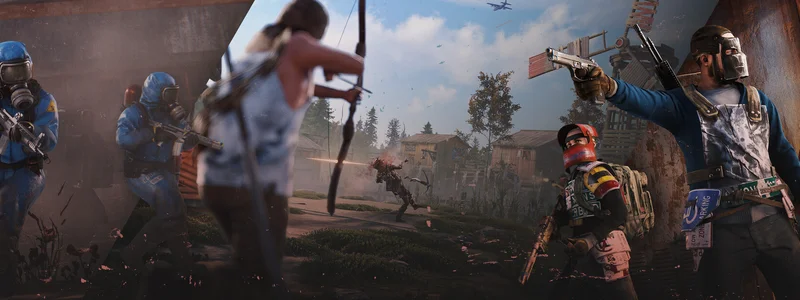
Tiga pilihan awal dari paket yang tersedia. Ukuran dan periode pembayaran lain ada di konfigurator.
Titik awal untuk dunia vanilla kecil.
€11,99/bulan
Ruang lebih untuk dunia yang berkembang dan penyesuaian.
€14,99/bulan
10 GB RAM, map size 3000. During a wipe, demand can exceed 10 GB; in that case, the 12 GB package with 40 slots is the safe choice.
Pilih paketRAM tambahan untuk peta dan plugin yang lebih berat.
€22,05/bulan
Slot adalah batas koneksi, bukan jaminan sebanyak itu pemain aktif bersamaan. Peta, entitas, usia wipe, plugin, dan beban CPU menentukan kebutuhan nyata.
Pemasangan awal biasanya sekitar 7 menit. Instalasi besar atau antrean bisa lebih lama. · Tanpa masa kontrak minimum
Konfigurasi awal: 10 GB RAM seharga €14,99/bulan. Konfigurasi lebih kecil mulai €11,99/bulan.
Server locations: Germany (Limburg) · United States (Vint Hill).
Want a server closer to you?
This page measures the ping from your browser to each location.
Choose slots, term and more options to your liking.
Rust · mulai dari €11,99/bulan
Claude Code · Codex
Connect Claude or ChatGPT to your server to investigate startup problems, adjust settings, or install plugins. You decide which servers your assistant is allowed to access.
Check my server status. Do not change anything yet.See examples
Integration included at no extra charge. You need a compatible AI assistant; its provider may charge separately.
Ukuran dan seed menentukan dunia. Sebelum mengubahnya, periksa apakah dunia baru akan dibuat dan cadangkan save yang ada.
Unggah konfigurasi dan save melalui pengelola file. Cadangkan file yang ada serta periksa versi dan identitas server sebelum mengimpor.
Wipe peta dan blueprint adalah operasi berbeda. Periksa cakupannya, umumkan restart, dan buat cadangan dahulu. Pembaruan Facepunch dapat mewajibkan wipe; cadangan tidak menjamin dunia lama kompatibel dengan versi baru.
Pilih plugin sesuai framework dan versi server. Periksa kompatibilitas sebelum memasang dan setelah pembaruan Rust.
Facepunch menyebut 12 GB RAM kosong sebagai titik awal; peta sangat besar membutuhkan lebih banyak. Plugin, banyak bangunan, dan siklus wipe panjang menambah kebutuhan. Sisakan cadangan dan pantau pemakaian saat bermain.
Panduan resmi server RustFacepunch lists 12 GB of free RAM for the Rust dedicated server (source: Facepunch Wiki, checked 2026-11-01). Our recommended plan with 10 GB and 30 slots is enough for small maps up to 3000; the plan with 12 GB and 40 slots meets the vendor figure.
Applies to every package on this page. You choose the package and price in the order wizard.
Ekstensi populer untuk riset.
Favorit komunitas dari 1.700+ mod yang tersedia
Sesuaikan rate gather untuk resource
Starter kit & kit VIP dengan cooldown
Zona PvP/PvE, safe zone, perlindungan build
Homes, TPA, teleport kota
Sistem clan dengan chat, aliansi & perlindungan FF
Hapus kembali bagian bangunan
Katalog membantu memilih; kompatibilitas dan penyiapan manual harus diperiksa sebelum digunakan.
Setiap server hadir dengan fitur yang biasanya dikenakan biaya tambahan oleh hoster lain.
Pilih alamatmu sendiri seperti mein-server.mc.mcfreehost.com — tanpa kombinasi IP:Port yang jelek.
One click in the dashboard: Uptime Kuma, Game Server Watcher and one bot such as Sinusbot are included per server at no extra cost. Every additional bot costs extra.
After you order, setup creates your server along with its subdomain and DNS records. You can add backup schedules in the panel whenever you need them.
Setup zero-configTwo extra ports at no extra cost. Allocate up to two extra ports per game server for plugins and mods, including on free plans. Each extra port supports TCP and UDP.
How to set up extra ports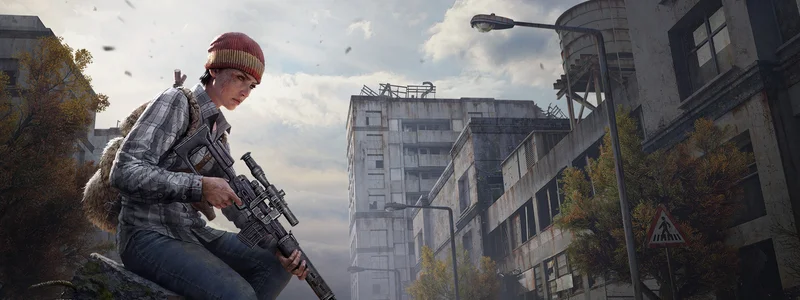



How should the advisor answer?
With AI chat, an automated AI system from mcfreehost answers, not a member of staff. It understands questions in your own words. Answers can contain mistakes and are not an offer; only the prices in the order process are binding. Your messages go to Anthropic (Ireland, with processing also in the USA). We keep the conversation for 30 days and an anonymised copy without e-mail addresses and phone numbers for 13 months, to improve the answers. We need neither your name nor your e-mail.
We remember your choice for 180 days. You can change it at any time at the bottom of the chat. Details in the privacy policy
This page has been updated in the meantime. Reload it so everything works correctly.