You set up a Create+ server for your group with the same pack version on the server and all clients. After that, you first build a small machine that demonstrably processes something. A decorated factory or a locomotive sitting on a track does not prove a working production chain.
Catalog status checked: October 7, 2026. At MCF, Create+ is listed as 6.0.0 Alpha E, Minecraft Java 1.21.1, NeoForge 21.1.229 and 6 GB of plan RAM. In the freshly checked pack manifest, Create is at 6.0.10. The pack version and the bundled Create version are two different numbers. Alpha E is not a promise of error-free behavior for all extensions.
What Your Friends Need Before the Start
Everyone uses Minecraft Java and an instance of the intended Create+ version. A vanilla client, Bedrock or a similarly named Create pack does not replace this instance. Client mods, loader and required libraries must match the server installation.
The original pack on Modrinth is the source. Choose the version that belongs to the server instead of automatically using a newer alpha. An existing singleplayer world from a different pack should not be transferred to this server without a copy and a compatibility check.
The Alpha E manifest contains 144 file entries; 47 are explicitly marked as not supported on the server side. That is not proof of exactly 144 or 97 active server mods: installation, overrides and targeted server-side replacements change the actual state. Do not blindly upload the entire client mod folder to the server.
Choose a Plan and Wait for the Installation
Open Create+ at mcfreehost and check the pack, resources and the current total price in the form. The checked 6 GB pack entry belongs to the paid plan. A 2 GB free server is no promise that this pack is offered there or can be run sensibly. Other lightweight mod plans have their own limits.
After provisioning, you check the current startup in the console. Large pack installations and the first world generation take time. Do not repeatedly press restart or reinstall while an installation is running. Reinstalling can change the data state; do not use it as an ordinary troubleshooting button.
In four historical installation checks on September 23, 2026, the complete provisioning times were around 448–723 seconds. This is not a guarantee of today's waiting time. The number in a Done (...) log line also does not automatically describe the entire path from order or download start.
If a start fails, check the current full error message with Server Won't Start. A green status confirms the running process; the first player test follows afterward.
Joining: The Pack Card Instead of "Latest Release"
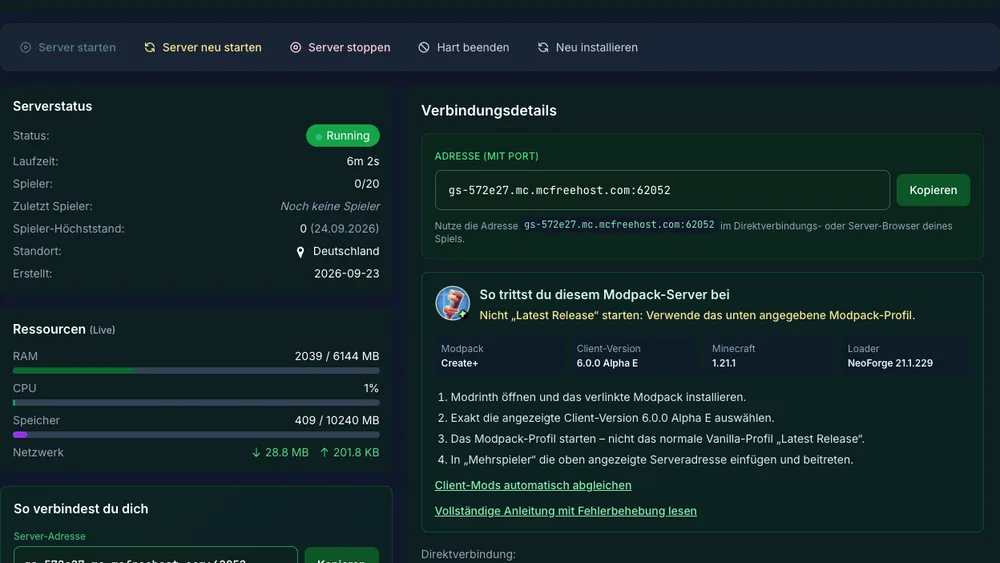
The September capture shows where the pack version and join notes are located. Address, runtime, resource values and slots belong to the test server at that time; they are not a current order or a measured player guarantee.
Share the address actually displayed, including the port, and the pack version. Each friend starts the matching modded instance, opens Multiplayer and enters this address. MCF owner credentials are not needed for a normal join.
If mods are missing, compare pack name, Minecraft, loader and specific versions. "Create is installed" is not enough. Here, the stated NeoForge version is decisive. The modpack join guide describes the general comparison without a wrong loader switch.
The First Machine: Drive, Connection, Work
Start with a small, clear area near your shared meeting point. Choose a working device whose result you can recognize, such as a millstone. You read the required recipes and valid connections in the installed instance; they may be influenced by the pack.
- Watch Ponder: In the inventory, hover over the required Create part and open the displayed Ponder preview. With the default binding, this is a long press of
W; a changed key binding may differ. - Build the drive: For the first attempt, use a simple rotation source explained in Ponder. Check that it works under your actual world conditions.
- Transmit rotation: Connect shafts or gears to match the axis. Check visible rotation, direction of rotation and the connection of the working device.
- Read the stress: Use the Create displays available in the pack, such as the engineer's goggles. An overloaded network needs suitable capacity or a smaller load; a higher rotation speed is not automatically the solution.
- Test a real recipe: Insert a valid raw material and wait for the expected result. A rotating block without output is not yet a passed work test.
- Check normal access: A friend without OP should be able to operate the intended machine. Check your actual area and interaction rules in the process.
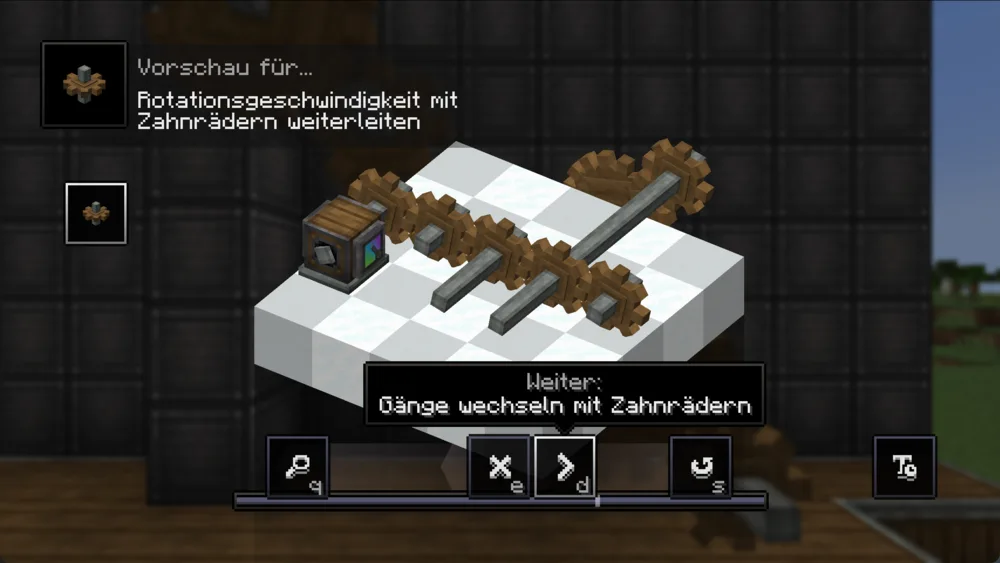
Ponder is an explanation in the client. An animation played there does not yet prove that your world build is connected correctly.
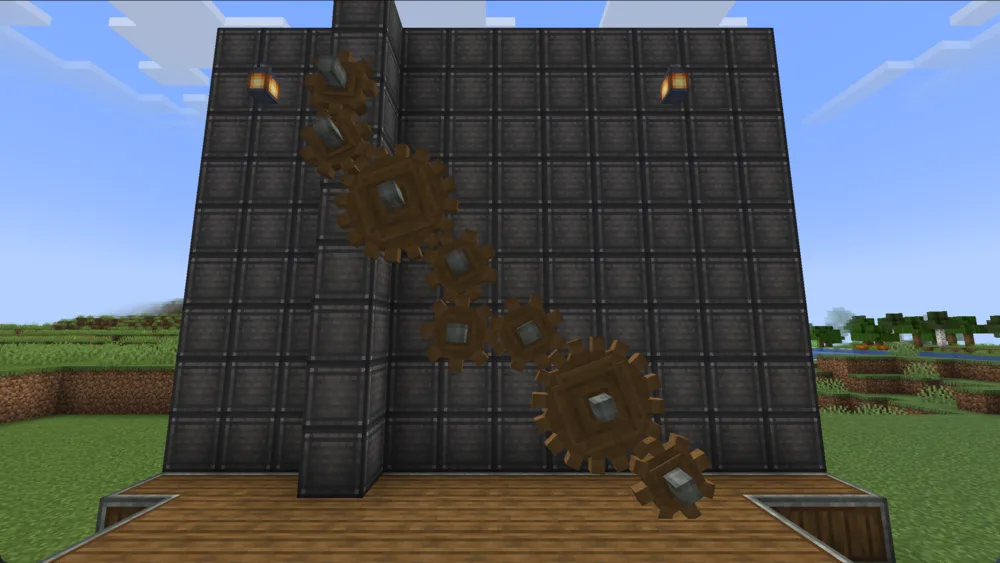
The gear wall was prepared for the capture. It does not document a factory built purely in survival and no large load test.
First the Work Chain, Then the Train
Extend the first machine with a small input and output that you can fully oversee. Agree on who refills raw materials and where the result ends up. After a reconnect and after a clean server restart, check whether the state is preserved and the machine keeps working.
For trains, follow the Ponder explanation of the installed Create version: track, station, bogey, assembly area and controls must fit together. A placed locomotive model is not yet an assembled, moving train. A later schedule additionally needs a working track and station setup.
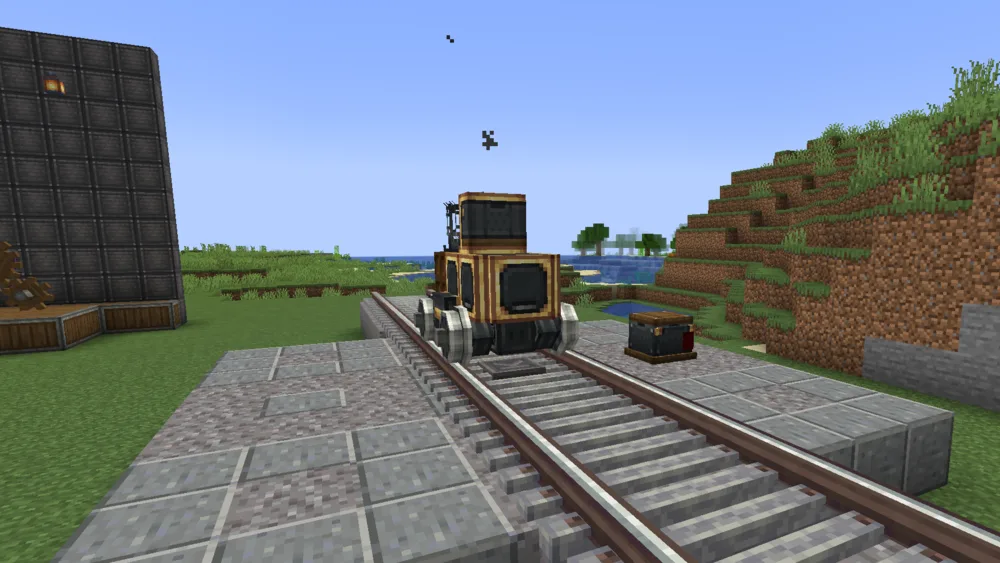
The image shows a stationary template. It proves neither a successfully driven route nor the performance of several moving trains.
The 14-second clip serves as an illustration. It is not a measurement of your world and no evidence for arbitrary moving contraptions.
Back Up Settings, Then Change Them One at a Time
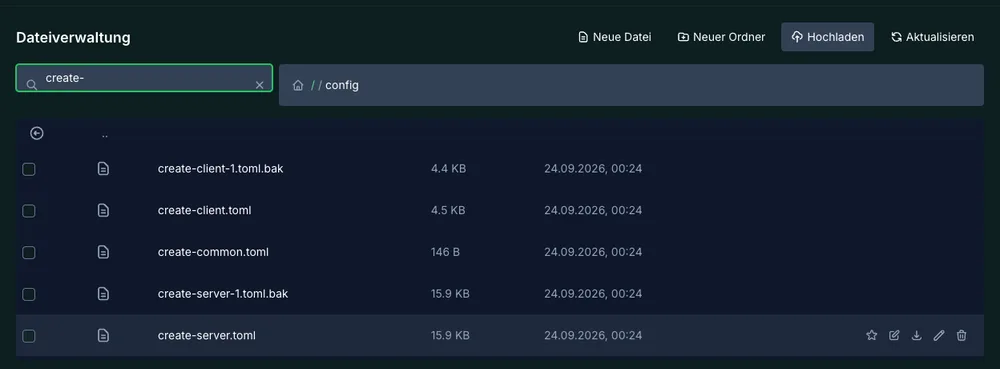
In the checked September setup, create-server.toml, create-common.toml and client files were located under config. Check the files actually generated in your installation. A file with the same name in a different pack version may be loaded differently; client graphics are not set for all friends by a server value.
Back up the relevant file and note the original value. Change exactly one suitable setting while the server is cleanly stopped, if the mod requires this way of operating. Then you start up and repeat the same machine test. Do not copy an entire foreign configuration just because of a single train or performance problem.
Before pack updates, you also back up world, mod state, player data and settings together. Keep a needed copy outside the running server files. A visible backup entry is only reliable as a way back once you have understood its scope and the restoration.
What the Historical Load Test Really Shows
The test from September 24, 2026 used Create+ Alpha E, 6 GiB Java heap, 150 % CPU and modified protocol test bots. After two minutes of warm-up, the evaluated sections lasted only a few minutes. The bot connections do not replace a full play test with the same number of real clients.
| Historical observation and its limit |
|---|
| Without hall, five bots: around 10.6 ms average tick time; on average 1,749 MiB of used Java heap. |
| Without hall, ten bots: around 15.0 ms average tick time; on average 2,124 MiB of used heap, observed heap peak 2,926 MiB. |
| Container: in the evaluated windows about 4,162–4,167 MiB; this process/container value is not the used heap. Previous load runs influenced the state. |
| Machine hall: six millstones delivered output; of the six press lines, only two actually worked. So not every placed machine was functionally verified. |
| Not measured: moving trains, large moving contraptions, long multiplayer evenings and your specific world. |
The evaluated samples were at 20 TPS. Two earlier runs were not evaluated as valid load runs because of connection problems. This does not imply either "ten real players always run smoothly" or "2 GB is enough for Create+". Heap usage, container consumption, booked resources and tick time describe different things.
If your world reacts with delay, use spark to check the affected process. If only one computer delivers few frames, first compare shaders and graphics settings there. More RAM alone does not fix a wrongly connected machine and does not guarantee faster ticks.
Known Carry On Finding
The original Alpha E pack contains Carry On 2.2.4.4. MCF replaces exactly this server-side file in the intended installation path with 2.2.6.13. The historical A/B test from September 26 used a real unmodified client and five bots: with the old server version, the second death of a bot led to a shared disconnect; with the replaced version, all six connections were kept after 20 deaths.
This proves this limited bug and the tested combination. It is not a guarantee against every disconnect. If a new problem occurs, do not remove client mods indiscriminately. Record the actual message and check the installed server state; the Carry On tracker documents the original error pattern.
FAQ
Can I choose Create+ on the free 2 GB server?
The checked MCF pack entry is a paid 6 GB plan. The historical heap values do not turn it into a 2 GB free plan.
Which version do my friends install?
The pack version that belongs to the server, here Create+ 6.0.0 Alpha E with Minecraft 1.21.1 and NeoForge 21.1.229. Not just the newest Create mod file on its own.
Do 144 manifest files equal 144 server mods?
No. The manifest also contains client-side entries; installation and replacements decide the actual server folder.
Why does the machine spin but produce nothing?
Check the valid recipe, input and output, connection and stress of the specific working device. Visible rotation alone is not a work test.
Does the test guarantee ten players or large trains?
No. They were short historical bot windows. Moving trains and large moving contraptions were not measured in them.
Do I have to replace Carry On myself on every client?
The described MCF path replaced the server file. The tested real clients kept the original pack file. For a different error, first check the actual state and the message.
Sources and Verification Status
Create+ Alpha E on Modrinth and the associated manifest were rechecked on October 7. Plan data comes from the MCF catalog; startup, machine and load findings come from the labeled September checks. The images and the clip are our own historical captures without visible player names. A new load or driving test is not claimed here.