You create a free Minecraft server at mcfreehost without payment details using the Free configuration. First choose the right edition: Java/Paper for Java and supported Bedrock crossplay, Java Modded for mods, or a native Bedrock server for Bedrock players. Then you connect using the details from your panel. This guide takes you to your first shared join and explains the limits of the free plan.
Content verified: October 7, 2026. Free refers to the hosting; you still need a valid Minecraft license for your edition. A server is not a substitute for buying the game.
Which Free Edition Fits Your Group?
Decide based on your friends' clients before you create a world. Matching device names are not enough: a Windows PC can have both Java and Bedrock installed.
| Your group | Suitable start | Important limit |
|---|---|---|
| Java players without a modpack | Java with Paper | Paper supports plugins; client-required Forge mods are not Paper plugins. |
| Java and Bedrock together | Supported Java/Paper server with Geyser and Floodgate | Check the crossplay status in the panel and the assigned UDP port. |
| Bedrock only on mobile or Windows | Bedrock Dedicated Server | Java players cannot join this native Bedrock server directly. |
| Java players with mods | Java Modded with a matching loader | For mods or modpacks that require a client-side install, the clients need matching Minecraft, loader, and pack versions. Purely server-side mods do not require a mod client; the free RAM is not enough for every pack. |
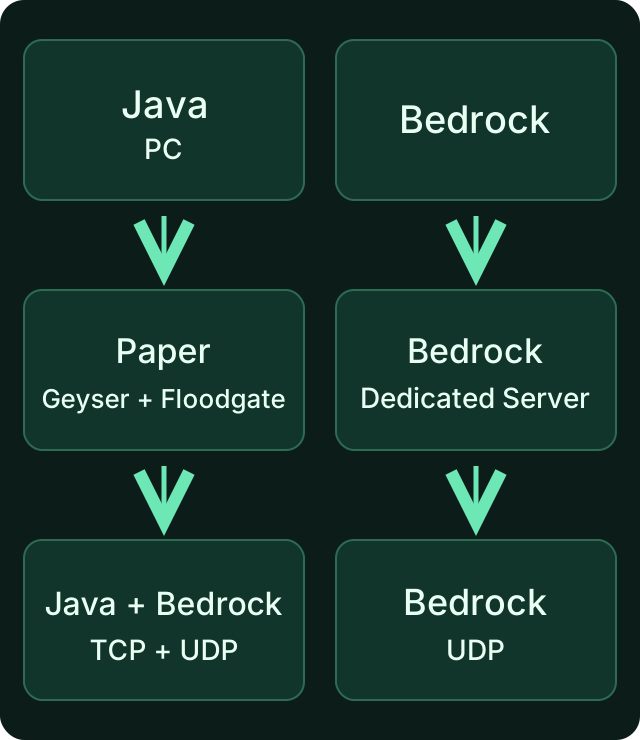
The diagram shows two different server paths. A Bedrock server does not become a Java crossplay server just through its address. Geyser connects Bedrock clients to a supported Java server.
On consoles, the normal entry of a custom server address is not available the way it is on mobile or Windows. Clarify this connection path before choosing a server; you can find the platform limits in the Bedrock guide. Geyser publishes the currently supported versions; a new Bedrock version does not automatically work with every older Java server.
Step 1: Start for Free and Sign Up
Open the free Minecraft server page, choose your edition, and check the Free configuration. You can register with email or the offered Google/Discord sign-ins. The free path does not require a credit card for this.
Keep server access and game account separate: your mcfreehost account manages the server, while your Minecraft account is used when playing. Give friends the game address, not the login details for your hosting account. When registering or signing in, make sure you are on the domain mcfreehost.com.
Step 2: Check Name, Address, and Free Configuration
Assign a server name and choose a free subdomain. Later, copy the full address from the panel; do not try to assemble it yourself from your display name. The example domain in a tutorial is not access to your server.
Check before confirming:
- Edition and software: For the mixed group, a supported Paper crossplay setup is the right choice, not a native Bedrock server or an arbitrary mod loader.
- Resources and price: For the free start, stay within the free configuration. Additional RAM or extra options may cost money; the total price shown before ordering is what counts.
- Modpack: For mods, choose the matching loader and a version suitable for the resources. A big pack name is no promise that the pack will start with free RAM.
After you confirm, provisioning runs automatically. For this hosted setup you need no port forwarding on your home router and no self-run Java process. Wait for the ready state in the dashboard. Provisioning time depends on installation and available capacity; no fixed start time is promised here.
The technical EULA step in the setup does not release you from the Minecraft usage rules. This applies especially to public worlds or planned monetization.
Step 3: Use the Right Connection Path
Open your server's connection information in the panel and copy the details for your edition.
| Client | What you enter in the game | What you should not copy |
|---|---|---|
| Java | Multiplayer → Add Server; the displayed Java address | A Bedrock UDP port or an address with https:// |
| Bedrock on mobile/Windows | Play → Servers → Add Server; address and port separately as in the panel | A blanket 19132 if your server is assigned a different port |
| Console | Check the connection method for your console first | The assumption that a button to add custom servers exists everywhere |
19132 is a common Bedrock/Geyser default value, not a port that is valid for every mcfreehost server. For Java, the subdomain can convey the right port via the DNS record; for Bedrock, you explicitly take the UDP port from the panel. So do not change your router or firewall on a hunch just because an example shows a different port.
First test the join yourself. For crossplay, then have a Java player and a Bedrock player join, each with the supported version. Only this test confirms that your actual group can play together.
Step 4: Set Up the Small Friends World
In the configuration area, check gamemode, difficulty, and max-players. They determine game mode, difficulty, and player limit. A higher max-players does not give the server any additional RAM. For a private world, restrict access with a whitelist and give operator rights only to the people who should manage the server.
Before making changes to an existing world, create a backup. Save configuration changes, then restart the server in a controlled way via the panel and check the join and the desired setting again. Do not perform version changes, modpack installation, and world import all at once: if something goes wrong, you would otherwise have no clear way back.
What Does the Free Plan Actually Include?
The MCF product values checked on October 7, 2026 are:
| Area | Included in the free plan |
|---|---|
| Resources | 2 GB RAM and 10 GB storage |
| Account | Up to two Free servers, at most one online at a time |
| Backups | Three restore points: two automatic and one manual |
| Management | One additional user with their own access rights |
| Sleep mode | Default values: 15 minutes for empty servers that have been played on, 60 minutes for never-played ones. Server settings and ongoing backup or maintenance operations can delay the start. |
RAM is a resource limit, not a guarantee for a certain number of players. World generation, view distance, extensions, and player behavior change the requirements. When scaling up, use the visible resource displays and change only one setting at a time. More on continuous operation can be found in the guide to free 24/7 hosting.
Sleeping and recycling are different. A sleeping server releases active resources and can be started again. Long-term inactivity, on the other hand, can lead to server recycling after warnings: currently after 14 days without activity, and after seven days for servers that were never activated. A restore archive is kept for 30 days. This is not an unlimited data backup. Download an additional copy of important worlds and pay attention to the warnings and the status in the dashboard.
To wake it, first use the start/wake path in the panel. With a supported automatic wake path, the first connection attempt can trigger the start; try the join again once the server is ready. Wait times depend on capacity and server start. Free therefore does not mean a server that runs without interruption at all times.
If the First Join Doesn't Work
| Symptom | Check first | Next sensible step |
|---|---|---|
| Server is installing or still starting | Status and startup output in the panel | Connect only after it finishes; do not order again repeatedly. |
| Server is sleeping or waiting for resources | Wake status and any other existing Free server | Trigger the start in the panel; observe the limit for simultaneously active Free servers. |
| Java cannot reach the address | Full Java address and client version | Do not use a Bedrock port number; match software and version. |
| Bedrock cannot reach the server | Address, assigned UDP port, and version | Check the crossplay status or use the native Bedrock connection path. |
| Only the modpack client fails | Minecraft version, loader, and pack version | Use the guide to joining a modpack server. |
| The server won't start after a change | The last change and the first relevant error message | Revert the change or restore a backup; narrow down startup errors. |
If you need support, state the edition, software, version, error message, and whether the server was recreated or modified. Do not send passwords, tokens, or login details. This information helps more than repeated restarts without diagnosis.
FAQ
Do I need a credit card or a paid plan?
For the checked Free configuration you need no payment details. Paid resources and extra options are a separate decision; check the total price before confirming.
Is Minecraft itself also free?
No. This guide describes free server hosting. To play, you need a valid license for the Minecraft edition you use.
Can Java and Bedrock play together on my free server?
On a supported Java/Paper server with Geyser and Floodgate set up properly, this is possible. A native Bedrock Dedicated Server does not accept Java clients. Also check the console path, the supported versions, and the UDP port assigned in the panel.
Do I always have to use Bedrock port from your panel for Bedrock?
No. Use the specific port in your server's connection information. A default value from a general tutorial does not replace the actual assignment.
Will my world be preserved after a break from playing?
Sleep mode does not delete the world. Longer inactivity can lead to recycling after the described deadlines; the archive is time-limited. Additionally back up important worlds outside the server.
What do I do if two Free servers won't start at the same time?
The checked free scope allows two Free servers in the account, but only one online at a time. Stop the other one in a controlled way before you start the server you want. More created servers do not mean more resources available simultaneously.
Sources and Verification Basis
- MCF: current free entry — check configuration and price before ordering.
- GeyserMC: supported versions — version compatibility for a shared join.
- GeyserMC: console connection paths — additional platform steps and limits.
- Minecraft: Bedrock Dedicated Server — the native Bedrock server path.
- Minecraft EULA — rules for usage and server operation.
The free limits and deadlines were checked against the active MCF product values. Version and device compatibility can change; check it again before switching.
Zmierzone czasy wybudzania: zależą od obciążenia i kolejki i mogą znacznie przekroczyć minutę. Aktualne P50, P95 i skuteczność: dane produktu mcfreehost.
Vanilla: view an example
Our own captures from a demonstration environment. The version and setup shown may differ from your server.
- Vanilla: the original Java game.
- A snowy mountain landscape at sunset.
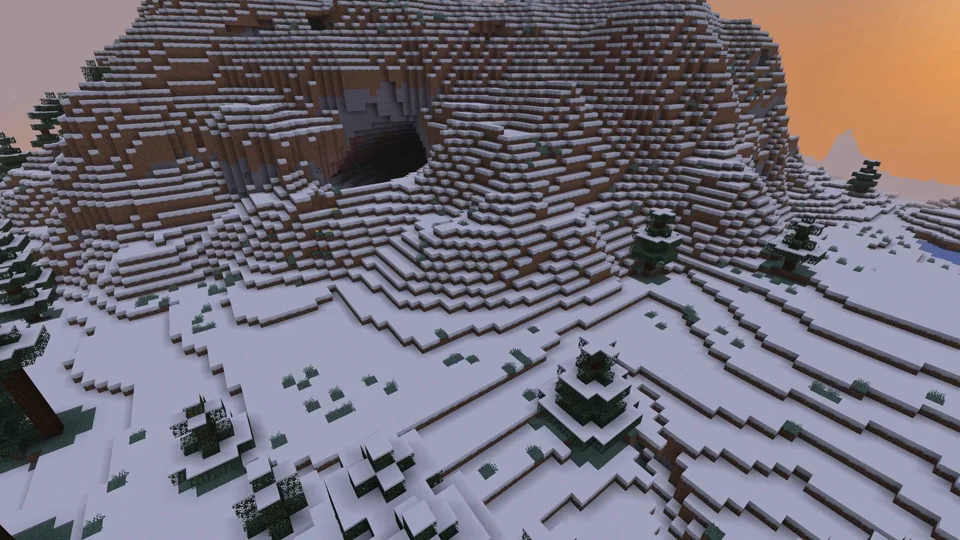
Java Edition
Paper: view an example
Our own captures from a demonstration environment. The version and setup shown may differ from your server.
- Paper: Java Minecraft with plugins.
- WorldEdit: a golden pyramid and glass dome.
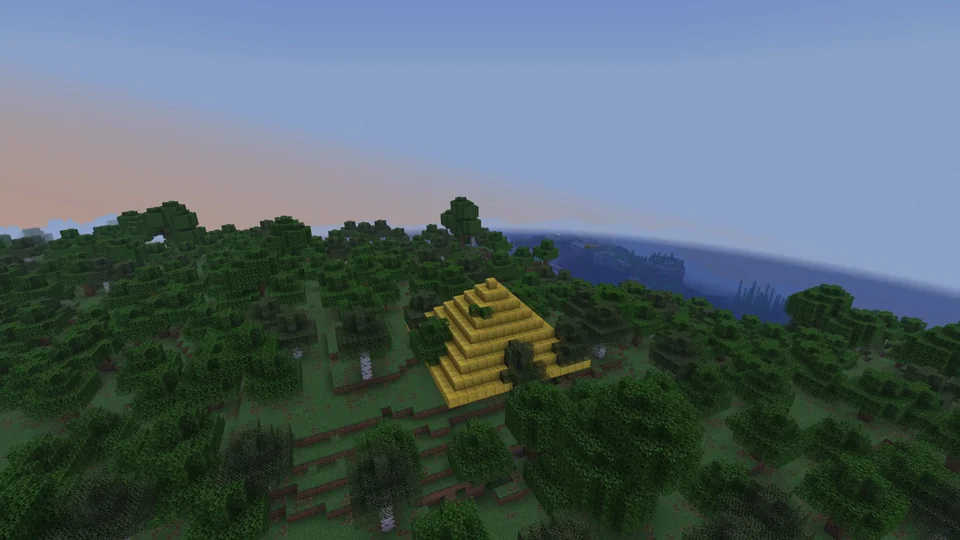
Paper / WorldEdit 7.3.16
Purpur: view an example
Our own captures from a demonstration environment. The version and setup shown may differ from your server.
- Purpur: more server settings.
- Phantom riding enabled for this demo.
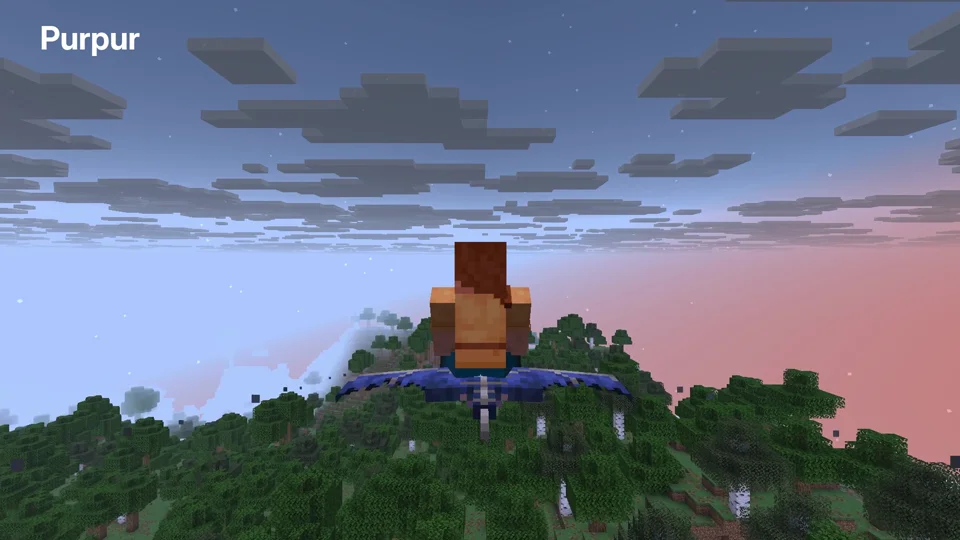
Purpur 1.21.6; phantom riding enabled
Fabric: view an example
Our own captures from a demonstration environment. The version and setup shown may differ from your server.
- Fabric: mods such as Cobblemon. Your client needs matching versions and mods.
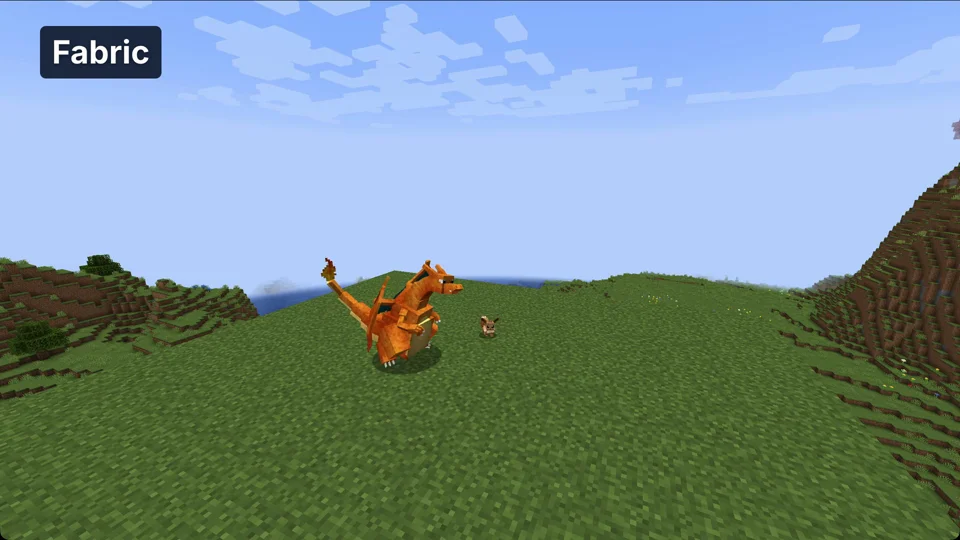
Minecraft 1.21.1 / Cobblemon 1.8.1 / Fabric API 0.116.17
NeoForge: view an example
Our own captures from a demonstration environment. The version and setup shown may differ from your server.
- NeoForge: technical mods such as Create. Your client needs matching mods.
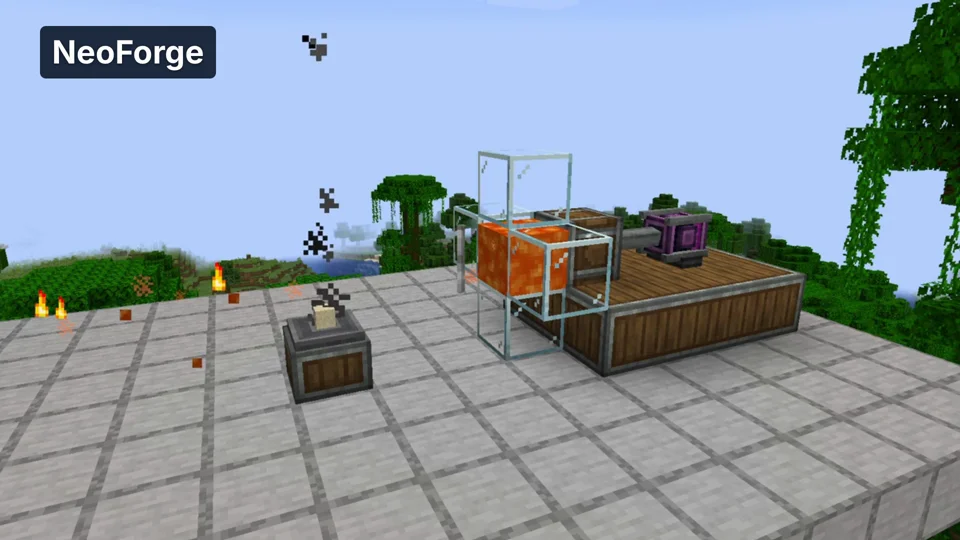
Minecraft 1.21.1 / Create 6.0.10
Velocity: view an example
Our own captures from a demonstration environment. The version and setup shown may differ from your server.
- Velocity: a proxy connects multiple Java servers. Here we move from the lobby to the second world.
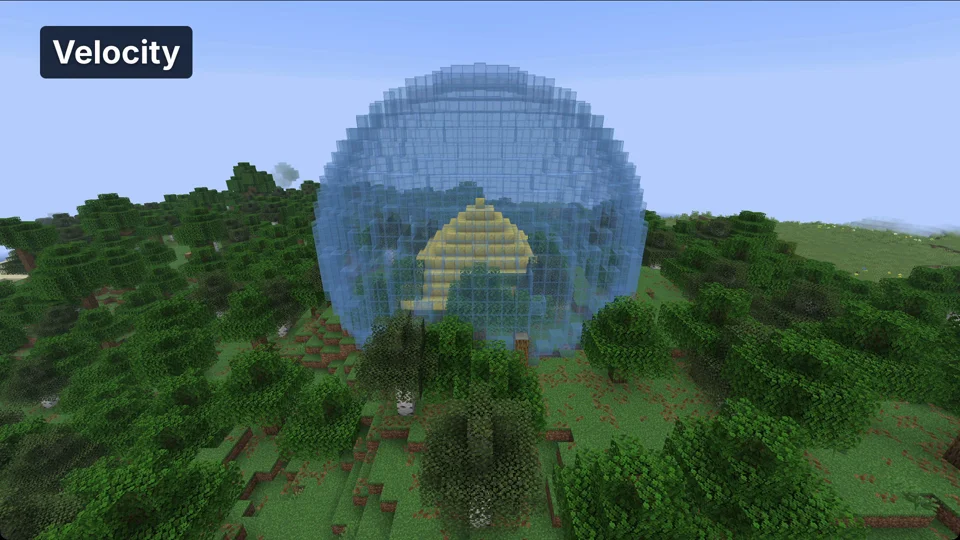
Java Minecraft 1.21.6; proxy world switch