If a wall is missing in your friends' world, CoreProtect can find recorded changes in a targeted way and partially undo them. First, you check the specific damage and the matching section. A large rollback based on a hunch can also affect changes you want to keep.
This guide walks through a small block repair. It does not claim that all later progress is automatically preserved with every intervention. Especially at the same spot, new and old changes can affect each other. A backed-up starting state remains necessary.
Checked: October 7, 2026. The images show an earlier demonstration with Paper 1.21.1 and CoreProtect 24.0. They are not a new test of your world and not a current runtime measurement.
Record the Damage Before a Repair
Note the world, coordinates, and the known time period. Ask the friends involved whether anyone has deliberately kept building at this spot in the meantime. Stop changes in the small affected section during the check; an area that is being changed at the same time is harder to assess.
Back up the current world state and the actual CoreProtect data before you plan any write operation. If the database is external, a copy of the plugin folder alone is not a complete backup. The small Free storage of 10 GB also has to hold the world, logs, and extensions; keep an independent copy outside of this attempt.
CoreProtect must already have recorded the event in question. Installing it after the damage does not create an old history. Check the loaded version, the setup at that time, and the recordings that were actually enabled. The configuration overview leads to the matching configuration for your version. A green server indicator does not prove that every desired action was logged.
Look First, Don't Roll Back Right Away
A designated helper account can examine the affected spot with the inspector. /co inspect is used for this; the same function can be disabled again afterwards. Use the usage help shown for your version and read the events at the actual damage site.
An account name in the log does not prove intent. An accidental action, a shared account, or other processes may need to be clarified. Share results only with those involved and hide names in public images. For the repair, what matters first is which change was recorded.
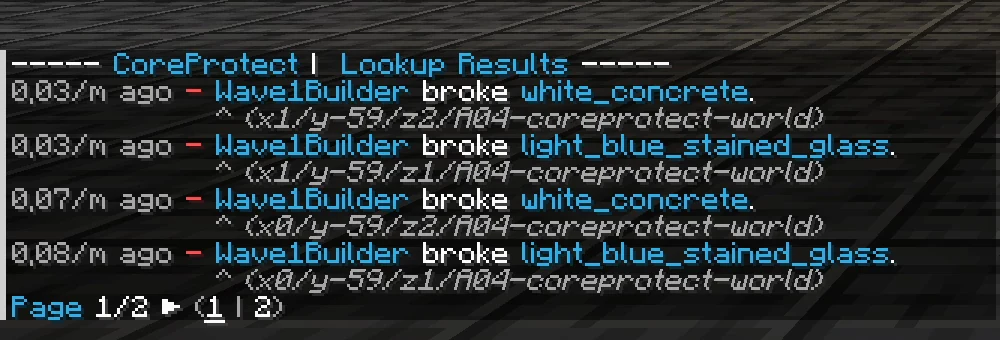
Earlier demonstration at a house front. Time, block type, and location help with matching; account names are hidden. This output is not a search result from your world.
Don't give a helper who only needs to check things a blanket coreprotect.*. According to the CoreProtect permissions, inspecting, rollback, restore, and deleting logs are separate permissions. For an agreed read-only task, coreprotect.inspect and coreprotect.lookup may be suitable; also check the data categories you need. Regular friends don't need repair permissions to play along. You set up the roles with LuckPerms.
Narrow the Search to Your Case
The following game example only fits a small block damage observed a short time ago. Replace SPIELERNAME with the account you have reliably identified. Check the time period and distance for your actual case before you use the command:
/co lookup u:SPIELERNAME t:30m r:8 a:-block
| Limit | Meaning in the example |
|---|---|
| Account | Only the verified, assigned player account |
| Time | Events from the last 30 minutes |
| Location | Radius 8 around your current position |
| Action | Recorded block breaking |
Read all matching results and the coordinates. If the list stays empty, check the starting assumptions one by one instead of immediately triggering a worldwide repair. A larger search radius may show more events, but it is not yet a go-ahead to undo them all.
The official command reference describes filters and the preview. Lookup and rollback have different default limits when details are missing. That is why the radius is set explicitly in the example. Don't rely on the old blanket claim that every rollback without a radius automatically affects the whole world.
Compare the Preview and the Small Intervention
Stay in the same world at the same position. First check a preview with your confirmed filters:
/co rollback u:SPIELERNAME t:30m r:8 a:-block #preview
Look together at the affected spot and the adjacent changes you want to keep. If the preview does not exactly match the planned repair, cancel the attempt via the method provided in your version and check the filters again. A preview replaces neither a backup nor checking the actual effect.
A relative time window moves on between two calls. Your position must also stay the same if the radius depends on it. "Same parameters" therefore does not automatically mean an unchanging historical snapshot. Run the final small command only after matching again:
/co rollback u:SPIELERNAME t:30m r:8 a:-block
The current rollback implementation contains additional checks and the handling of the intervention. Which features are available depends on the version you actually have installed. Don't treat a supposed safety net from an old guide as a blanket promise.
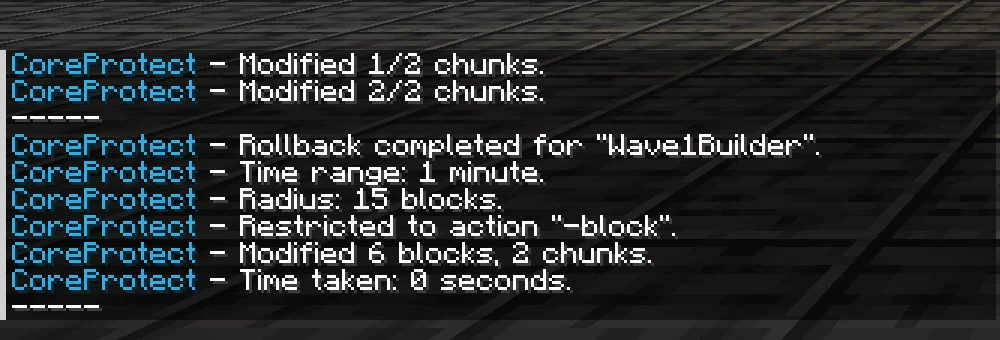
Back then: six blocks in two chunks, radius 15 and a time window of one minute. That is a different documented test than the deliberately small example values in this article.
Check the Game State After the Repair
Don't just check the success message. Check the wall, adjacent structures, and the progress made since then that you want to keep. Watch out for things the chosen block filter doesn't capture at all: chest contents, inventories, and other actions are separate data categories. Don't casually extend the intervention to all categories.
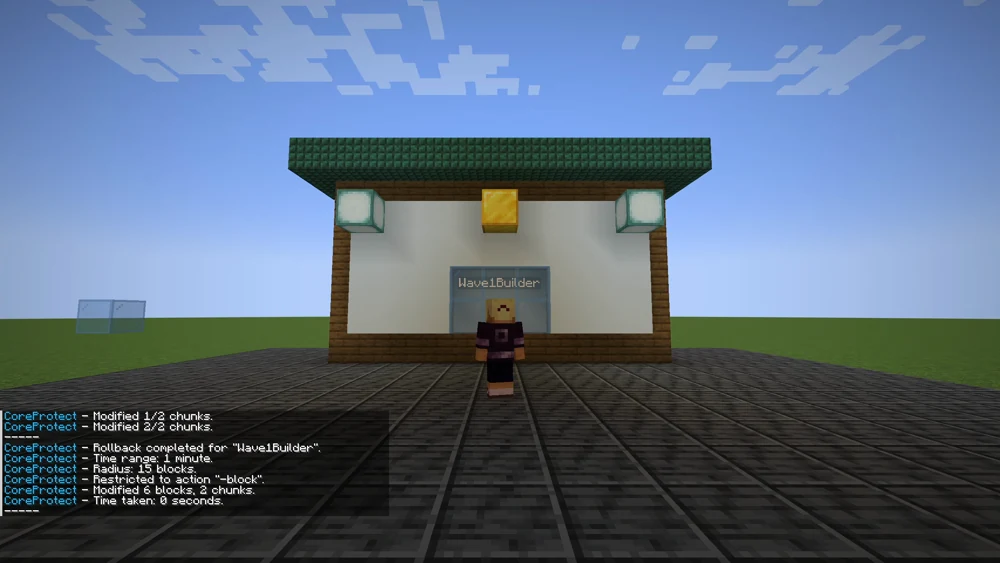
The image shows the restored section from back then. It does not prove that every possible side effect of a rollback is ruled out.
If the intervention was wrong, a suitably limited restore can reapply recorded changes. Plan the same careful check and a preview for it first. Don't send several large-scale counter-commands in a row. If data is missing or the effect is unclear, the backed-up way back and a concrete clarification of the state remain.
Don't delete old logs during an unresolved damage case just to free up storage. Deleted events are no longer available for later search or repair questions. Retention is a separate operational decision and not a prerequisite for this small intervention.
Limit Future Damage
Agree on who may carry out repairs and how the affected friends are informed. A small documented repair is easier to check than a blanket reset of the whole evening. For areas that are important long term, you set up targeted WorldGuard protection.
CoreProtect, region protection, and backups serve different purposes. You don't need to make every friend an administrator to use all three sensibly. Test the logging function early with a small block sample of your own, so that you don't merely assume it records things when it matters.
FAQ
Does installing it after the damage help?
It records future matching events. For earlier damage, the necessary historical data is missing without a recording from back then. Check existing backups and other documented evidence.
Why is the lookup empty?
Check the world, position, time period, account, action, and recording from back then one by one. No results are no reason for an unchecked global rollback.
Will all new builds be safely preserved?
That is not a general promise. Even a limited intervention can affect later changes you want to keep at the same place. Check the preview, filters, and adjacent progress.
Does the command shown also repair an emptied chest?
The example procedure is limited to block breaking. Chest contents need a separately recorded action and their own carefully limited check procedure.
Does the read-only helper need rollback and purge?
No. Those are separate permissions. Check the specific read task and don't grant a blanket administration wildcard just to view results.
Does CoreProtect replace the backed-up world state?
No. An event database and a world copy solve different problems. Damaged files, deleted worlds, and unrecorded processes need a different way back.
CoreProtect: view an example
Our own captures from a demonstration environment. The version and setup shown may differ from your server.
- The house front is intact.
- A second player breaks blocks out.
- /co lookup shows who broke what.
- /co rollback restores the front.
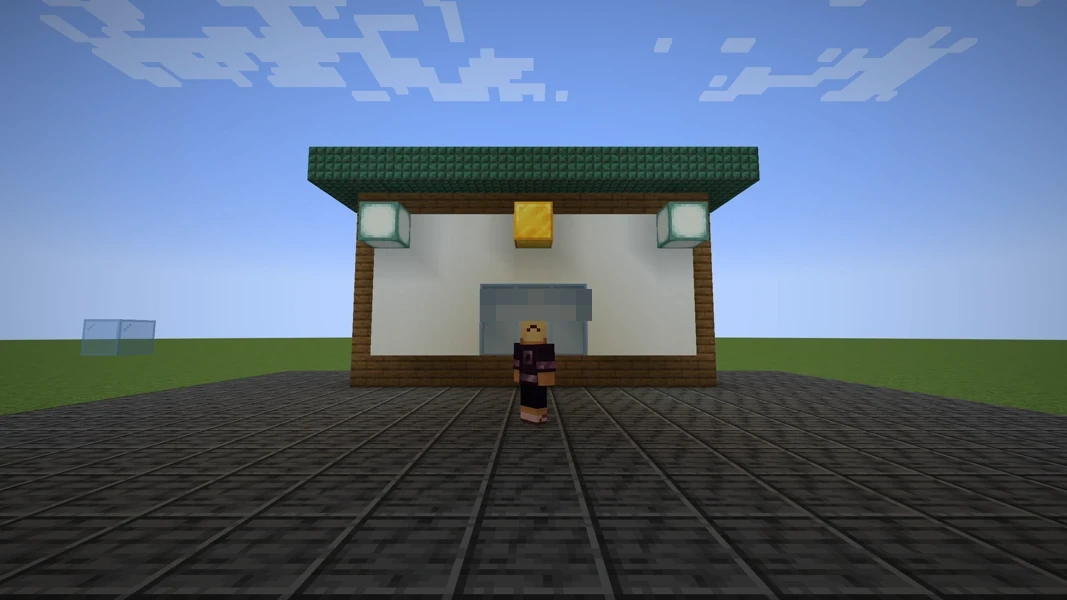
CoreProtect 24.0 · Paper 1.21.1 · 2026-09-14
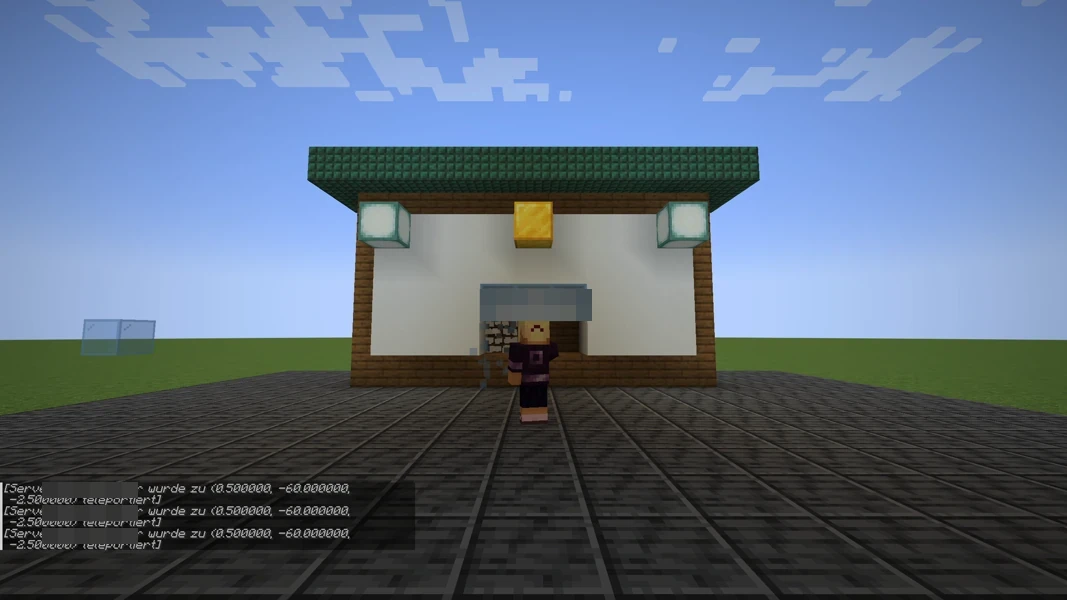
CoreProtect 24.0 · Paper 1.21.1 · 2026-09-14
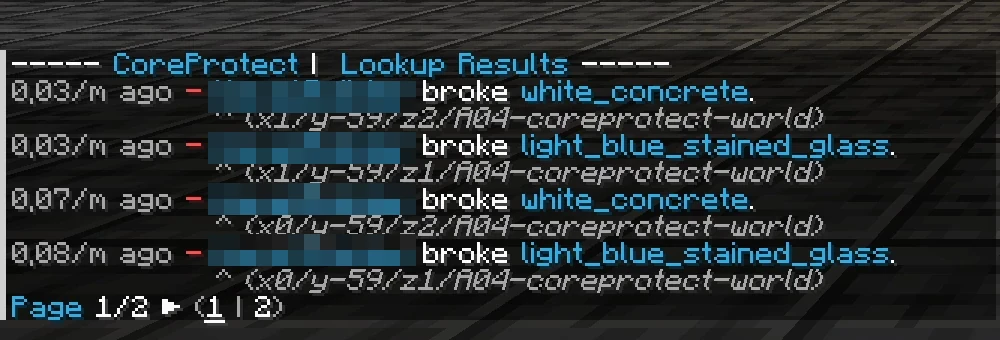
CoreProtect 24.0 · Paper 1.21.1 · 2026-09-14
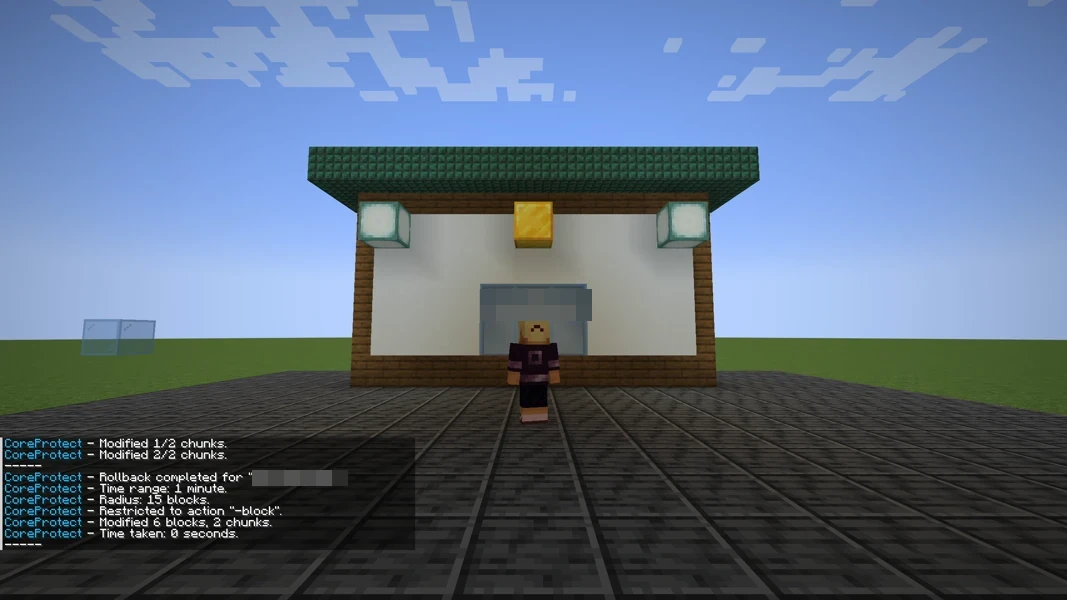
CoreProtect 24.0 · Paper 1.21.1 · 2026-09-14