
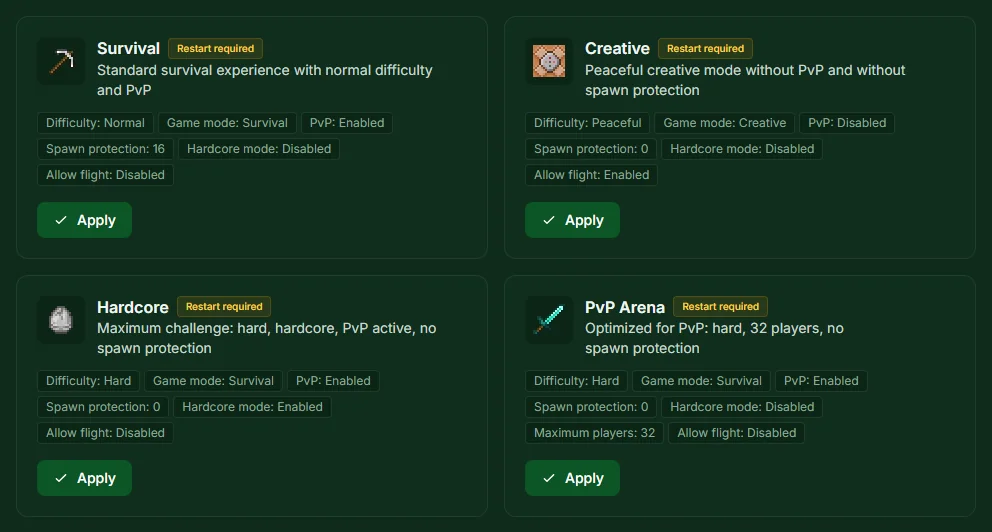
Want to just build with your friends, without monsters and without gathering materials? The panel of your free mcfreehost server has the Creative preset for exactly that. It sets the server to peaceful and Creative mode, allows flying and turns off PvP and spawn protection. After a restart, your build server is ready.
Apply the Creative preset
- Open Game Settings → Presets.
- Click Apply on Creative.
 (Enlarge image)
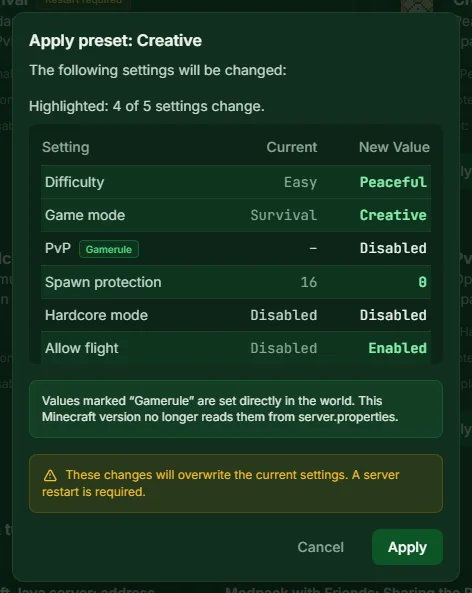
- You see every setting with its current and its new value: difficulty peaceful, game mode Creative, PvP off, spawn protection 0, Hardcore off, flying allowed. What changes is highlighted. Click Apply.
 (Enlarge image)
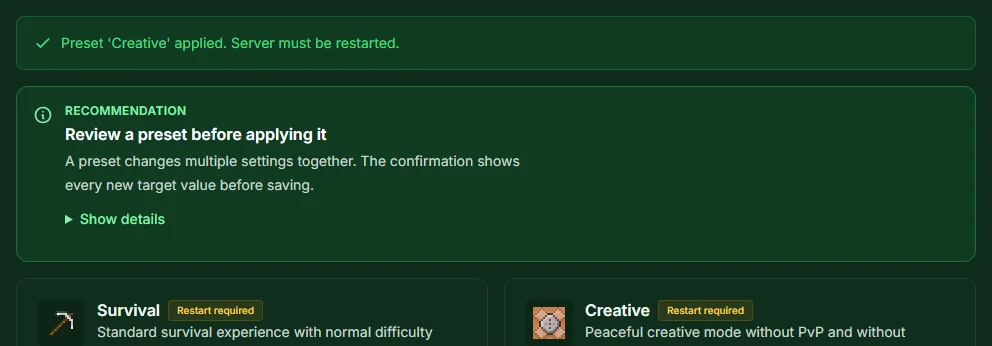
- The panel reports "Preset 'Creative' applied. Server must be restarted." Restart the server.
 (Enlarge image)
From Minecraft 1.21.9, PvP is a game rule. The panel marks it with "Gamerule" in the confirmation and turns it off in the world right away. Your server has to be running when you apply the preset.
Why spawn protection 0?
With spawn protection, only admins may build around the spawn, normally 16 blocks in every direction. On a build server everyone usually should be able to build everywhere, so the preset sets the protection to 0.
Friends who have played before
The Creative mode from the preset applies to players who join for the first time. On our test server, a new player
arrived in Creative mode after the restart, while a player who had been there before stayed in Survival mode. For
him, you enter gamemode creative <Name> in the console. If you want to switch everyone at once, set
force-gamemode to true in the configuration: then everyone gets Creative mode the next time they join.
Rather a Hardcore round?
The same area also has Hardcore: hard, one life only, PvP on, no spawn protection. For that you need a new world.
On a world that already exists, Hardcore stays off according to our measurement, even though the preset sets
hardcore=true. Game rules such as "keep inventory" are set separately, see
Keep inventory, lock the Nether and the End.
Back to Survival
Apply the Survival preset and restart. Then normal difficulty, Survival mode, PvP on and 16 blocks of spawn
protection apply again. You switch existing players back with gamemode survival <Name>.
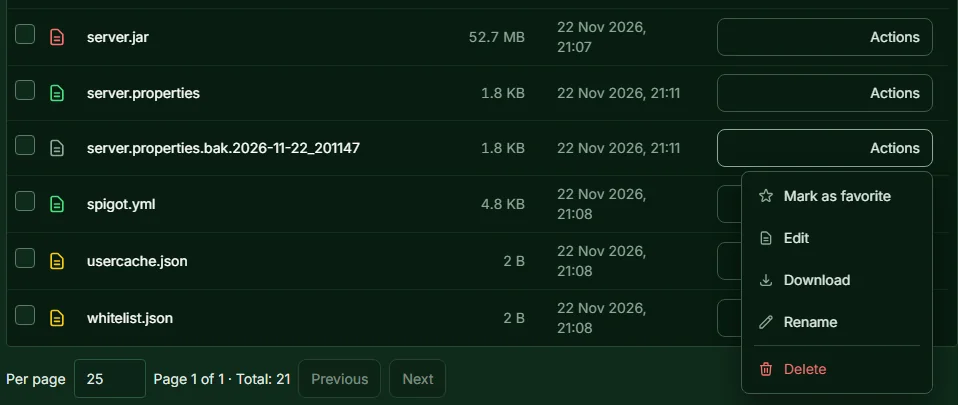
If you need exactly the old state, there is a backup server.properties.bak.<date_time> under Files. The time in
the name is in UTC, in winter one hour behind German time. Under Actions you can edit, download or rename it:
first rename the current server.properties, then rename the backup to server.properties, and restart. The PvP game
rule is not in this file; the Survival preset turns it back on.
 (Enlarge image)
FAQ
Can I still build with WorldEdit? Yes, see WorldEdit: build and undo.
Do my builds stay when I go back to Survival? Yes, a preset only changes settings, not the world.
Sources and Verification
Verification: This guide reflects the state of 22 November 2026. On that day we applied the Creative preset on our
own free Paper test server with Minecraft 26.3: confirmation and message in the panel, a new and a returning test
player after the restart, Hardcore on an existing world and the backup of server.properties under Files. The images come from this server.
- Minecraft: Minecraft Wiki: server.properties:
gamemodeis the default game mode, withforce-gamemode=trueplayers always join in that mode,hardcoreapplies to newly created worlds, andspawn-protection=0turns spawn protection off. With version 1.21.9,pvpmoved from the file to a game rule. - Our panel: the values of the presets from the panel configuration, plus the confirmation, the backup and the messages as the panel shows them.
- Not verified: versions before 1.21.9 and fully restoring a backup by renaming. The test players were bots, not real players.
