Berlin in Minecraft becomes a monster scene when you combine a city base with deliberately placed creatures. Our Short shows an edited Berlin-Mitte world, an enlarged Husk, and an Ender Dragon. The creatures are not generated automatically from OpenStreetMap and are not part of a normal GeoWorld generation.
This guide helps you plan a small controlled scene on a working copy. The recipes below were historically tested with Minecraft Java 1.21.4. They explain two standing motifs; they provide neither the full choreography of the Short nor an automatically flying dragon.
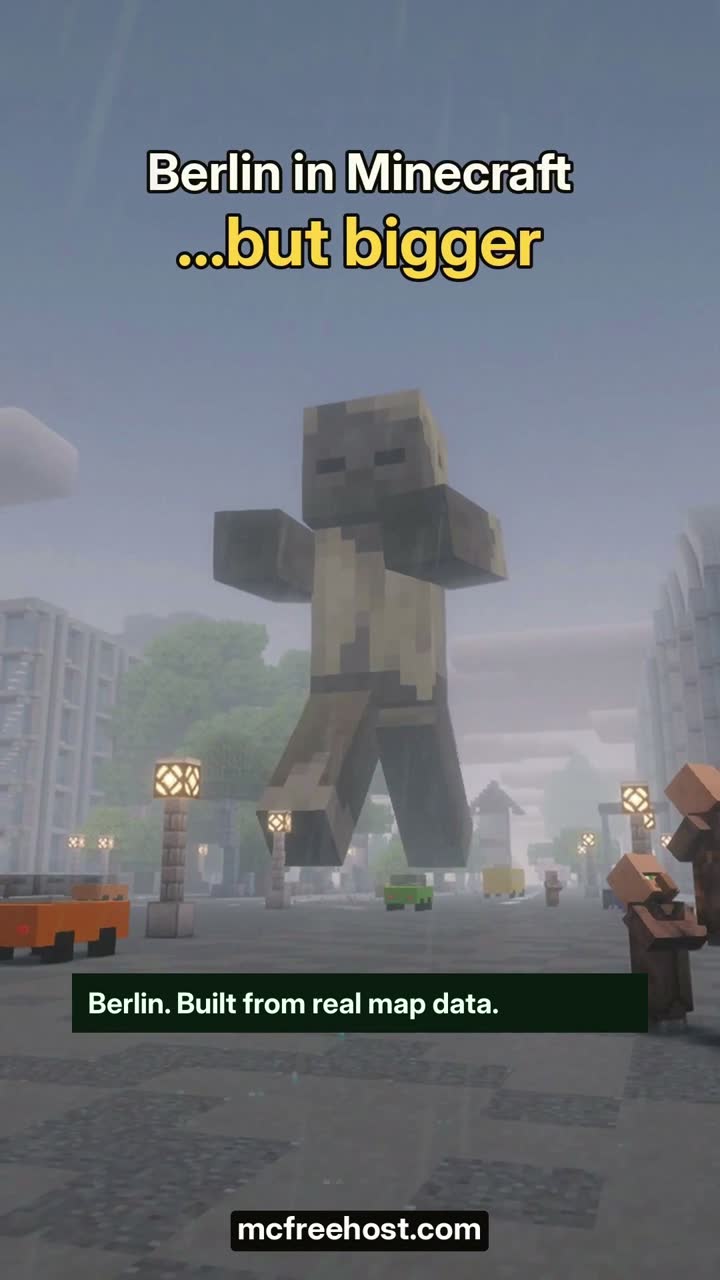
The English Short is a staged gameplay recording. The map animation in it describes the structure of the story, not a measured generation time. Shaders, camera work, architectural additions, and creatures were chosen for the production.
Two Ways to Your Berlin Base
Generate your own section: In GeoWorld in English, choose an available Berlin location and the matching area. As of October 7, 2026, the described MCF route supports Minecraft Java from 1.21.4 in Europe. Check that the entire section lies within the coverage area and that enough storage is free.
Free and Paid offer five area tiers from roughly 1 to 268 km². The unpacked world files may take up a maximum of 5 GB in total; additional options and existing server files affect what fits. Free allows one successful generation per account and server within seven consecutive days, Paid up to three per server in a rolling 24-hour window. Failed or canceled jobs do not count as a successful generation.
Use a prepared section: The Berlin download from the world library (de) describes its own Java version, requirements, license, and checksum. Follow these details and the associated import route. A download world is not automatically identical to every current GeoWorld server state or modpack.
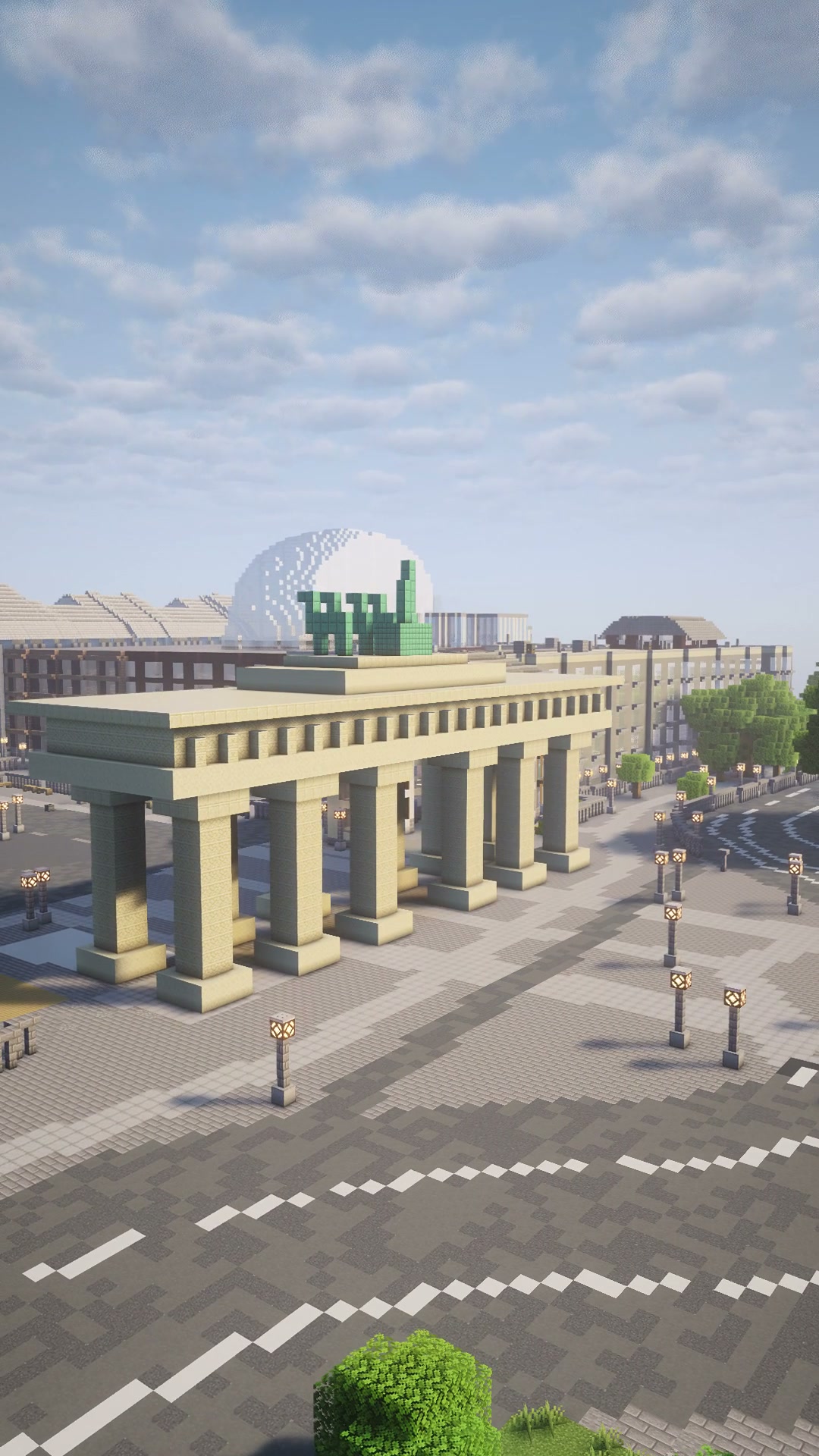
The gate is a custom-added Minecraft interpretation, not a surveyed architectural model, and no proof that every fresh Arnis export contains these details.
What Comes from Geodata and What You Design Yourself
Arnis generates a world from available geodata and its own conversion rules. The result can reproduce streets, building outlines, and terrain. Missing details are not filled in simply by choosing a larger section.
For the production world used, the Brandenburg Gate and the TV Tower, among other things, were added as Minecraft models. If you want exactly this visual impression, it is therefore not enough to assume "select Berlin and get the same video". Choose your own location, check the view that was actually generated, and plan your additions.
For the first scene, set a clear motif: for example, a giant behind a square or a standing dragon above an empty street. Note the location, viewing direction, and the height you need in the game. Real latitude and longitude are not Minecraft X/Z coordinates.
Preparing the Working Copy and Rules
Back up the original world together with the required data state. Test the creatures on the copy first, using an authorized account. Normal friends do not need full operator permissions for a joint visit. Agree on changes to the world with the group.
Before the attempt, note the difficulty and relevant game rules. A Husk is a hostile mob; Peaceful is not a suitable setting for this motif. Switching to Easy changes the difficulty of the world, not just the one creature.
The historical test used, among other things:
/difficulty easy
/gamerule mobGriefing false
mobGriefing=false limits certain block changes caused by mobs. It is not protection against all damage, fire, commands, or an incorrectly built sequence. Note the previous value and restore it after the test. NoAI also does not mean invulnerable.
Use the following recipes as player chat commands at the desired location. In the console, relative coordinates refer to a different execution context. The historical console test explicitly set the position with execute positioned; therefore, do not blindly copy ~ recipes into an unpositioned console.
Giant Motif: Husk with Scale 16
/summon husk ~ ~ ~ {NoAI:1b,PersistenceRequired:1b,Tags:["berlin_demo_husk"],attributes:[{id:"minecraft:scale",base:16}]}
This creates a Husk with disabled AI, a unique demo tag, and Scale 16. It is not a Minecraft entity type giant and not a new, automatically generated creature of the city world. The scaling enlarges the mob relative to its usual form; the command does not assemble a custom 3D giant model.
Mojang documented Scale as an attribute as early as the Java 1.20.5 release notes. The NBT/attribute syntax shown here refers to the tested 1.21.4 state. For a different version, check the syntax that is actually valid for it, instead of deriving a universal command from the older release note.
Choose enough free space. A large model can block the view or look out of place in its surroundings. Check the location from your planned camera position before adding further creatures.
Dragon Motif: Standing Ender Dragon
/summon ender_dragon ~ ~30 ~ {NoAI:1b,PersistenceRequired:1b,Tags:["berlin_demo_dragon"]}
The dragon appears 30 blocks above the execution position. With NoAI, a standing motif is intended here. The historical test read its position again after three seconds; this does not confirm any distance flown or a scene lasting several minutes.
A flight, a camera-driven movement, or an attack requires a separately planned sequence. Do not simply turn the AI back on and expect the same controlled shot. A movement shown in the Short is also not a general sign-off of your world or your setup.
Targeted Removal and Restoring the Original Rules
The historically tested removal commands use the unique demo tags:
/kill @e[tag=berlin_demo_husk]
/kill @e[tag=berlin_demo_dragon]
Use these tags exclusively for the respective demo creatures. The selector removes all reachable entities with the tag in question, not just the most recently created one. It is more targeted than a blanket kill @e, but does not replace checking whether other objects carry the same tag.
For the dragon, the removal only ends after its death animation; check the actual completion and possible effects on the scene. Then restore the previously noted difficulty and game rules. If the attempt went wrong, the unchanged world copy is the clear way back.
Sign-Off for Your Small Scene
Check exactly what you want to build: right location, right creature, desired standstill, and targeted removal. Let a normal friend join and look at the scene. A successful admin command alone does not prove a normal player view or stable server performance.
If the client stutters with shaders, first compare the same scene without shaders. If, on the other hand, actions are delayed for everyone, check the server findings with spark. A successful recording is not a performance test for an unlimited number of large entities.
For a street with additional vehicles and residents, Build a Living Minecraft City takes you further. This Berlin guide sticks to one concrete scene with two creatures. To recreate it, you need neither the full London setup nor additional bot accounts.
FAQ
Does GeoWorld contain the giant and the dragon automatically?
No. The map world and the additionally placed creatures are separate work steps.
Is the giant a Giant mob?
The recipe shown creates an enlarged Husk with Scale 16. It does not summon the entity type giant.
Does the summoned dragon fly like in the Short?
With NoAI, the recipe creates a standing motif. A flight choreography is neither provided nor tested with it.
Do the recipes work on Bedrock?
The recipes shown were tested on Java 1.21.4. They are not a Bedrock guide and no guarantee for every later Java syntax.
Does mobGriefing protect my whole world from damage?
No. The rule affects certain mob effects. A working copy, unique tags, and targeted verification remain necessary.
How do I get exactly the Berlin architecture from the video?
The production world contains custom architectural additions. A new GeoWorld export does not automatically deliver the same level of detail. Check the library download and its described requirements.
Origin and Test Status
Map data © OpenStreetMap contributors, ODbL; map base with Arnis, added Minecraft architecture, and our own staged recordings. The library page documents the specific download and its license. The command test from October 5 was a local Java 1.21.4 test without a new client film: standstill, attributes, a limited block protection test, and removal were checked, flight and lightning effects were not.
The Short is an existing publication on the MCF channel: https://www.youtube.com/shorts/idDWThupGoM. This is not an official Minecraft product and has not been approved by Mojang or Microsoft.