A Cobblemon server becomes usable for your group when everyone launches the same pack, actually manages to join and understands the rules you want to play by. This main guide leads you to the right MCF guide. The complete command and configuration tables are in their own references; you don't need to work through them for your first game night.
As of: October 7, 2026. The verified catalog entry Cobblemon Official uses Cobblemon 1.8.1, Minecraft Java 1.21.1 and Fabric Loader 0.19.5 with 6 GB of plan RAM. Cobblemon Optimised is offered with 4 GB. These two plan values are not a general minimum requirement and not a guaranteed player count. Both entries belong to the paid scope; the free 2 GB MCF server does not include these pack offerings.
Where Does Your Group Stand Right Now?
| Task and matching guide |
|---|
| No server yet: Create a Cobblemon Server – available packs, client, address and first test session. |
| A friend can't get in: Join a Modpack Server – five shared version and connection details. |
| Change a game rule: All 111 Configuration Keys – effect, default value and limits in 1.8.1. |
| Grant PC or management access: Cobblemon Permissions with LuckPerms – targeted permission, verification and revocation. |
| Look up a command: Command Reference – syntax, executing source and actual consequences. |
| Too many or too few Pokémon: Adjust the Spawn Rate – controlled comparison instead of blanket density values. |
| Server responds slowly: Check RAM and Performance – resource measurement, tick time and limits of historical tests. |
| Switch to 1.8: Prepare the Cobblemon Update – a consistent data state and a real group join. |
| Still unsure between Pokémon packs: Pixelmon or Cobblemon – a decision based on your devices and your play plan. |
Before Setup: Can Everyone Really Play?
Ask each friend which edition and which computer they use. The content packs described here require Minecraft Java with the matching modpack instance. A Bedrock client on a phone or console cannot load their Java mod content. Geyser is no shortcut here; its FAQ on mod compatibility explains this limitation.
Next, agree on one pack state. "Cobblemon installed" is not enough information: Official, Optimised and COBBLEVERSE are different compilations. The same Minecraft version does not mean the same mods, settings or additional content. Use the pack version shown by the server as the reference for the invitation, instead of letting each friend install whatever the latest file is.
An existing Fabric client is also not proof of a matching pack. It must contain the required mods and versions. If there is a loader/API conflict, the Fabric version matching guide helps. Download missing files through the intended pack route; do not distribute some random third-party mod collection as a supposed server client.
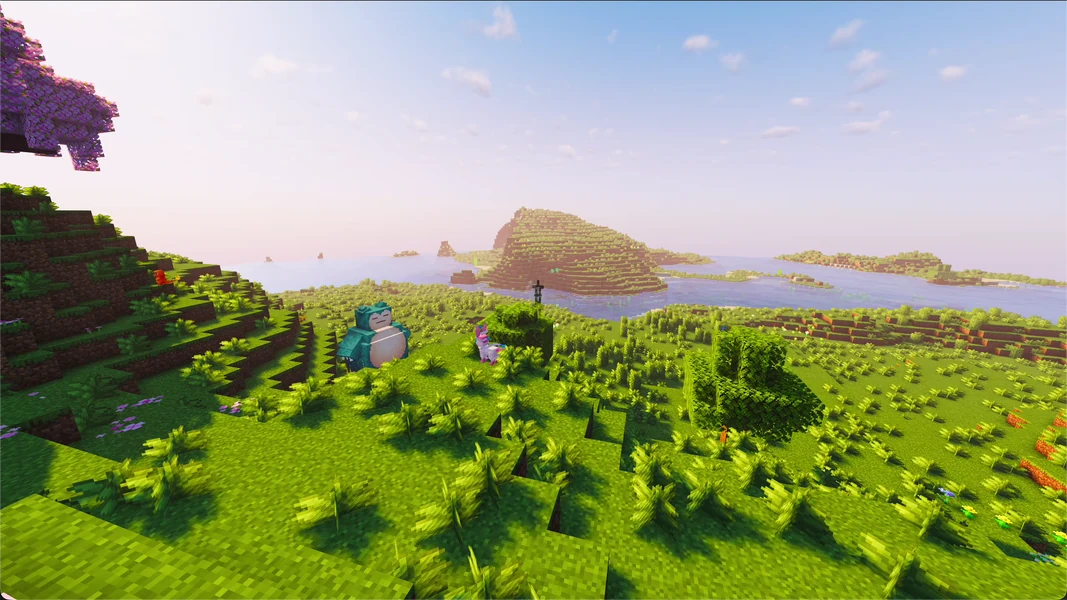
The image comes from a prepared COBBLEVERSE 1.7.3 scene. It shows a game view with additionally placed Pokémon, not a fresh join to Cobblemon Official 1.8.1.
The First Shared Test Session
After setup, start with a normal player account. Check joining, starter selection and a small shared session in the existing environment. A green server status alone proves neither the matching client mods nor a working encounter.
For the invitation, note the pack name and version, Minecraft, loader and the server address including port. Give friends the join route, not shared owner credentials. A player needs neither panel management nor full operator permissions for a normal join.
Check a catch, saving progress and a reconnect. If an error occurs, record the actual message and the affected client state. Only after this small trial is a shared rule set, bigger build planning or an additional mod worthwhile.
The 22-second clip also comes from COBBLEVERSE 1.7.3. It is illustrative material for a Pokémon world and not a current feature or performance test of the Official pack. What you see depends on your client and shaders, among other things.
Keep Game Rules Small and Verify Changes
At the start, agree only on rules you really need: Can everyone build anywhere? How do you handle shared progress? Who may change technical settings? An elaborate permission hierarchy does not automatically help a small private group.
The main Cobblemon file config/cobblemon/main.json controls many rules of the core mod. It is not a shared configuration file for all pack mods. Additional content, worldgen, permission management and client graphics each have their own responsibilities. Choose a suitable key in the reference, back up the file and verify its actual effect.
Even a reload does not mean every setting changes immediately in the running game. Some values are applied when a system is built, or belong to the client. So read the restriction of the specific key before you change further values on a hunch after a reload.
For permissions, chat command, console and in-mod check differ. Not every registered Cobblemon command has its own permission node. For example, give a friend a targeted PC permission and test it with their normal account. A general * or OP would bypass the test.
Change Spawns and Performance Only Based on Your Own Findings
Many visible Pokémon may be desirable; at the same time the server processes the world, the players and other mods. The spawn rate is not a global switch for "exactly X Pokémon per server". Range, active player areas and version-specific rules all play a part.
Compare a single change in the same environment. Record active players, position, runtime and resource observations. An old test with bots or a snapshot in the panel does not tell you how many real friends can play long-term on your machines and during your travels. The spawn and RAM guides explain these differences in detail.
For a mod extension, first check the loader, Minecraft and pack version as well as the affected side. A desired breeding, quest or arena feature may come from an addon. Do not assume that every video about "Cobblemon" shows the same features in the Official pack.
Keep the Entire State Together Before an Update
An update involves more than the new mod file. World, Pokémon/player data, configurations, addons and client instances must fit together. Back up this state before the switch and test a copy first. An older server file alone does not provide a complete way back after a data change.
Plan the switch together. A friend with the old pack may not be able to use the new server. The update guide contains the concrete preparation and the acceptance test with a normal player. Progress or reset commands are not a prerequisite for a normal update; use them only for an explicitly intended gameplay change.
FAQ
Is Cobblemon included for free at mcfreehost?
The Official and Optimised pack offerings verified here, with 6 and 4 GB respectively, belong to the paid scope. The free 2 GB server is not a free offering of these two packs.
Can Bedrock friends play along?
Not in the Java content packs described here. Bedrock cannot load their mod content. So clarify the devices before ordering.
Which guide do I need first?
Without a server, you start with setup. With an existing server, the next step depends on the specific problem: joining, settings, permissions, spawns, performance or update.
Do I have to know all the commands and 111 settings?
No. For your first game night, a matching pack state and a successful shared trial are enough. The complete references help with a specific administration task.
Should every player get OP?
That isn't necessary for normal play. Test targeted player permissions with normal accounts so you can see their actual effect.
Does the video prove the current Official version?
No. It is a labeled historical COBBLEVERSE 1.7.3 scene. The current catalog state and your own join decide your installation.
Sources and Next Step
The version details come from the verified MCF catalog. The detailed references use the Cobblemon source state 1.8.1, not general assumptions for every addon. Choose the matching task in the table and verify its result with your group.