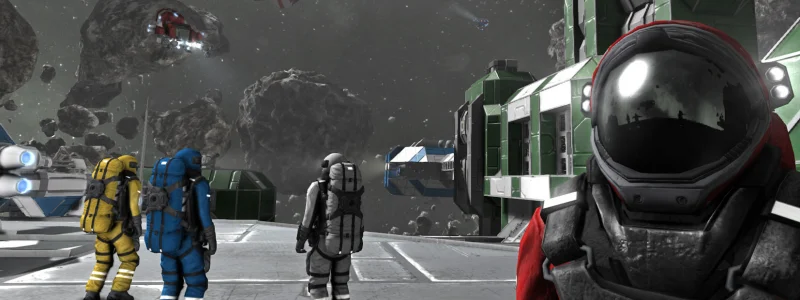
This is how you and your friends get onto your own Space Engineers server. There are two ways: directly with the address and port from the panel, or through the in-game server list. Both are in the same menu.
What you need
- A running Space Engineers server. After the start, the panel console shows that the world has been saved.
- Space Engineers on Steam. Your friends don't need access to your panel.
- Server and game must be on the same version.
Find the address in the panel
Open your server in the panel. At the top of the overview, Server address shows an address with port, for example server.example.com:64036. Copy puts it on your clipboard. Under Invite friends you find the same connection again at Direct Connection.
Always use this port. The Steam port in the server variables is not the port for joining.
Connect with "Direct Connect"
- Start Space Engineers and click Join Game in the main menu.
- Click Direct Connect.
- Paste the copied address with port and confirm.
If the server has mods, the game downloads them on your first join. That can take a while.
Alternative: the server list
- Click Join Game in the main menu.
- Switch to the Servers tab. It lists public servers.
- Type your server name into the search field.
- Select your server. Server Details shows world settings, mods and who is online.
- Click Join.
Right-click the entry to add the server to your Favorites tab so you find it faster next time. The list hides servers in Creative mode by default. Allow that game mode in the filter or use Direct Connect.
Share the address with your friends
Send your friends the address with port, for example on Discord. They follow the same steps through Join Game and Direct Connect. The Maximum players field in the panel shows how many players can be online at once.
Common problems
The server doesn't respond. Check that it is running in the panel and that the world has finished loading. Then check that you used the port from Server address and not the Steam port.
The server isn't in the list. Reset the filters with Defaults and search again. A server in Creative mode stays hidden with the default filters, so use Direct Connect for it.
The game asks for experimental mode. The server has Enable experimental mode on. Turn experimental mode on in your game too, or turn it off on the server.
The connection fails after a game update. Server and game are on different versions. Restart the server in the panel so it loads the update.
How to set game mode, saving and admins is covered in Set up your Space Engineers server.
Don't have a server yet? Rent a Space Engineers server.
